

Send personalized welcome video to WhatsApp using Creatomate for new order in WooCommerce
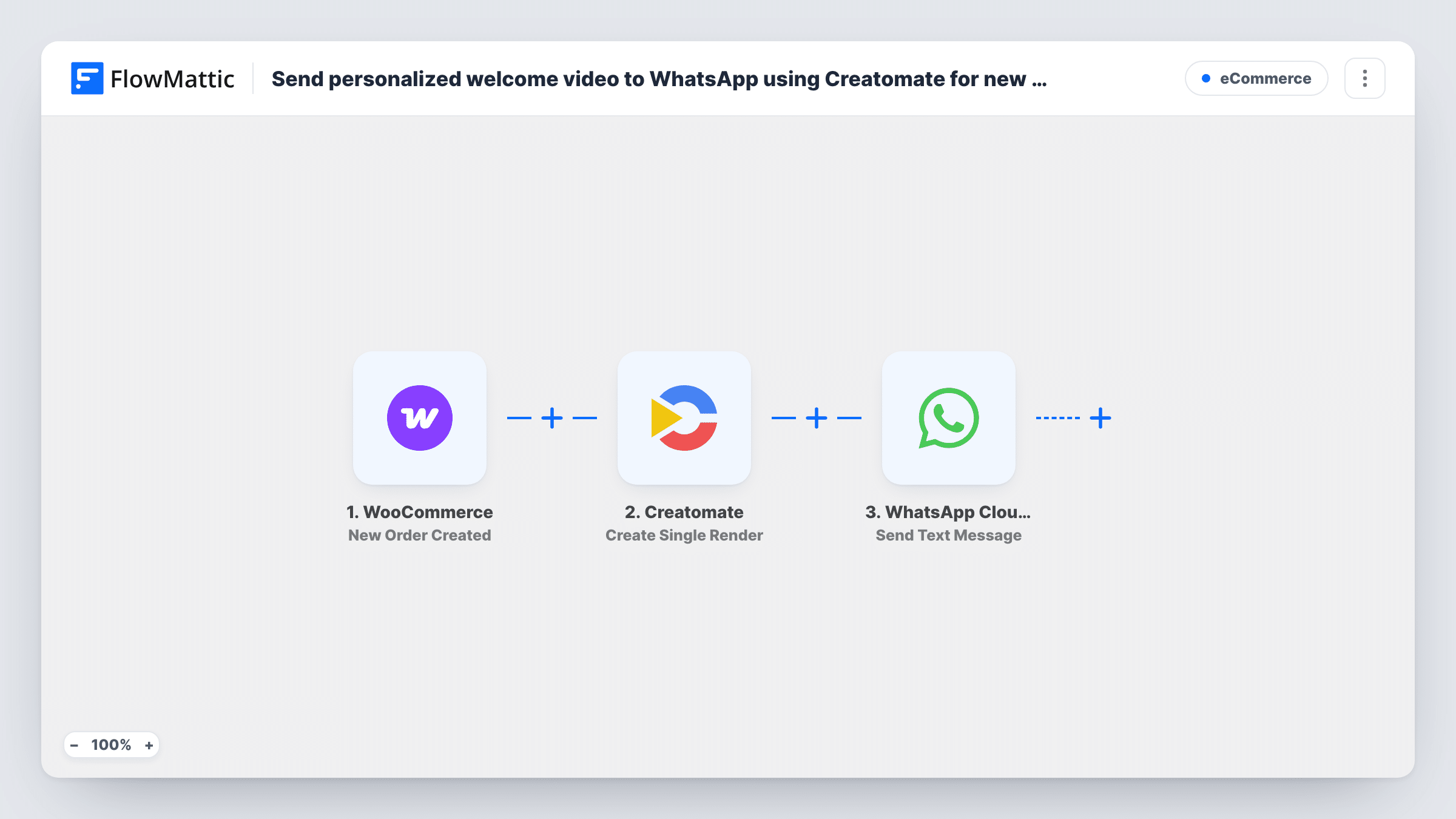
For each new WooCommerce order, this workflow asks Creatomate to render a personalised video from your template, then sends the buyer a WhatsApp text message with the video’s link through the WhatsApp Cloud API.
 WooCommerce
 Creatomate
 WhatsApp Cloud API
3 steps Setup ~5 min Used on 3.0k sites Free to import
What this workflow does
A short video that greets a buyer by name feels personal, but making one per order by hand is out of the question. Creatomate can fill a video template with order data, and WhatsApp puts the result on the customer's phone. This workflow joins the two and runs on every new order.
The WooCommerce trigger starts a run each time your store records a new order. FlowMattic passes the order details to Creatomate, where Create Single Render makes one video from your template, filled with values such as the customer's first name. The render's response, including its link, goes to the WhatsApp Cloud API step, which sends a text message to the phone number you map from the order.
Two limits matter here. The message is free-form text, and WhatsApp only delivers free-form text within 24 hours of the person messaging your business number, so most new buyers won't receive it as imported. To reach buyers outside that window, switch to the Send Template Message action with an approved template. Also, Creatomate may still be rendering when the message is sent, so the link can take a moment to play. Every order triggers a run, including repeat orders from the same buyer.
Thank-you video for a gift shop
A boutique uses a Creatomate template that shows the buyer's name over product footage. Customers who have chatted with the shop on WhatsApp get the link right after ordering.
Course or membership welcome
A store selling online courses through WooCommerce sends a personalised welcome clip link, swapped to an approved template message so every buyer receives it.
Local business order confirmation
A bakery taking WooCommerce pre-orders sends a short video greeting with the customer's name and pickup details pulled from the order.
How this workflow runs
What happens at each step once the workflow is on, and what you need before you import it.
 WooCommerce New Order Created
Starts a run whenever a WooCommerce order is placed. The buyer's name, phone and order details are available to Creatomate and WhatsApp.
- Creatomate Create Single Render
Creates one video, image or GIF from your Creatomate template, filled with the WooCommerce order data you map. The response includes the render's details for the next step.
- WhatsApp Cloud API Send Text Message
Sends a WhatsApp text message to the buyer's phone number with the Creatomate video link mapped into it. WhatsApp delivers this kind of message only within 24 hours of the buyer writing to your business number.
What you need
- FlowMatticCore
- WooCommerce PluginPlugin
- Creatomate AccountAccount
- WhatsApp Cloud API AccountAccount
After importing, map your own data. To keep the template universal, not every step is pre-filled. Open each step in the builder and connect your accounts and fields (channels, lists, sheets, recipients) before you switch the workflow on.
Make it yours
Changes worth making after you import it.
- Swap Send Text Message for the WhatsApp Cloud API Send Template Message action and use an approved template, so buyers who never wrote to you still receive the video link.
- Add a Delay before the WhatsApp step, or a Creatomate Get Single Render step, so the video has time to finish rendering before the link goes out.
- To show the video inside the chat rather than as a link, try the Send Video Message action with the render URL. It is also a free-form message, so the same 24-hour rule applies.
Questions about this workflow
Will every WooCommerce buyer receive the WhatsApp video message?
Not as imported. It is free-form text, which WhatsApp only delivers within 24 hours of the buyer messaging your business number. An approved template message is the way to reach buyers who haven't written to you.
Does the WhatsApp message include the video itself?
It sends a text message, so the buyer gets a link to the Creatomate video. WhatsApp Cloud API also offers a Send Video Message action in FlowMattic if you prefer that.
Do repeat WooCommerce customers get another welcome video?
Yes. The trigger fires on every new order, so a returning buyer gets a new render and message each time. Add a Filter if you want to change that.
What phone number format does WhatsApp Cloud API need?
Use the full international number. WooCommerce billing phones are often stored as typed, so test with a real order and check the WhatsApp step in Task History.
More E-Commerce workflows
Other ready-to-import templates from the same category.





Import this workflow into your WordPress site
Download the JSON, import it from the Workflows screen and connect your accounts. Every run stays on your server, with no per-task fees.
30-day money-back guarantee Unlimited workflows and runs Self-hosted