

Tag a FluentCRM subscriber when an EmailDelivery.com contact opens a message
Whenever a contact opens one of your EmailDelivery.com messages, this workflow adds tags to that person’s existing FluentCRM contact, so you can see who reads your mail from inside WordPress.
 EmailDelivery.com
 FluentCRM
2 steps Setup ~5 min Used on 473 sites Free to import
What this workflow does
If you send through EmailDelivery.com but keep your contacts in FluentCRM, open activity stays in one tool while your segments live in the other. This workflow carries that signal across by tagging the reader in FluentCRM.
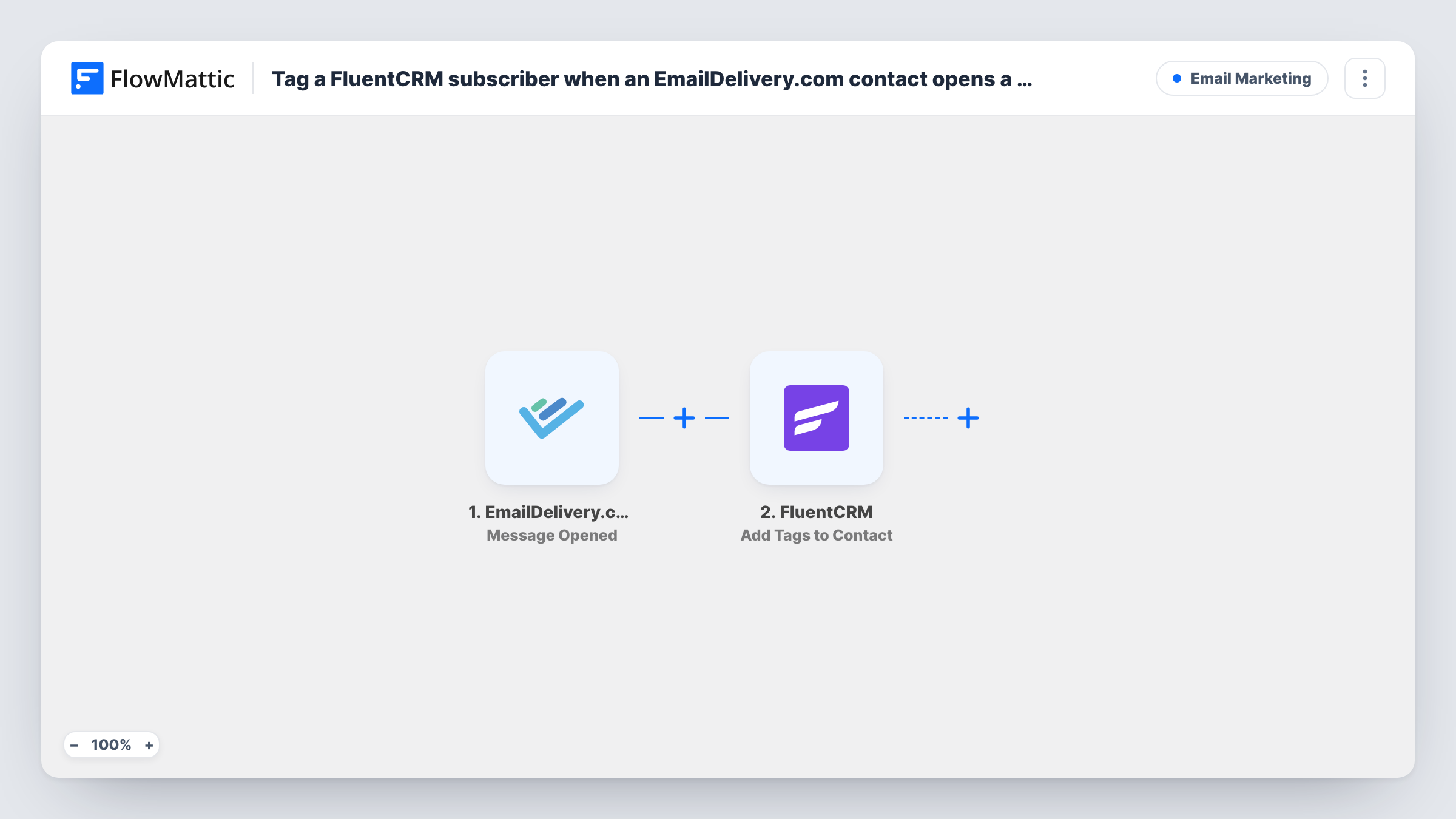
The EmailDelivery.com trigger is Message Opened, which fires when a contact opens a message. FlowMattic passes the open event's data, including who opened it, to FluentCRM. Its Add Tags to Contact action adds the tags you choose to that existing contact.
The action works on contacts already in FluentCRM. A reader who isn't there yet is not created and gets no tag, and Task History shows the response for that run. Every open starts a run, so someone who opens three messages is tagged three times. Adding a tag the contact already has leaves them with the same tag, so nothing piles up.
Segmenting engaged readers
Tag openers as engaged in FluentCRM, then send your next offer only to contacts with that tag.
Spotting interest from leads
Your sales team works from FluentCRM. A tag on a lead who opened your EmailDelivery.com announcement tells them who to call first.
Cleaning out inactive contacts
Contacts who never pick up the opener tag over a few months are the ones to move into a re-engagement or removal list.
How this workflow runs
What happens at each step once the workflow is on, and what you need before you import it.
 EmailDelivery.com Message Opened
Runs when a contact opens a message sent through your EmailDelivery.com account. The event's data, including the contact's details, is passed to FluentCRM.
- FluentCRM Add Tags to Contact
Adds one or more tags to an existing FluentCRM contact. Pick the tags and map the contact's details from the open event, then test with an address that is already in FluentCRM.
What you need
- FlowMatticCore
- EmailDelivery.com AccountAccount
- FluentCRM PluginPlugin
After importing, map your own data. To keep the template universal, not every step is pre-filled. Open each step in the builder and connect your accounts and fields (channels, lists, sheets, recipients) before you switch the workflow on.
Make it yours
Changes worth making after you import it.
- To tag only openers of one campaign, add a Filter after the trigger that checks the message name or ID, if a test run shows that field.
- If readers may not be in FluentCRM yet, place a FluentCRM Create or Update Contact step before the tagging step so every opener has a contact to tag.
- Swap the trigger for Message Link Clicked if a click is a better sign of interest for your list than an open.
Questions about this workflow
What if the EmailDelivery.com reader isn't in FluentCRM?
Add Tags to Contact only works on existing contacts, so nobody is created and no tag is added. Task History shows the result for that run. Add a Create or Update Contact step first if you need everyone tagged.
Does every open of the same message start a run?
Message Opened fires when a contact opens a message, so repeat opens can start more runs. They only add the same tags again.
Can the tag differ for each EmailDelivery.com message?
Not as imported. The step adds the tags you set. Use a Router on the message details with one tagging step per route if you want different tags per campaign.
More Email Marketing workflows
Other ready-to-import templates from the same category.







Import this workflow into your WordPress site
Download the JSON, import it from the Workflows screen and connect your accounts. Every run stays on your server, with no per-task fees.
30-day money-back guarantee Unlimited workflows and runs Self-hosted