

When a booking is cancelled in TuCalendi, update user metadata in WordPress
When a TuCalendi booking is cancelled, FlowMattic looks up the WordPress user with the booker’s email address and updates that user’s metadata, so your site can reflect the cancellation.
 TuCalendi
 WordPress
3 steps Setup ~5 min Used on 3.5k sites Free to import
What this workflow does
If your WordPress site shows members their appointments, gives access based on a booking, or just keeps notes on each user, a cancellation in TuCalendi leaves that data out of date. This workflow writes the change back to the user's own WordPress record as soon as the booking is cancelled.
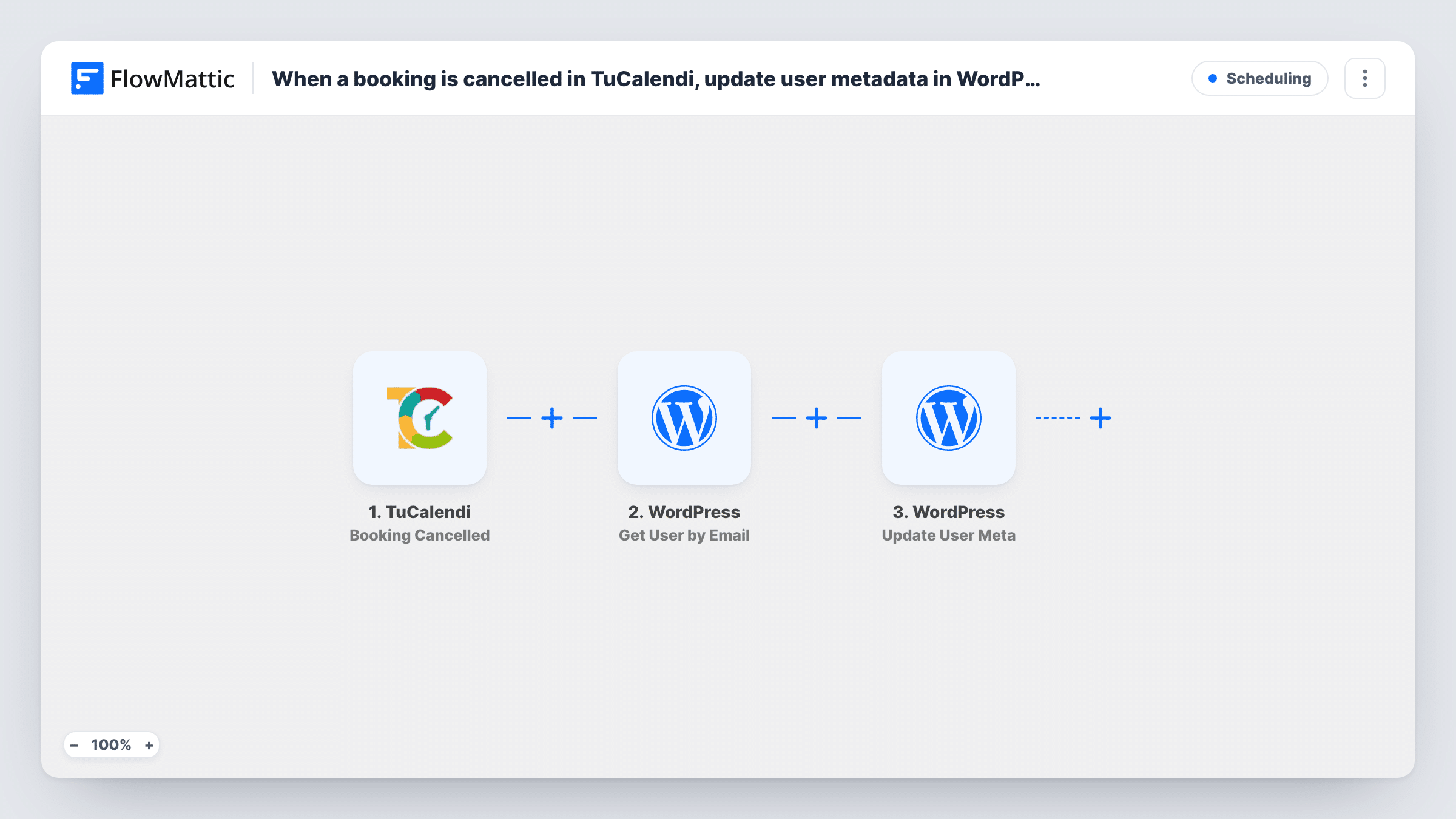
The TuCalendi trigger fires when a booking is cancelled and passes the booking details on. The first WordPress step gets a user profile by email: after import, map the booker's email from the trigger into it. The second WordPress step updates user metadata for the user ID that the lookup returns, which the template already maps for you.
What gets written is up to you. Choose the meta key and the value to store, such as a booking status set to cancelled or the cancellation date. Plugins and theme code that read that key will then see the new value.
The lookup only finds people who have a WordPress account with the same email they used in TuCalendi. For bookers without an account there is no user to update, and Task History shows what each step returned. Test with a booking made under a known user's email before you turn the workflow on.
Member dashboard showing booking status
A coaching site displays each member's next session from a user meta field, and the field changes to cancelled when the member cancels in TuCalendi.
Cancellation history on the user profile
A clinic stores the date of each patient's latest cancellation in user meta, so staff can see it on the WordPress profile before rebooking.
Access tied to an active booking
A course site shows live-session pages only to users with a user meta flag, and the flag is cleared when the student's TuCalendi booking is cancelled.
How this workflow runs
What happens at each step once the workflow is on, and what you need before you import it.
 TuCalendi Booking Cancelled
Starts a run each time someone cancels a TuCalendi booking. The cancelled booking's details, including the booker's contact information, are passed on to the WordPress steps.
- WordPress Get User by Email
Finds the WordPress user profile that matches an email address. The step ships unmapped, so map the booker's email from the TuCalendi trigger into it after import.
- WordPress Update User Meta
Updates metadata on the user found in step 2; the user ID is already mapped from the lookup. Set the meta key you want to change and the value to store for a cancelled booking.
What you need
- FlowMatticCore
- TuCalendi AccountAccount
After importing, map your own data. To keep the template universal, not every step is pre-filled. Open each step in the builder and connect your accounts and fields (channels, lists, sheets, recipients) before you switch the workflow on.
Make it yours
Changes worth making after you import it.
- Use a meta key your site already reads, such as one a membership plugin or a custom template checks, otherwise the stored value has no visible effect.
- If the TuCalendi data includes a date for the booking or the cancellation, map it into the meta value instead of a fixed word, so the profile shows which booking was dropped. A test run shows what arrives.
- Put a Filter between the Get User by Email step and the Update User Meta step that continues only when the user ID is not empty, so bookers without an account stop before the update.
- Build a matching workflow on the TuCalendi New Booking Created trigger that writes the opposite value, so the meta field stays current in both directions.
Questions about this workflow
What if the person who cancelled has no WordPress account?
The Get User by Email step finds no user, so there is no user ID for the update. Check Task History to see what each step returned. To stop those runs cleanly, put a Filter between the Get User by Email step and the Update User Meta step that continues only when the user ID is not empty.
Which user metadata does the TuCalendi workflow change?
The meta key you set in the Update User Meta step. The template maps only the user ID, so you choose the key and the value, for example a status field set to cancelled.
Does the email in TuCalendi have to match the WordPress account?
Yes. The lookup searches WordPress users by email, so the booking must use the same address as the account. Bookings made with a different address won't find the user.
Is the booking itself changed in TuCalendi?
No. TuCalendi only sends the cancellation to FlowMattic. Both actions run on your WordPress site and touch only the user's metadata.
More Scheduling workflows
Other ready-to-import templates from the same category.







Import this workflow into your WordPress site
Download the JSON, import it from the Workflows screen and connect your accounts. Every run stays on your server, with no per-task fees.
30-day money-back guarantee Unlimited workflows and runs Self-hosted