

When a conversation ends in Chatra, create ticket in Fluent Support
Each finished Chatra conversation creates a new ticket in Fluent Support on your WordPress site, so chats are kept as tickets your support team can track and reply to.
 Chatra
 Fluent Support
2 steps Setup ~5 min Used on 377 sites Free to import
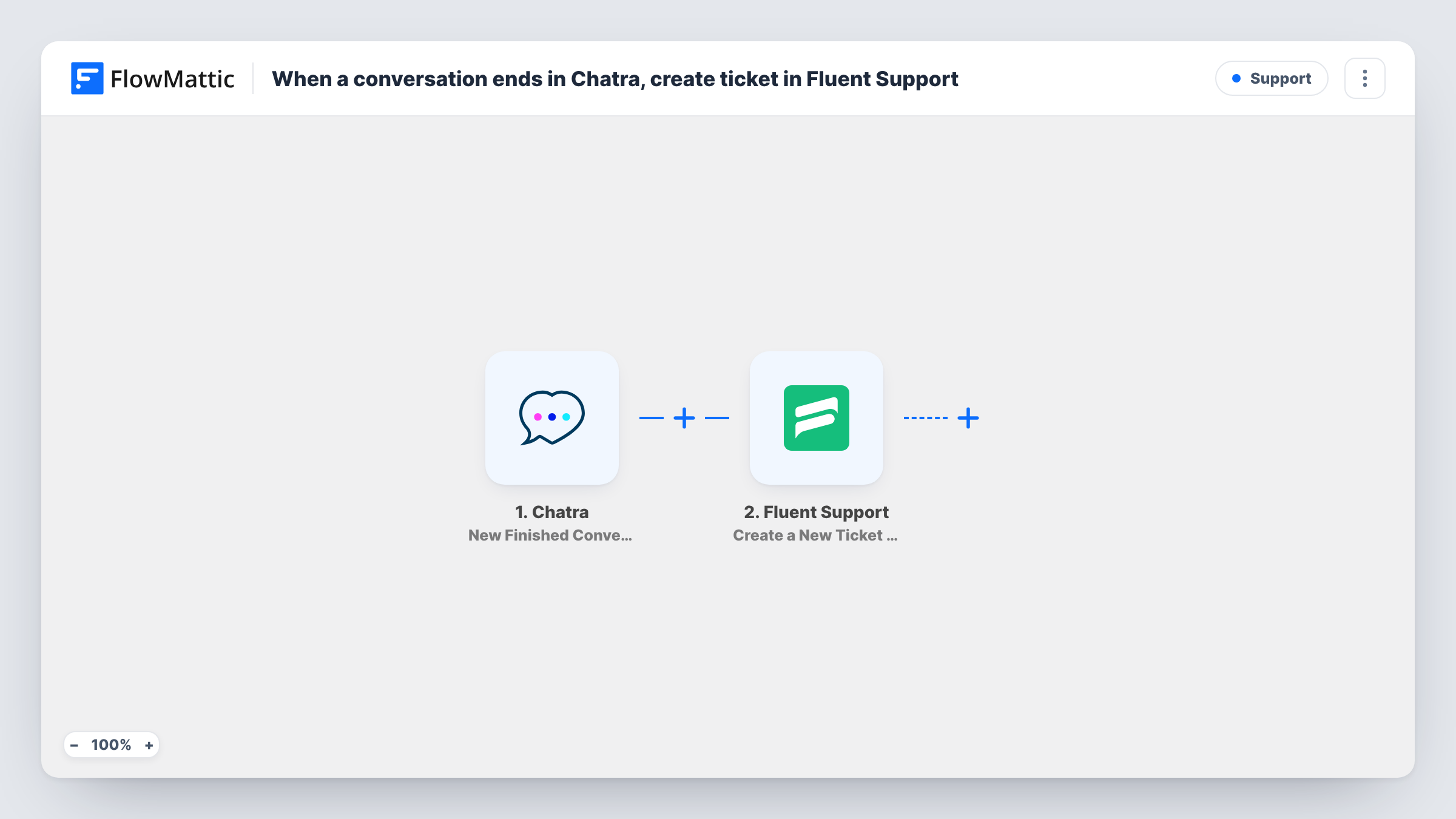
What this workflow does
Live chat is quick, but once a conversation closes it is easy to lose track of what was promised. If your team handles support in Fluent Support, a chat that needs follow-up should end up there. This workflow creates a ticket from every Chatra conversation when it ends.
The Chatra trigger is New Finished Conversation, which fires when a conversation ends. FlowMattic receives the conversation data and passes it to Fluent Support. The Create a New Ticket Using Customer action makes a ticket for the customer you map, with the chat details in it.
You decide what goes into the ticket: for example the visitor's email and name for the customer, and the conversation text for the ticket body. End a test chat after import to see what Chatra sends. Every finished conversation creates a ticket, including chats that were already resolved.
Chats that need a follow-up
A visitor asks about a refund on chat outside office hours. The finished conversation becomes a Fluent Support ticket your team answers the next morning.
One history per customer
Your team works in Fluent Support. Chat conversations become tickets there, so a customer's chats and emails sit in the same helpdesk.
Reviewing chat quality
A support lead reads tickets created from chats to see what customers ask most and how agents answered.
How this workflow runs
What happens at each step once the workflow is on, and what you need before you import it.
 Chatra New Finished Conversation
Runs when a conversation in Chatra ends. The conversation's data, including details about the visitor, is passed on for the Fluent Support step.
- Fluent Support Create a New Ticket Using Customer
Creates a new ticket in Fluent Support for the customer you map. Map the visitor's email and name from Chatra and put the conversation into the ticket, then test with a finished chat.
What you need
- FlowMatticCore
- Chatra AccountAccount
- Fluent Support PluginPlugin
After importing, map your own data. To keep the template universal, not every step is pre-filled. Open each step in the builder and connect your accounts and fields (channels, lists, sheets, recipients) before you switch the workflow on.
Make it yours
Changes worth making after you import it.
- Add a Filter after the trigger that continues only when the visitor left an email, since a ticket needs a customer to reply to.
- Add a Slack or email step after Fluent Support so the team hears that a finished chat has been turned into a ticket.
- Put the Chatra conversation text at the start of the ticket body so the agent who picks up the ticket sees what was said.
Questions about this workflow
Does every finished Chatra conversation become a ticket?
Yes, as imported. There is no Filter, so each conversation that ends creates a Fluent Support ticket.
What if the Chatra visitor never gave an email address?
The ticket step needs a customer to create the ticket for. Without an email it may fail for that chat, and Task History shows the error. A Filter on the email avoids this.
Does Fluent Support need to be on the same site as FlowMattic?
Yes. Fluent Support is a WordPress plugin, and the ticket is created on the site where FlowMattic runs.
More Support workflows
Other ready-to-import templates from the same category.






Import this workflow into your WordPress site
Download the JSON, import it from the Workflows screen and connect your accounts. Every run stays on your server, with no per-task fees.
30-day money-back guarantee Unlimited workflows and runs Self-hosted