

When a course bundle is created in BrainCert, create a product in WooCommerce and notify marketing team in Slack
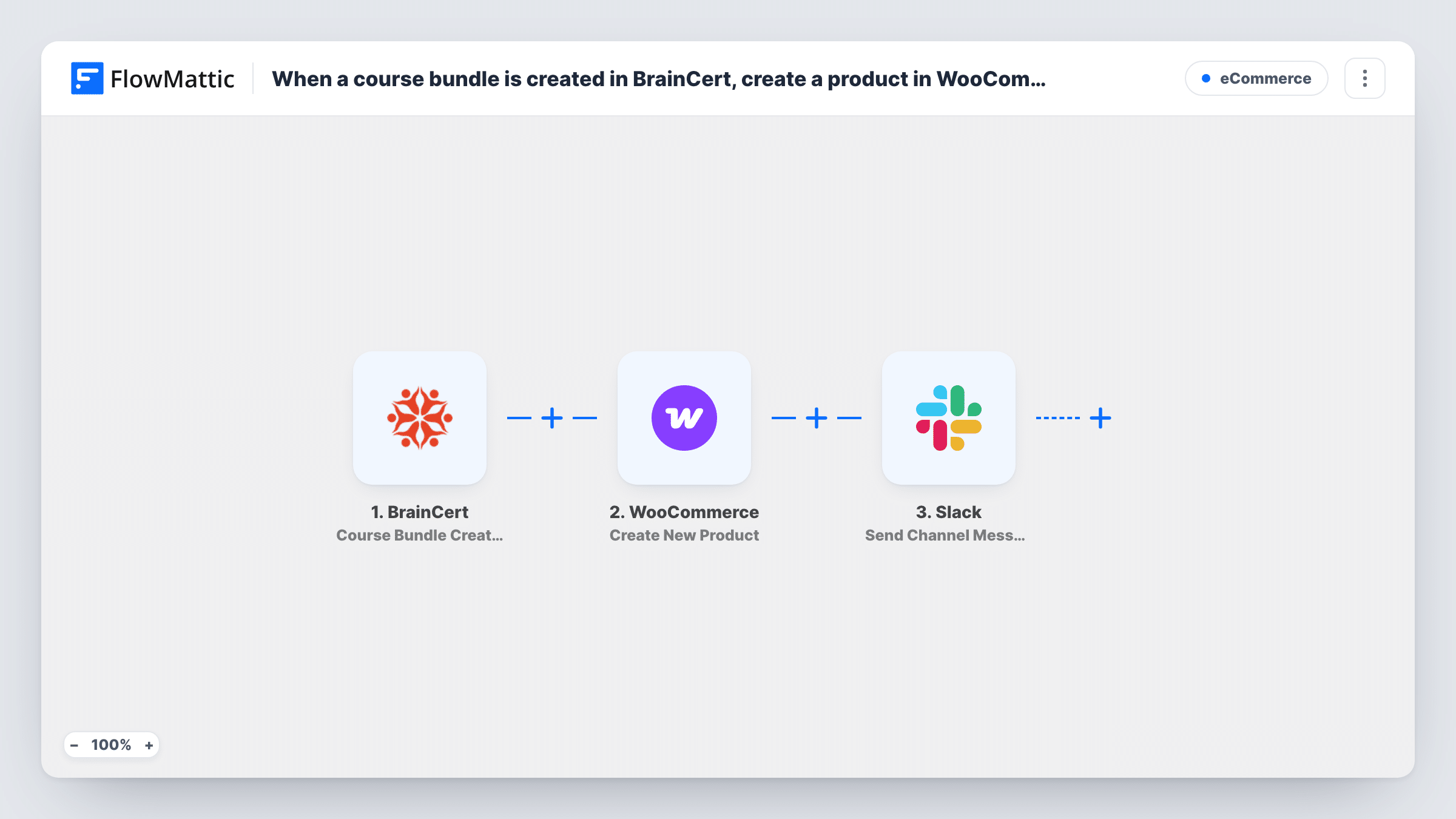
When you create a course bundle in BrainCert, this workflow adds a matching product to your WooCommerce store and posts a message in a Slack channel so your marketing team knows there is a new offer to promote.
 BrainCert
 WooCommerce
 Slack
Slack3 steps Setup ~5 min Used on 1.1k sites Free to import
What this workflow does
A new course bundle in BrainCert is only half the job if you sell through WooCommerce. Someone still has to build the store product by hand and then tell marketing it exists. When either step waits, the bundle sits there with no way to buy it and nobody promoting it.
The BrainCert trigger fires when a new course bundle is created. FlowMattic takes the bundle details BrainCert sends and passes them to WooCommerce, where the Create New Product action adds a product built from the values you map. The last step posts a message to a Slack channel. You write that message after import and can include bundle details and data returned by the WooCommerce step.
The steps run in order for every bundle created after you switch the workflow on. Bundles you already have are left alone, and editing a bundle later does not create a second product, since the trigger watches new bundles only. Each run appears in Task History, so you can check what reached WooCommerce and Slack.
Launching a seasonal course bundle
You group three BrainCert courses into a summer bundle. The store product is added for you, and the marketing channel hears about it the same moment so the campaign can start.
Training provider with a separate marketing team
Course staff build bundles in BrainCert while marketers live in Slack. The channel message tells them a new bundle exists without anyone forwarding an email.
Keeping the store catalogue in step with BrainCert
Each new bundle gets its own WooCommerce product, so your shop is not missing offers that already exist in your LMS.
How this workflow runs
What happens at each step once the workflow is on, and what you need before you import it.
 BrainCert Course Bundle Created
Fires when a new course bundle is created in your BrainCert account. The bundle data BrainCert sends is passed on for mapping in the WooCommerce and Slack steps.
- WooCommerce Create New Product
Creates a new product in WooCommerce on your WordPress site. Map the BrainCert bundle details into the product. Run a test with a sample bundle to see which values come through and how the product looks in your store.
- Slack Send Channel Message
Sends a note about the new bundle to a Slack channel of your choosing. Write the text after import and map in values such as the bundle name or details returned by the product step, so the team has what it needs to start promoting.
What you need
- FlowMatticCore
- BrainCert AccountAccount
- WooCommerce PluginPlugin
- Slack AccountAccount
After importing, map your own data. To keep the template universal, not every step is pre-filled. Open each step in the builder and connect your accounts and fields (channels, lists, sheets, recipients) before you switch the workflow on.
Make it yours
Changes worth making after you import it.
- Create a test bundle in BrainCert after import, then open the new product in WooCommerce and check its name, price and description before you leave the workflow on.
- For a private marketing channel, swap the Slack step for the Send Private Channel Message action, since Send Channel Message is meant for public channels.
- Map the data returned by the WooCommerce step into the Slack message so marketers can find the new product straight away.
Questions about this workflow
Will my existing BrainCert bundles become WooCommerce products?
No. The trigger fires when a bundle is created, so only bundles made after the workflow is on get a product. Add older bundles to WooCommerce by hand.
Does editing a BrainCert bundle update the WooCommerce product?
No. The template uses Course Bundle Created only. BrainCert also has a Course Bundle Updated trigger in FlowMattic, but nothing in this workflow uses it, so later edits stay in BrainCert.
Does the WooCommerce product give buyers access to the BrainCert bundle?
No, that part is outside this template. It only creates the product and sends the Slack message. Granting access after a purchase needs a separate workflow or your existing BrainCert setup.
Could the BrainCert bundle alert reach a single marketer in Slack instead?
Yes. Replace the Slack step with the Send Direct Message action and pick the person, then map the same bundle details into the text.
More E-Commerce workflows
Other ready-to-import templates from the same category.






Import this workflow into your WordPress site
Download the JSON, import it from the Workflows screen and connect your accounts. Every run stays on your server, with no per-task fees.
30-day money-back guarantee Unlimited workflows and runs Self-hosted