

When a file is uploaded in Google Drive, create a related task in FluentBoards and attach the file
When a new file lands in your Google Drive, this workflow creates a task for it on a FluentBoards board and attaches the file to that task, so uploads become work items your team can see in WordPress.
 Google Drive
 FluentBoards
3 steps Setup ~5 min Used on 3.2k sites Free to import
What this workflow does
Files often arrive in Drive because someone needs to do something with them: review a draft, check an invoice, edit a video. If nobody turns that upload into a task, it waits in a folder. This workflow creates the task on your FluentBoards board as soon as the file appears.
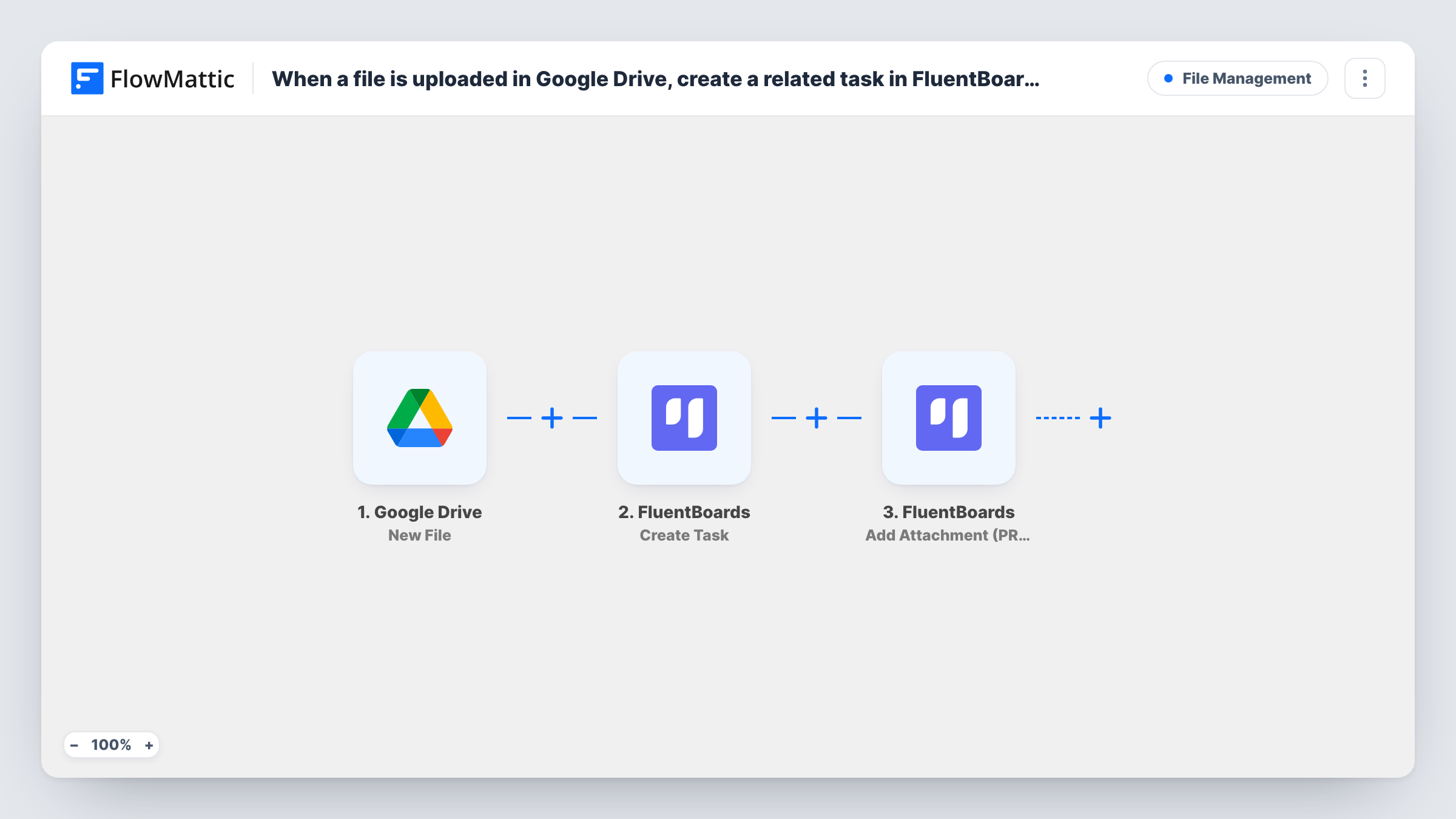
The Google Drive trigger is New File. Per FlowMattic's catalog, it fires when any new file is added, inside any folder, so as imported every file in the connected Drive counts. FlowMattic then creates a task on FluentBoards from the file's details, and a third step adds an attachment to that same task, using the task the previous step just made.
The attachment action is marked PRO in FlowMattic, so plan on FluentBoards Pro for that step. Run a test upload to see what the task shows for the file. A watched folder is usually a better fit than the whole Drive; the tips explain the switch.
Design reviews for a small studio
Designers drop drafts into a Drive folder. Each one becomes a FluentBoards task with the file attached, ready for the art director to review.
Invoices waiting for approval
Supplier invoices saved to Drive turn into tasks on a finance board, so each one is checked and moved through your stages.
Client uploads for a WordPress agency
Clients upload content for their site to a shared Drive folder. The agency's FluentBoards board gets a task per file to add it to the site.
How this workflow runs
What happens at each step once the workflow is on, and what you need before you import it.
 Google Drive New File
Fires when a new file is added anywhere in the connected Google Drive, in any folder. The file's details become available for the FluentBoards steps.
- FluentBoards Create Task
Creates a task on the FluentBoards board you choose. Map the Drive file's name or other details into the task so the team knows which file it covers.
- FluentBoards Add Attachment (PRO)
Adds an attachment to the task created in the previous step. Map the task from step 2 and the file from the Drive trigger, then check with a test upload what appears on the task.
What you need
- FlowMatticCore
- Google Drive AccountAccount
- FluentBoards PluginPlugin
After importing, map your own data. To keep the template universal, not every step is pre-filled. Open each step in the builder and connect your accounts and fields (channels, lists, sheets, recipients) before you switch the workflow on.
Make it yours
Changes worth making after you import it.
- Swap the trigger for Google Drive New File in Folder so only uploads to one folder create tasks, instead of every file in the Drive.
- Add FluentBoards Assign Task to User after the attachment step if one person should always pick up these files.
- Add a Filter after the trigger that skips file types you don't want tasks for, comparing a value from the Drive file data seen in a test run.
Questions about this workflow
Will every file in my Google Drive create a FluentBoards task?
As imported, yes. New File fires for any new file in any folder. Use the New File in Folder trigger instead to limit it to one folder.
Do I need FluentBoards Pro for the attachment step?
The Add Attachment action is marked PRO in FlowMattic, so plan on having FluentBoards Pro installed. The Create Task step on its own doesn't carry that label.
What if a Google Drive file is renamed or edited later?
Nothing happens to the task. The trigger only reacts to new files, so later edits in Drive don't change the FluentBoards task or its attachment.
More File Management workflows
Other ready-to-import templates from the same category.



Import this workflow into your WordPress site
Download the JSON, import it from the Workflows screen and connect your accounts. Every run stays on your server, with no per-task fees.
30-day money-back guarantee Unlimited workflows and runs Self-hosted