

When a form submission received in QuestionScout, send data to team member's WhatsApp based on the number in Counter
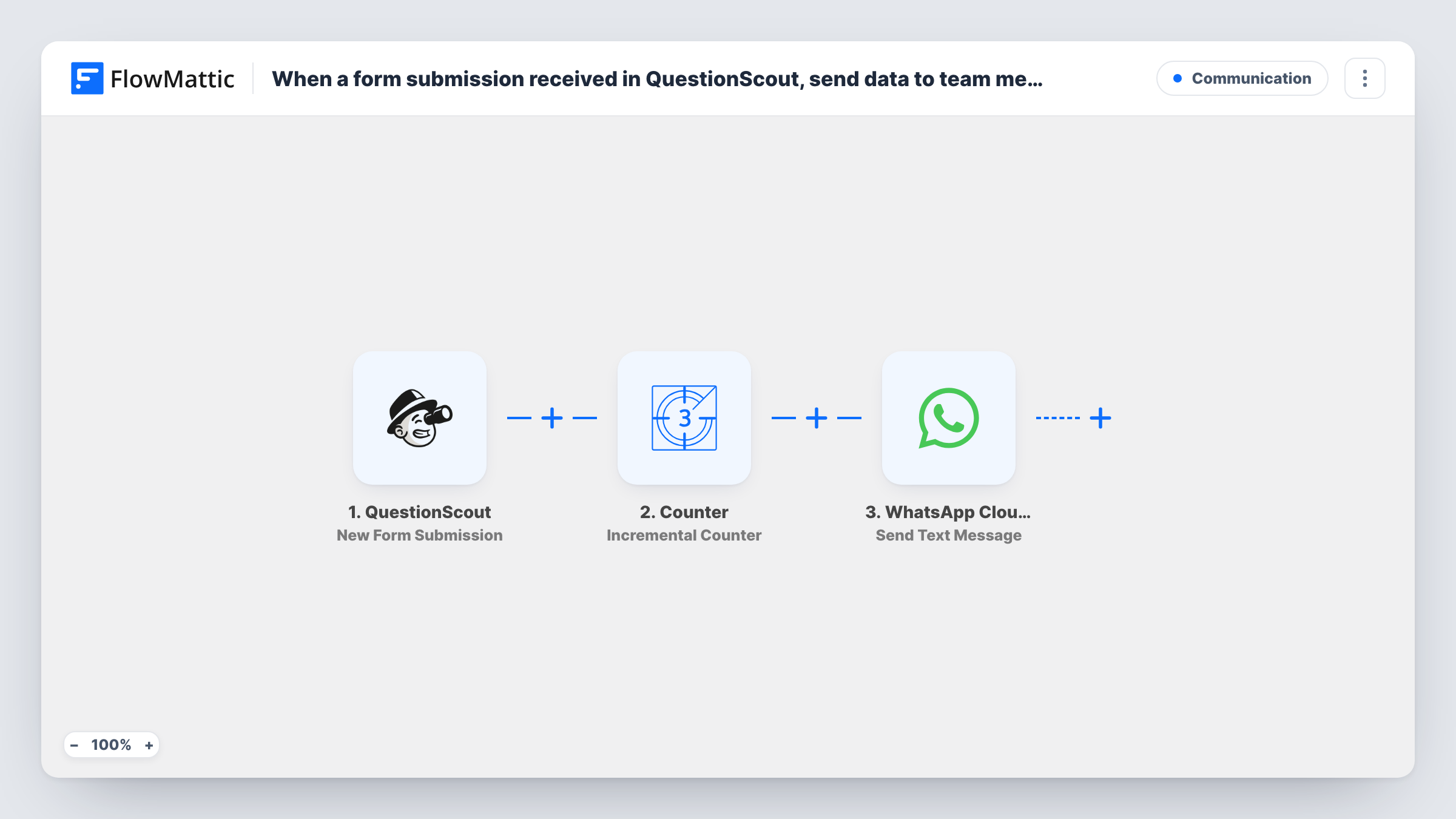
Each QuestionScout form submission moves a FlowMattic Counter on by one, and a Router sends the answers by WhatsApp to whichever of your three team members that number belongs to.
 QuestionScout
 Counter
 Router
 WhatsApp Cloud API
6 steps Setup ~12 min Used on 772 sites Free to import
What this workflow does
When enquiries arrive through a QuestionScout form, someone has to decide who follows each one up. This workflow shares them out in turn between three people and puts the answers straight on that person's phone, so nobody has to sort a shared inbox first.
The QuestionScout trigger starts a run for every new submission. The Counter step then keeps a stored number for the workflow. It is set to start at 1, add 1 on each run and go back to 1 once it reaches 3, so the number it returns cycles through 2, 3, 1, 2, 3 and so on.
A Router reads that number. It has three routes, labelled Team member 1, 2 and 3, and each one continues only when the counter value exactly matches its own number. Since the value is always one of 1, 2 or 3, each submission follows exactly one route. At the end of each route a WhatsApp Cloud API step sends a text message.
The three WhatsApp steps ship unmapped. After import you set each one up for its team member: add their WhatsApp number and write the message, mapping in the QuestionScout answers you want them to see. WhatsApp only delivers free-form text to people who have messaged your business number in the last 24 hours, so check Task History after a test submission.
Sharing sales enquiries between three reps
A quote request form built in QuestionScout hands each new enquiry to the next of three sales reps on WhatsApp, so the workload stays even without a manager assigning leads.
Rotating callback requests
A clinic's callback form sends each request to one of three receptionists in turn, and that person rings the patient back from the details in the message.
Booking requests for a small agency
A photography studio splits new shoot enquiries between its three photographers, each getting the date, location and contact details from the form on their phone.
How this workflow runs
What happens at each step once the workflow is on, and what you need before you import it.
 QuestionScout New Form Submission
Starts the workflow whenever your QuestionScout form receives a new submission. The answers become available to map into the WhatsApp messages.
- Counter Incremental Counter
Adds 1 to a number FlowMattic stores for this workflow and returns it as final_value. It starts at 1 and resets to 1 after reaching 3, so runs return 2, 3, 1 in a repeating cycle.
- Router 3 paths
Checks the counter value on three routes. Team member 1 continues when it exactly matches 1, Team member 2 when it matches 2 and Team member 3 when it matches 3, so each submission takes one route only.
- WhatsApp Cloud API Send Text Message
Sends a WhatsApp text to the first team member. The step ships unmapped: after import, add their number and write the message with the QuestionScout answers mapped in.
- WhatsApp Cloud API Send Text Message
Sends the submission to the second team member when the counter reads 2. Set their WhatsApp number and map the form answers into the message text before you turn the workflow on.
- WhatsApp Cloud API Send Text Message
Messages the third team member on the route for counter value 3. Like the other two, it arrives empty, so fill in the recipient's number and the text you want them to receive.
What you need
- FlowMatticCore
- QuestionScout AccountAccount
- WhatsApp Cloud API AccountAccount
After importing, map your own data. To keep the template universal, not every step is pre-filled. Open each step in the builder and connect your accounts and fields (channels, lists, sheets, recipients) before you switch the workflow on.
Make it yours
Changes worth making after you import it.
- Ask each team member to send a message to your WhatsApp business number first, or switch the three steps to Send Template Message with an approved template, since free-form text only reaches people inside the 24-hour window.
- Put the submitter's name, contact details and main answer at the top of each message, so the team member can act on it without opening QuestionScout.
- For a fourth person, raise the Counter's reset value to 4 and add a fourth route whose condition exactly matches 4, with its own WhatsApp step.
- To keep a record of who got each enquiry, add a Google Sheets step at the end of every route that logs the submission and the route's team member.
Questions about this workflow
Which team member gets the first QuestionScout submission?
Team member 2. The Counter starts from its initial value of 1 and the first run adds 1, so it returns 2. The next run returns 3, the one after that resets to 1, and the cycle repeats.
Can one submission reach more than one team member?
No. A Router runs every route whose condition matches, but the three conditions are exact matches on 1, 2 and 3, and the counter only ever holds one of those values at a time.
Will my team receive the WhatsApp messages if they never wrote to our number?
Probably not. A free-form WhatsApp text is only delivered if the recipient wrote to your business number during the previous 24 hours. Use Send Template Message with an approved template if your team members don't write to it regularly.
Do QuestionScout payments start this workflow too?
No. The trigger is New Form Submission. FlowMattic's QuestionScout integration has a separate New Successful Payment trigger if you build a workflow for paid forms.
More Communication workflows
Other ready-to-import templates from the same category.





Import this workflow into your WordPress site
Download the JSON, import it from the Workflows screen and connect your accounts. Every run stays on your server, with no per-task fees.
30-day money-back guarantee Unlimited workflows and runs Self-hosted