

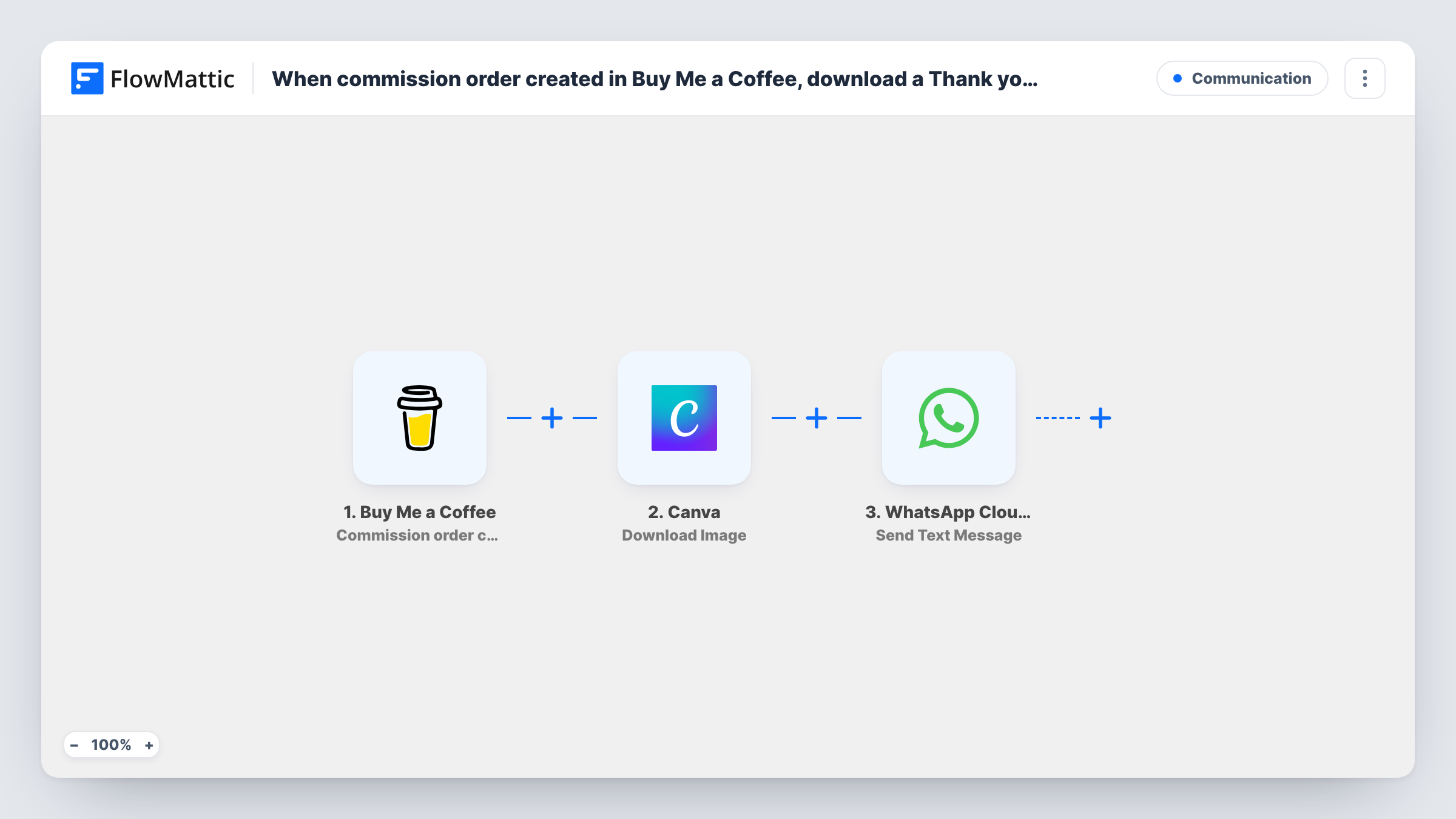
When commission order created in Buy Me a Coffee, download a Thank you image from Canva and send it to WhatsApp number of user
When someone places a commission order on Buy Me a Coffee, FlowMattic downloads your thank-you image from Canva and sends it to the buyer’s WhatsApp number as an image message.
 Buy Me a Coffee
 Canva
Canva
 WhatsApp Cloud API
3 steps Setup ~5 min Used on 1.3k sites Free to import
What this workflow does
A commission is a personal order, and a personal thank-you suits it better than a stock receipt. If you already have a thank-you card designed in Canva, this workflow sends it to the buyer on WhatsApp each time a new commission order comes in, without you exporting the image and sending it by hand.
The Buy Me a Coffee trigger fires when FlowMattic receives the commission order created webhook. The order details are passed to Canva, where the Download Image step fetches your thank-you design. The same image goes out on every run, since nothing in the template changes it per order.
The final step uses WhatsApp Cloud API to send the downloaded image as an image message. None of the action steps are mapped as imported. After import you point the Canva step at your design, then map the image from the Canva step and the buyer's phone number into the WhatsApp step.
The phone number has to come from the commission order data. Place a test order and check Task History for a phone field before you rely on this. WhatsApp also generally delivers non-template messages only within 24 hours of the person messaging your business number, so buyers who have never written to you may not receive the image.
Thank-you card for portrait commissions
An illustrator who takes portrait commissions sends each buyer a hand-lettered thank-you card from Canva on WhatsApp, where they already discuss the brief.
Confirming custom music orders
A composer selling custom jingles on Buy Me a Coffee sends a branded image to the buyer's WhatsApp, so they know the commission was received.
Consistent branding for a design studio
A small studio keeps one approved thank-you graphic in Canva and sends that same image to every commission buyer.
How this workflow runs
What happens at each step once the workflow is on, and what you need before you import it.
 Buy Me a Coffee Commission order created
Starts a run when Buy Me a Coffee sends its commission order created webhook to FlowMattic. The order details for that commission become available to the next steps.
- Canva Download Image
Downloads your thank-you image from Canva. The step ships unmapped: connect Canva and choose the design to download. The same image is used for every order.
- WhatsApp Cloud API Send Image Message
Sends the downloaded image to the buyer as a WhatsApp image message. Map the image from the Canva step and a phone number from the order, in international format.
What you need
- FlowMatticCore
- Buy Me a Coffee AccountAccount
- Canva AccountAccount
- WhatsApp Cloud API AccountAccount
After importing, map your own data. To keep the template universal, not every step is pre-filled. Open each step in the builder and connect your accounts and fields (channels, lists, sheets, recipients) before you switch the workflow on.
Make it yours
Changes worth making after you import it.
- Place a test commission order and check Task History for a phone number in the Buy Me a Coffee data before you go live, since the WhatsApp step needs one.
- Swap the WhatsApp step for the Send Template Message action with an approved template if most buyers have never messaged your business number.
- Add a Filter between the Canva step and the WhatsApp step that continues only when the phone number is not empty, so orders without one stop before the message.
Questions about this workflow
Does each Buy Me a Coffee buyer get a personalised Canva image?
No. The template downloads one design you choose, so every buyer gets the same image. For a personal touch, such as the buyer's name, add a WhatsApp text or template step after the image.
Where does the buyer's WhatsApp number come from?
From the commission order data Buy Me a Coffee sends. Check a test run in Task History to confirm a phone field is there and map it into the WhatsApp step.
Will the image reach buyers who have never chatted with me on WhatsApp?
Often not. WhatsApp usually delivers non-template messages only within 24 hours of the person's last message to your number. Use an approved template message to reach new buyers.
Do other Buy Me a Coffee events start this workflow?
No. Only the commission order created event does. Donations, memberships and extras purchases each have their own triggers.
More Communication workflows
Other ready-to-import templates from the same category.




Import this workflow into your WordPress site
Download the JSON, import it from the Workflows screen and connect your accounts. Every run stays on your server, with no per-task fees.
30-day money-back guarantee Unlimited workflows and runs Self-hosted