

When a Greenhouse candidate is hired, create an Airtable record and post a Slack announcement
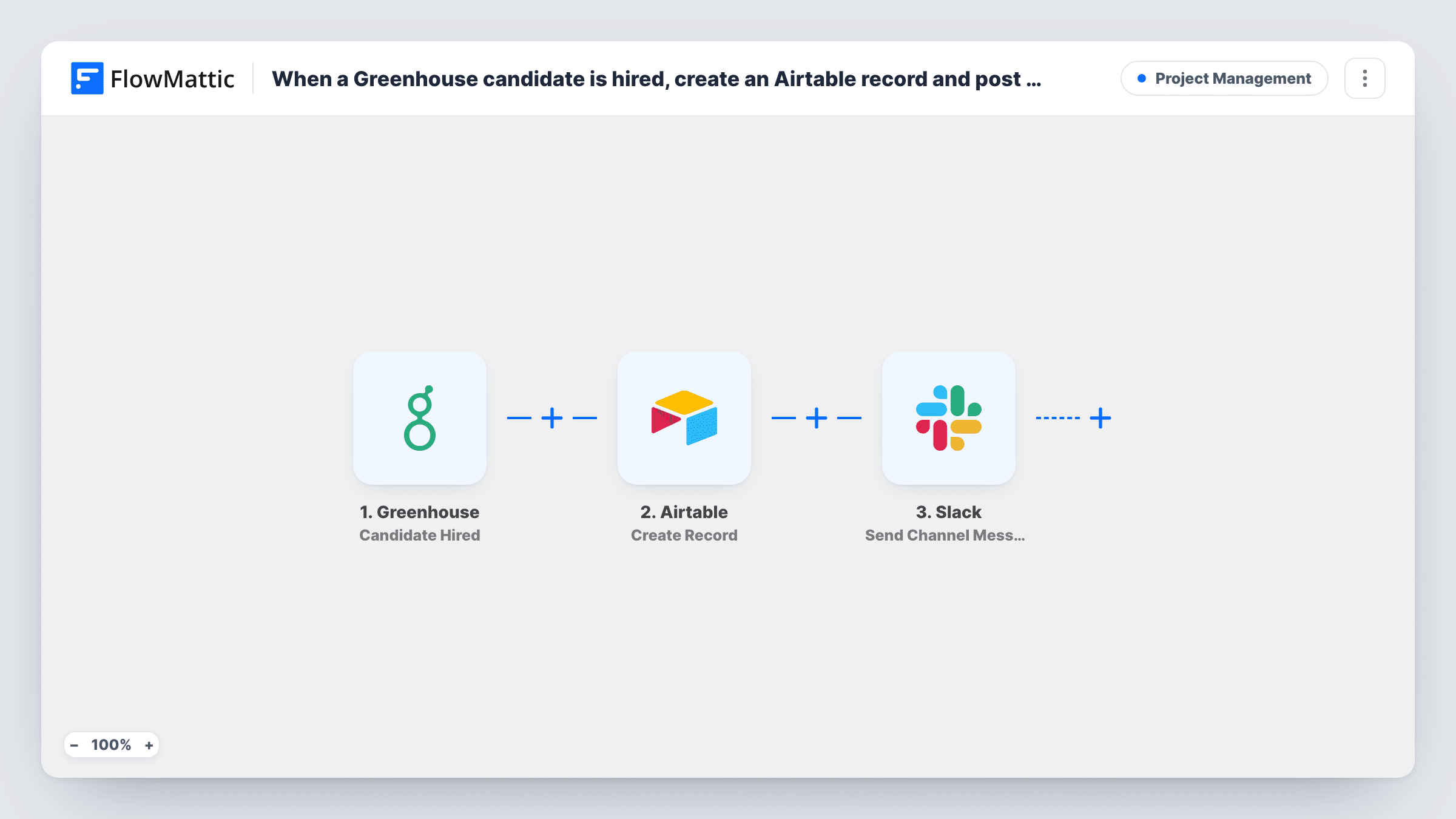
When a candidate is marked as hired in Greenhouse, this workflow creates a record in Airtable and posts an announcement in Slack, so onboarding starts with the details in place and the team hears the news.
 Greenhouse
 Airtable
 Slack
Slack3 steps Setup ~5 min Used on 2.5k sites Productivity Free to import
What this workflow does
A hire in Greenhouse is the end of recruiting and the start of onboarding. The new person's details need to reach whoever prepares their first day, and the team usually wants to know who is joining. This workflow handles both as soon as the hire is recorded.
The Greenhouse trigger fires when a candidate is hired. Details about the candidate and the job become data you can map. The workflow first creates a record in Airtable, in the base and table you choose, with fields filled from Greenhouse. It then posts a message to a Slack channel announcing the hire, using the same details.
Both steps run for every hire. The Slack message is still posted if Airtable returns an error, and Task History shows which step failed. Think about what you put in the Slack text: candidate data can include personal details, so map only what you are happy for the whole channel to see.
An onboarding tracker in Airtable
People ops keeps a table of upcoming starters. Each Greenhouse hire adds a row with name, role and start date, ready for laptop and access requests.
Welcoming new colleagues
A #new-joiners Slack channel gets a short message for every hire, giving the team a chance to say hello before day one.
Hiring progress for leadership
Managers see hires appear in Slack and in an Airtable view grouped by department, without logging in to Greenhouse.
How this workflow runs
What happens at each step once the workflow is on, and what you need before you import it.
 Greenhouse Candidate Hired
Runs when a candidate is marked as hired in Greenhouse. Candidate and job details are passed to both the Airtable and Slack steps.
- Airtable Create Record
Adds a record to the Airtable base and table you pick. Map the new hire's details from Greenhouse into your columns, such as name, job and start date if Greenhouse sends it.
- Slack Send Channel Message
Announces the hire in the Slack channel you choose. Write the message and map in details such as the person's name and role, keeping private information out.
What you need
- FlowMatticCore
- Greenhouse AccountAccount
- Airtable AccountAccount
- Slack AccountAccount
After importing, map your own data. To keep the template universal, not every step is pre-filled. Open each step in the builder and connect your accounts and fields (channels, lists, sheets, recipients) before you switch the workflow on.
Make it yours
Changes worth making after you import it.
- Set up the Airtable table before import with columns for the details you want, then hire a test candidate so FlowMattic captures real data to map.
- Add a Filter after the trigger if only hires for certain departments or offices should be announced and tracked.
- Add a Delay before the Slack step if you prefer to announce hires a day or two after the offer is accepted, once the person has told their current employer.
Questions about this workflow
Which Greenhouse candidate details reach Airtable and Slack?
Any details Greenhouse includes in the hire event can be mapped. Run a test hire to see what arrives, and choose separately what goes into Airtable and what goes into Slack.
What if the Airtable record cannot be created?
The Slack announcement is still posted. Task History shows the Airtable error, so you can add the record by hand.
Can the Slack announcement go to a different channel per team?
Not as imported. Replace the single Slack step with a Router that has one route per department, each with its own Send Channel Message step.
More Project Management workflows
Other ready-to-import templates from the same category.






Import this workflow into your WordPress site
Download the JSON, import it from the Workflows screen and connect your accounts. Every run stays on your server, with no per-task fees.
30-day money-back guarantee Unlimited workflows and runs Self-hosted