

When a new customer is created in Pabbly Subscriptions, create a new user in WordPress and add a new member to Mailchimp list
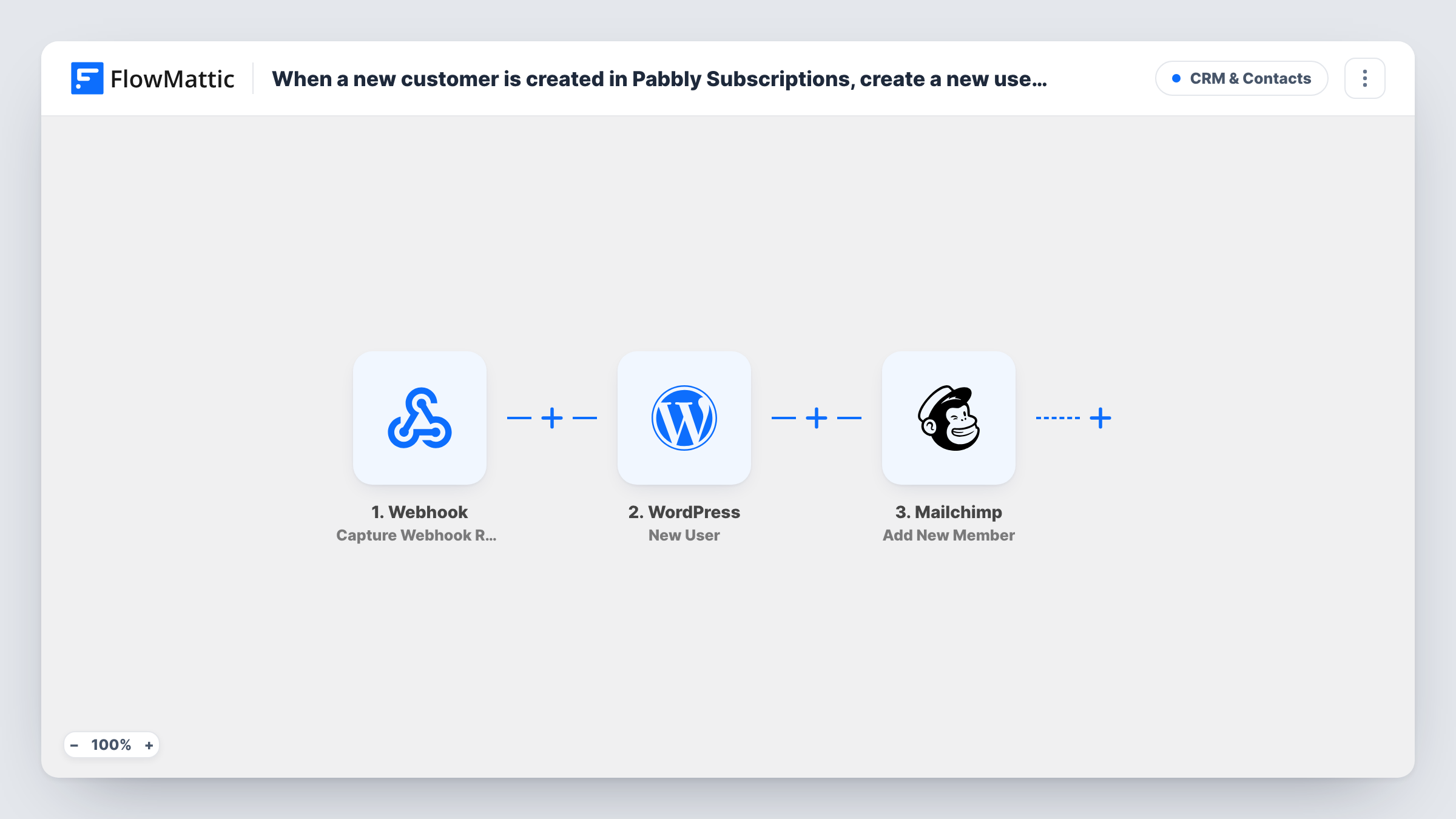
When a customer is created in Pabbly Subscriptions, FlowMattic creates a WordPress user account for them and then adds them to your Mailchimp list as a member.
 Pabbly Subscriptions
 WordPress
 Mailchimp
3 steps Setup ~5 min Used on 524 sites Free to import
What this workflow does
Selling a subscription through Pabbly Subscriptions often means two more jobs on your own site: giving the customer a login and putting them on your mailing list. Doing both by hand for each sign-up is slow and easy to forget. This workflow handles them in one run as soon as Pabbly creates the customer.
The Pabbly Subscriptions trigger fires when a customer is created. The customer's details, such as name and email address, are passed to the next two steps. A test run shows the exact fields Pabbly sends.
The WordPress New User step creates a user account on your site. It ships unmapped, so after import you map the customer's email and name into it and review the account options it shows. Then the Mailchimp Add New Member step adds the same person to the audience you pick, or updates them if they are already a member. It's unmapped too, so connect Mailchimp, choose the audience and map the email.
Every new Pabbly customer starts a run. If the email already belongs to a WordPress account, WordPress may return an error for the New User step, so test with a fresh address and check Task History to see what each step returned.
Member logins for a paid community
A membership site bills through Pabbly Subscriptions and gives each new customer a WordPress account for the members area, plus a place on the members' Mailchimp list.
Course access with onboarding emails
An online course creator sells plans in Pabbly, creates the student's WordPress login, and uses the Mailchimp list to send the welcome series.
Software customers on a product-news list
A plugin developer adds each Pabbly subscriber to WordPress for the support portal and to Mailchimp for release announcements.
How this workflow runs
What happens at each step once the workflow is on, and what you need before you import it.
 Pabbly Subscriptions Customer Create
Fires when a new customer is created in Pabbly Subscriptions. The customer's details, such as name and email address, become available to the WordPress and Mailchimp steps.
- WordPress New User
Creates a new user account in WordPress for the Pabbly customer. The step ships unmapped: map the customer's email and name, then run a test to see which account options the step offers.
- Mailchimp Add New Member
Adds the customer to your Mailchimp audience, or updates them if the email is already a member. The step ships unmapped: connect Mailchimp, choose the audience and map the email and name.
What you need
- FlowMatticCore
- Pabbly Subscriptions AccountAccount
- Mailchimp AccountAccount
After importing, map your own data. To keep the template universal, not every step is pre-filled. Open each step in the builder and connect your accounts and fields (channels, lists, sheets, recipients) before you switch the workflow on.
Make it yours
Changes worth making after you import it.
- Test with a Pabbly test customer whose email isn't on your site yet, then check the new WordPress account under Users before you go live.
- If the Mailchimp step shows name fields, map the customer's first and last names into them, so your welcome emails can greet them by name.
- Use a Mailchimp audience or tag reserved for paying customers, so subscription emails stay separate from your free newsletter.
Questions about this workflow
What happens if the Pabbly customer already has a WordPress account?
WordPress doesn't allow two accounts with the same email, so the New User step may return an error for that customer. Task History shows the response, and you can link the existing account by hand.
Will Mailchimp add a duplicate if the email is already on my list?
No. Mailchimp's Add New Member action adds the person to the list, or updates them if they already exist, so an existing member is updated rather than added twice.
How does the new customer log in to WordPress?
The login details come from your setup of the WordPress step for Pabbly customers. Check a test run to see what the step offers for passwords and notifications, and tell customers how to sign in or reset their password.
Does a renewal or plan change in Pabbly start this workflow again?
The trigger is Pabbly's Customer Create event, which fires when a customer is created. Renewals and plan changes are separate events and don't use this trigger.
More CRM & Contacts workflows
Other ready-to-import templates from the same category.




Import this workflow into your WordPress site
Download the JSON, import it from the Workflows screen and connect your accounts. Every run stays on your server, with no per-task fees.
30-day money-back guarantee Unlimited workflows and runs Self-hosted