

When a new entry is received in Cognito Forms, add the lead to FluentCRM
Each new Cognito Forms entry is sent to FluentCRM, which creates a contact from it or updates the existing contact with the same email address, so your form leads end up in your WordPress CRM.
 Cognito Forms
 FluentCRM
2 steps Setup ~5 min Used on 2.1k sites Free to import
What this workflow does
Cognito Forms collects the entry, but your email marketing runs in FluentCRM on your WordPress site. Exporting entries and importing them into the CRM by hand is slow, and leads wait in between. This workflow moves each person across when they submit the form.
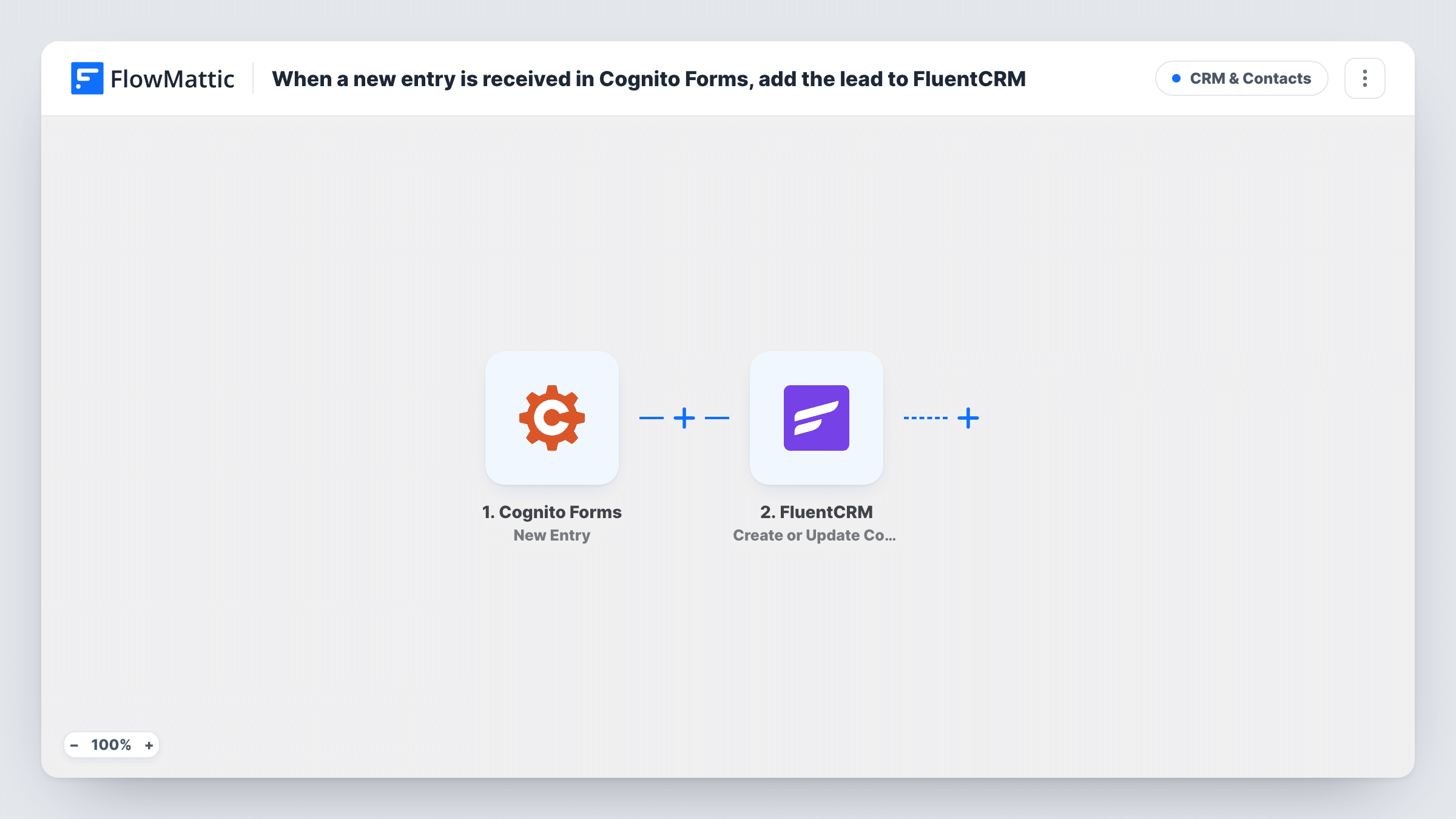
The Cognito Forms trigger fires when a new entry is received on form submission. The entry's answers are passed to FluentCRM, where the Create or Update Contact action looks at the email address. If no contact has that address, FluentCRM creates one. If a contact already has it, that contact is updated with the values you mapped instead of being added twice.
Because the update uses whatever the entry holds, a blank answer mapped to a contact field can overwrite a value already saved there. Map only fields your form always collects, or mark them as required in Cognito Forms. Edits made to an entry later in Cognito Forms do not start this workflow, since that is a separate Update Entry trigger. You can review each Cognito entry's run, and what FluentCRM returned, in Task History.
Quote requests for a service business
Prospects fill in a Cognito Forms quote form. Each one becomes a FluentCRM contact, ready for the follow-up emails you send from WordPress.
Webinar or class registrations
Registrants submit a Cognito form and land in FluentCRM, where you can email reminders and the recording link from your own site.
Returning customers who submit again
A past client sends a new enquiry with the same email. FluentCRM updates their existing contact rather than creating a duplicate.
How this workflow runs
What happens at each step once the workflow is on, and what you need before you import it.
 Cognito Forms New Entry
Fires when a new entry is received on a Cognito Forms form submission. The entry's answers, including the email address, become available to map into FluentCRM.
- FluentCRM Create or Update Contact
Creates a new FluentCRM contact, or updates the existing contact matched by email address. Map the Cognito email field to the contact email, plus any name or phone fields your form collects.
What you need
- FlowMatticCore
- Cognito Forms AccountAccount
- FluentCRM PluginPlugin
After importing, map your own data. To keep the template universal, not every step is pre-filled. Open each step in the builder and connect your accounts and fields (channels, lists, sheets, recipients) before you switch the workflow on.
Make it yours
Changes worth making after you import it.
- Make the email field required in your Cognito form. FluentCRM matches and creates contacts by email, so an entry without one has nothing to match on.
- Add a Filter after the trigger that continues only when a consent checkbox is ticked, so only people who agreed to hear from you reach FluentCRM.
- Submit a test entry after import so FlowMattic captures the form's fields, then map them in the FluentCRM step before you turn the workflow on.
Questions about this workflow
What if the Cognito Forms lead is already in FluentCRM?
The step is Create or Update Contact, which matches by email address. An existing contact is updated with the mapped values rather than duplicated. Blank values you map can replace data already on the contact.
Does editing a Cognito Forms entry update the contact?
No. This workflow uses the New Entry trigger. Edits fire Cognito's separate Update Entry trigger, which this template does not listen for.
Must FluentCRM run on the WordPress site where FlowMattic receives the Cognito entries?
Yes. FluentCRM is a WordPress plugin, and FlowMattic adds the contact on the WordPress site where both are installed.
Are older Cognito Forms entries added to FluentCRM?
No. The New Entry trigger only reacts to Cognito submissions made while the workflow is active. Earlier entries stay in Cognito Forms.
More CRM & Contacts workflows
Other ready-to-import templates from the same category.







Import this workflow into your WordPress site
Download the JSON, import it from the Workflows screen and connect your accounts. Every run stays on your server, with no per-task fees.
30-day money-back guarantee Unlimited workflows and runs Self-hosted