

When a new form submission received in 123 Form Builder, create a new user in WordPress, and add a new subscriber in Mailchimp
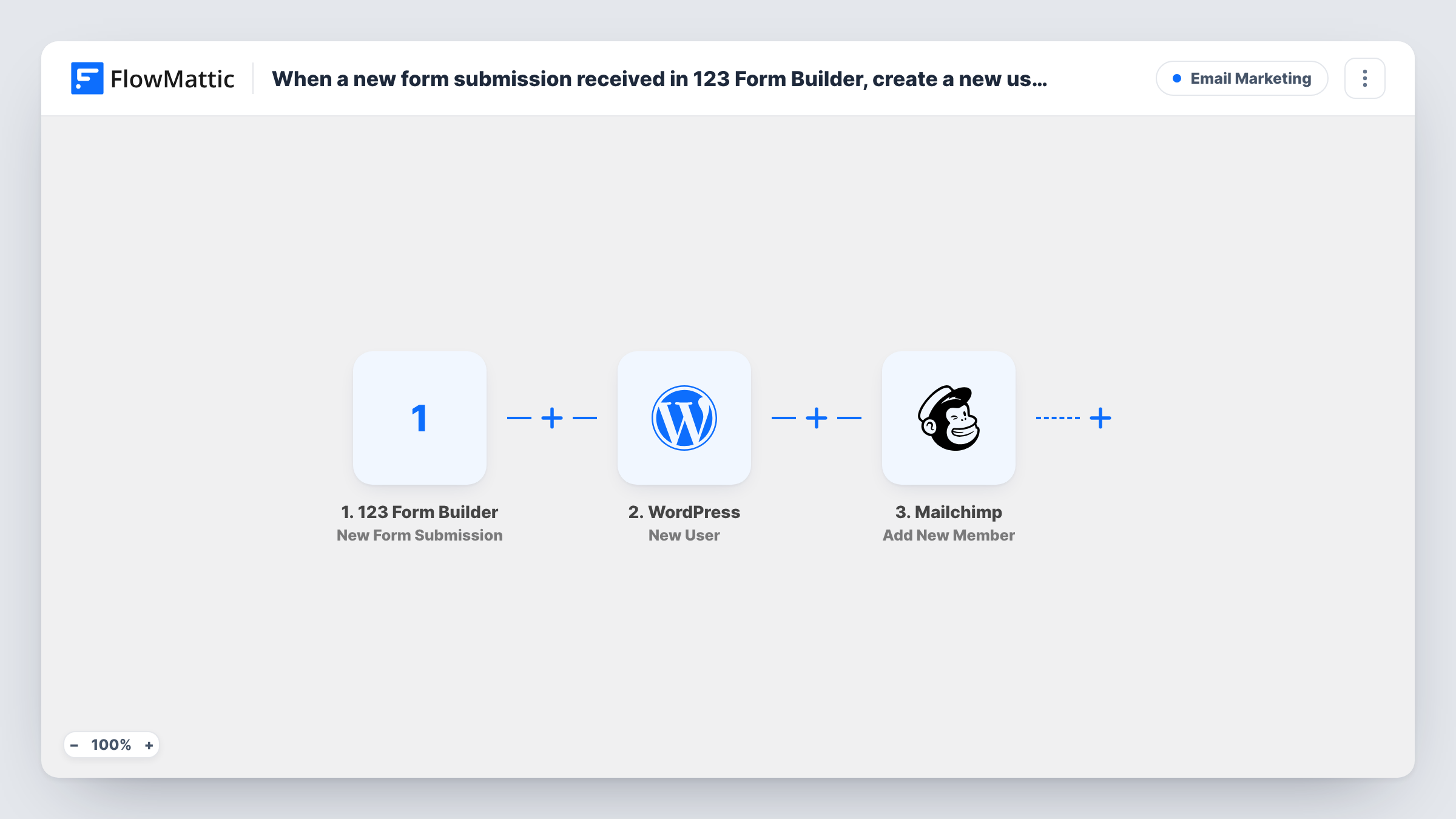
Each 123 Form Builder submission creates a new WordPress user from the form’s answers, then adds that person to your Mailchimp audience, or updates them if their email is already there.
 123 Form Builder
 WordPress
 Mailchimp
3 steps Setup ~5 min Used on 2.4k sites Free to import
What this workflow does
If people sign up for your site or community through a form built in 123 Form Builder, two jobs usually follow: making their WordPress account and adding them to your mailing list. This workflow does both from the same submission, so a sign-up form on any page can open an account and start your emails.
The 123 Form Builder trigger, New Form Submission, runs when someone submits your form and passes the answers to FlowMattic. The WordPress New User step then creates an account on the site where FlowMattic is installed. It ships unmapped, so after import you map the form's fields into the user details; WordPress needs at least a username and an email address for each account.
The last step is Mailchimp Add New Member. FlowMattic describes it as adding a new member to the list, or updating them if they already exist, so a returning email address updates the existing contact rather than failing. Pick the audience and map the email and name fields.
Every submission runs both steps with no conditions. If the email already belongs to a WordPress account, the step returns that account's user ID rather than making another. A username used by someone else may be refused. Open that run in Task History to read the WordPress reply. Think about consent as well: only people who agreed to hear from you should go to Mailchimp.
Membership sign-up on an external form
A club collects membership applications with 123 Form Builder. Each applicant gets a WordPress account for the members area and joins the club's Mailchimp newsletter.
Course registration with a login
A tutor's registration form creates a WordPress user so students can log in to the lesson pages, and adds them to a Mailchimp audience for class updates.
Event community accounts
An event organiser lets attendees sign up through a 123 Form Builder form embedded on the event page, creating site accounts and a Mailchimp list for event news.
How this workflow runs
What happens at each step once the workflow is on, and what you need before you import it.
 123 Form Builder New Form Submission
Starts when a new submission arrives from your 123 Form Builder form. The answers, such as name and email, are passed to the WordPress and Mailchimp steps.
- WordPress New User
Opens a WordPress account for the person who filled in the form. The step ships unmapped: map at least a username and the email address from the form, plus the name if you collect it. Check a test run to confirm the account was made.
- Mailchimp Add New Member
Adds the person to your Mailchimp audience, or updates them if the email is already a member. The step ships unmapped: choose the audience and map the email and name fields.
What you need
- FlowMatticCore
- 123 Form Builder AccountAccount
- Mailchimp AccountAccount
After importing, map your own data. To keep the template universal, not every step is pre-filled. Open each step in the builder and connect your accounts and fields (channels, lists, sheets, recipients) before you switch the workflow on.
Make it yours
Changes worth making after you import it.
- Add a consent checkbox to the form, then put a Filter between the WordPress New User step and the Mailchimp step that continues only when it is ticked. Everyone still gets an account, and only people who opted in reach Mailchimp.
- Map the form's email as the username too, if you don't ask for a username, so each new account gets a unique login.
- Send a welcome message with login instructions by adding an Email step after the Mailchimp step and mapping the person's email from the form.
Questions about this workflow
What if the submitted email already has a WordPress account?
No second account is created. The New User step finds the user registered with that email and returns their ID. Task History shows which ID came back, and you can look up that account in the dashboard.
Does Mailchimp reject an address that is already in my audience?
No. Add New Member adds new people and updates existing members, so the person stays in the audience once with the latest details you mapped.
Which WordPress role does a 123 Form Builder sign-up receive?
The template doesn't show one. Run a test submission, check the new user in the WordPress dashboard, and adjust the New User step's options if the role isn't the one you want.
Do I need the 123 Form Builder form to collect a username?
Not necessarily. You can map the email address into the username, as long as each submission has a unique email.
More Email Marketing workflows
Other ready-to-import templates from the same category.




Import this workflow into your WordPress site
Download the JSON, import it from the Workflows screen and connect your accounts. Every run stays on your server, with no per-task fees.
30-day money-back guarantee Unlimited workflows and runs Self-hosted