

When a new lead is added in HubSpot, automatically create a Google Meet space and send the link via email
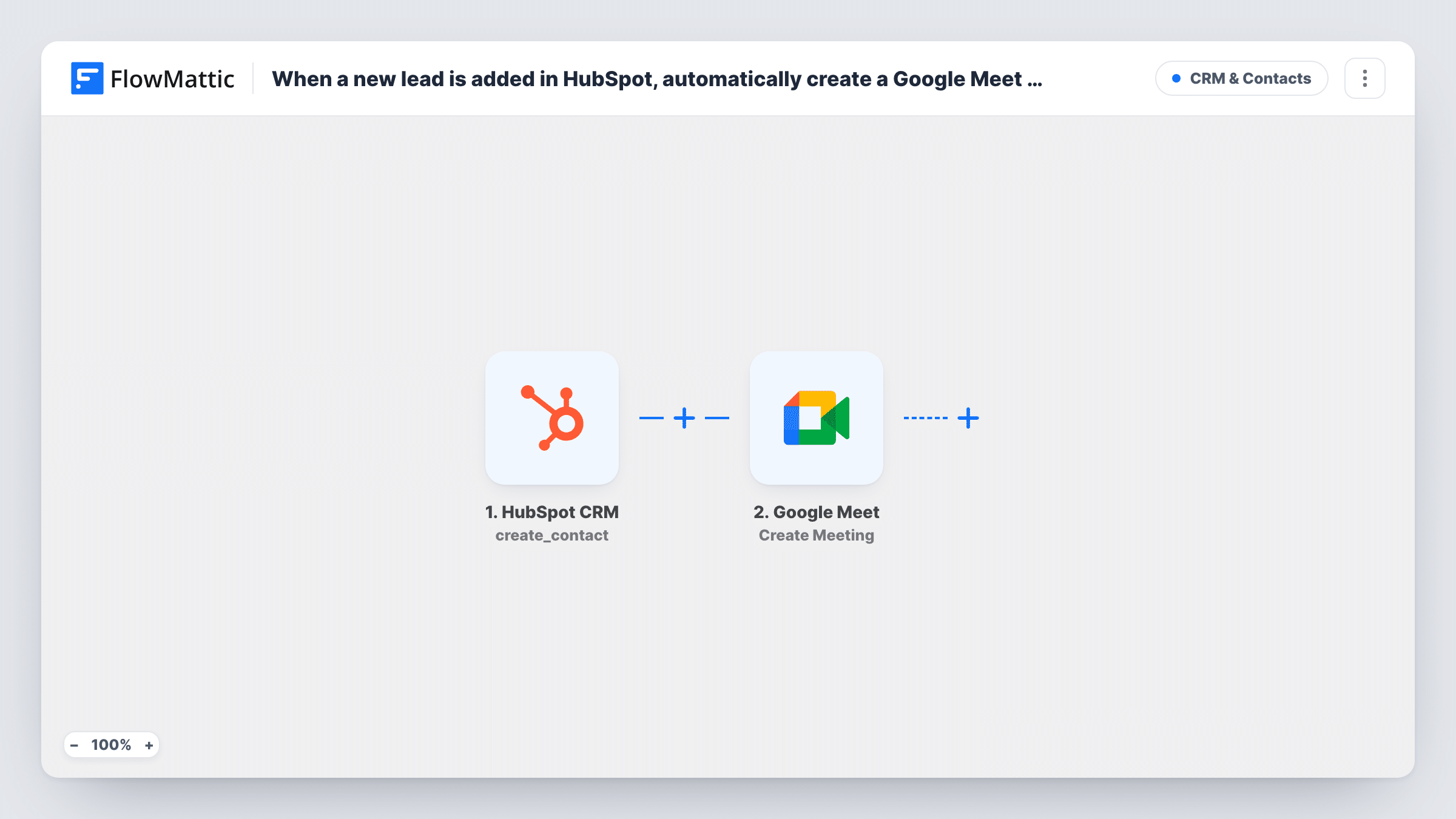
HubSpot posts each new lead to a FlowMattic webhook, a Google Meet space is created for that lead, and an email with the subject “Your meeting link” goes out with the link you map in.
 Webhook
 Google Meet
 Email
Email3 steps Setup ~5 min Used on 3.3k sites Free to import
What this workflow does
Sales teams that book a first call with every new lead lose time creating a meeting room and writing the invite by hand. This workflow takes a lead from HubSpot, opens a fresh Google Meet space for it and emails the link, so the lead has a place to meet before anyone on your side touches the record.
FlowMattic's HubSpot integration has actions but no trigger, so the lead reaches this workflow through the Webhook step. After import you copy the webhook URL and set HubSpot up to post new leads to it, for example from a HubSpot workflow. Whatever contact properties HubSpot sends in that request, such as the email and name, become data you can map in the later steps.
The Google Meet step then creates a new meeting space on the Google account you connect. The email goes out from FlowMattic's Email module, using either the site's WordPress mail or an SMTP account you add. Only the subject line is filled in. You set the recipient to the lead's email from the webhook data and write the message, mapping in the meeting link the Google Meet step returns.
Send one test lead from HubSpot before you turn the workflow on, then open Task History to see the webhook data and the meeting details Google returned.
Instant discovery-call room for inbound leads
An agency's HubSpot form fills the CRM with leads, and each one gets an email with its own Google Meet link so the first call can happen as soon as a rep is free.
Demo link for trial sign-ups tracked in HubSpot
A software company that records trial sign-ups as HubSpot leads sends each one a Meet space to use for the product walkthrough.
Consultation room for service enquiries
A consultant whose website enquiries land in HubSpot gives every new enquirer a ready meeting link instead of swapping emails about where to talk.
How this workflow runs
What happens at each step once the workflow is on, and what you need before you import it.
 Webhook Capture Webhook Response
Receives the lead that HubSpot posts to this workflow's webhook URL. Set HubSpot to send each new lead here; the properties in its request, such as email and name, are what the next steps can use.
- Google Meet Create Meeting
Creates a new Google Meet space on the Google account you connect. The step ships unmapped, so run a test and check Task History to see the meeting link it returns for the email.
 Email Send Email
Sends an email through WordPress mail or your SMTP account with the subject "Your meeting link". Map the lead's email from the webhook as the recipient and add the Meet link from step 2 to the message.
What you need
- FlowMatticCore
- Google Meet AccountAccount
After importing, map your own data. To keep the template universal, not every step is pre-filled. Open each step in the builder and connect your accounts and fields (channels, lists, sheets, recipients) before you switch the workflow on.
Make it yours
Changes worth making after you import it.
- Turn on "Require authentication on incoming requests" in the Webhook step and send the matching key from HubSpot, so only HubSpot's requests can create meeting spaces.
- Write the message so it explains who the lead will meet and how to pick a time, since the Meet space itself carries no date or start time.
- Put a Filter between the Webhook step and the Google Meet step that continues only when the lead's email is not empty, so leads without an address don't create rooms nobody receives.
- Enter your mail provider's SMTP details in the Email step if WordPress mail on your host often lands in spam.
Questions about this workflow
Why does the HubSpot lead arrive through a webhook?
FlowMattic's HubSpot integration offers actions, such as creating or updating contacts, but no trigger. HubSpot therefore has to send each new lead to the webhook URL this workflow gives you.
Does the Google Meet space have a date or time?
No. The step creates a meeting space with its own link. The lead can join it whenever you agree to meet, so say in the email how and when the call will happen.
Who receives the email with the Meet link?
The address you put in the recipient field. The template only sets the subject, so after import you pick the lead's email from the HubSpot data and write the message around the meeting link.
Can the email come from my Gmail account?
This step uses FlowMattic's Email module. Enter Gmail's SMTP details in it, or replace it with the Gmail app's Send Email action and map the same recipient and link.
More CRM & Contacts workflows
Other ready-to-import templates from the same category.




Import this workflow into your WordPress site
Download the JSON, import it from the Workflows screen and connect your accounts. Every run stays on your server, with no per-task fees.
30-day money-back guarantee Unlimited workflows and runs Self-hosted