

When a new order received in WooCommerce, get array count of the line items using PHP Array module, and send WhatsApp template message to user using WA.Team
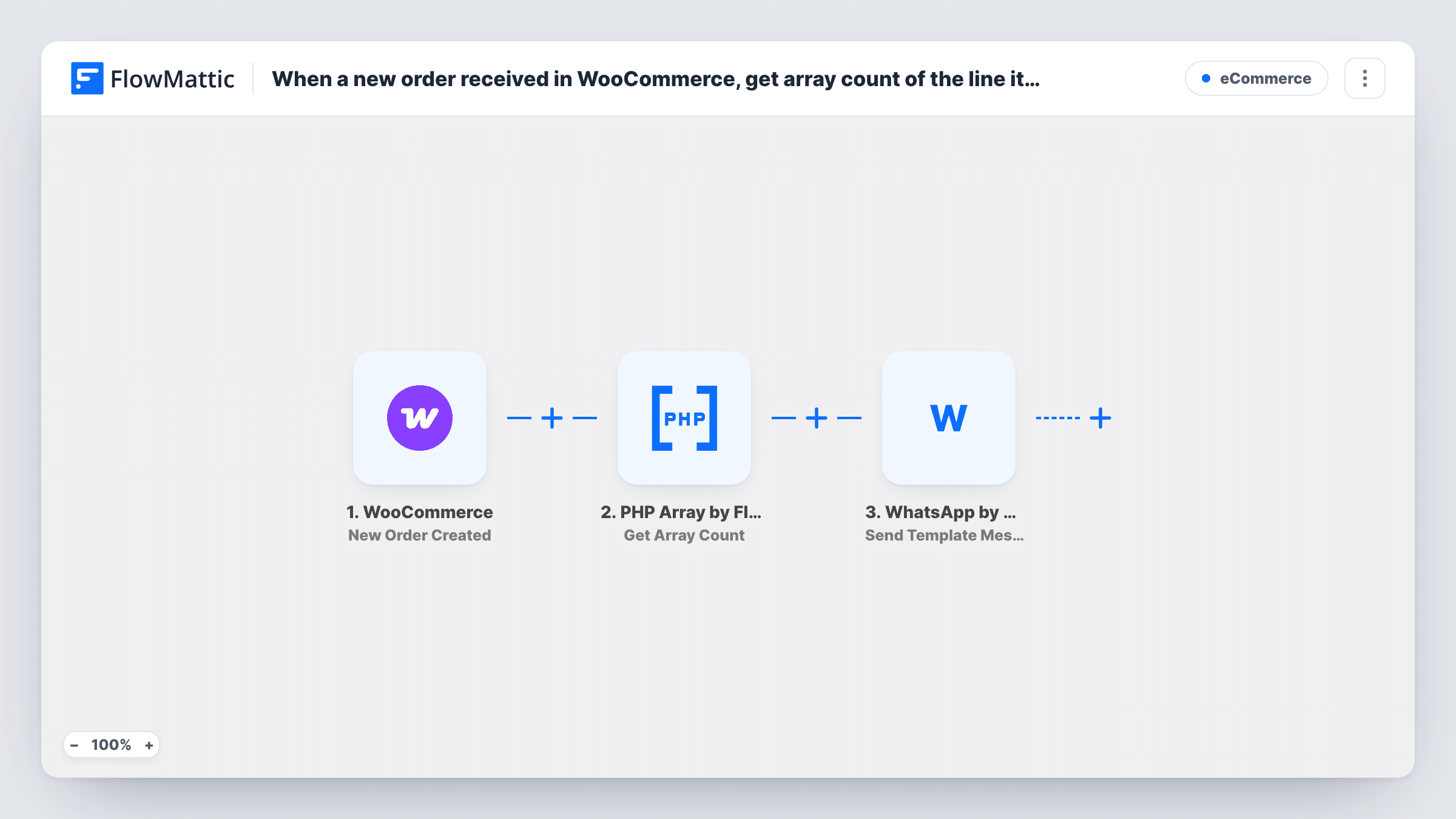
When WooCommerce creates a new order, FlowMattic counts its line items with PHP Array and sends the buyer a WhatsApp template message through WA.Team, with the item count ready to place in the message.
 WooCommerce
 PHP Array by FlowMattic
 WhatsApp by WA.Team
3 steps Setup ~5 min Used on 954 sites Free to import
What this workflow does
A quick WhatsApp message after checkout tells buyers their order reached you, and including how many items they ordered makes it feel specific to them. WooCommerce keeps an order's products as a list of line items, so the number has to be worked out before it can go in a message. This workflow does that count and then sends the message.
The WooCommerce trigger starts a run for each order your store creates. The PHP Array step takes the order's line items and returns how many entries the list holds. Note that this counts product lines, not units: two of the same shirt is one line item. The last step uses WhatsApp by WA.Team to send a template message to the phone number you map from the order.
WhatsApp only lets businesses start a conversation with an approved template, which is why this flow uses Send Template Message and not a free-form text. You pick the template in WA.Team and map order values, such as the count and the order number, into its placeholders. Every new order runs all three steps.
Order received message for a gift shop
Buyers get a WhatsApp note saying their order of three items is in, sent through WA.Team as soon as WooCommerce creates the order.
Reassure buyers of multi-product orders
A store selling kits and spare parts confirms how many product lines were ordered, so a buyer can spot a missing item before it ships.
WhatsApp-first stores
Shops whose customers prefer WhatsApp to email send each order notice there, using an approved template that includes the order number and item count.
How this workflow runs
What happens at each step once the workflow is on, and what you need before you import it.
 WooCommerce New Order Created
Starts the run as soon as WooCommerce creates an order in your shop. The order's details, including its line items and billing data, are passed on for the next two steps.
- PHP Array by FlowMattic Get Array Count
Counts the entries in the array you map, which here is the order's line items. The result is one number you can use in the WhatsApp message. It counts product lines, not quantities.
- WhatsApp by WA.Team Send Template Message
Sends an approved WhatsApp template message through your WA.Team account. Map the buyer's phone number from the order, choose the template, and fill its placeholders with the item count and other order values.
What you need
- FlowMatticCore
- WooCommerce PluginPlugin
- WhatsApp by WA.Team AccountAccount
After importing, map your own data. To keep the template universal, not every step is pre-filled. Open each step in the builder and connect your accounts and fields (channels, lists, sheets, recipients) before you switch the workflow on.
Make it yours
Changes worth making after you import it.
- If your checkout does not require a phone number, some orders arrive without one and the WhatsApp step will fail for them. Make the billing phone required, or add a Filter that continues only when it is not empty.
- Add a Filter on the order status after the trigger if you only want to message paid orders. WooCommerce can create an order before payment is finished.
- Store buyers' numbers with the country code. WhatsApp identifies recipients by full international number, so a local format may not reach anyone.
Questions about this workflow
Does the PHP Array count include item quantities?
No. It counts the entries in the line items list, and each product line is one entry whatever its quantity. Map the quantity values from the order if you need units instead.
Why does this WooCommerce flow use a WhatsApp template message?
WhatsApp only lets businesses open a conversation with a template that has been approved. A buyer who has not messaged you first can receive a template message but not free-form text.
Do I need a WA.Team account for the WhatsApp step?
Yes. The message is sent through WhatsApp by WA.Team, which you connect when you import. You also need an approved template there that has a placeholder for the item count.
What happens when a WooCommerce order has no phone number?
The WhatsApp step has no recipient and returns an error for that run, which Task History shows on the step. The order itself is not affected.
More E-Commerce workflows
Other ready-to-import templates from the same category.






Import this workflow into your WordPress site
Download the JSON, import it from the Workflows screen and connect your accounts. Every run stays on your server, with no per-task fees.
30-day money-back guarantee Unlimited workflows and runs Self-hosted