

When a new product is created, add the product details to Google Spreadsheet and share the product details to Zapier
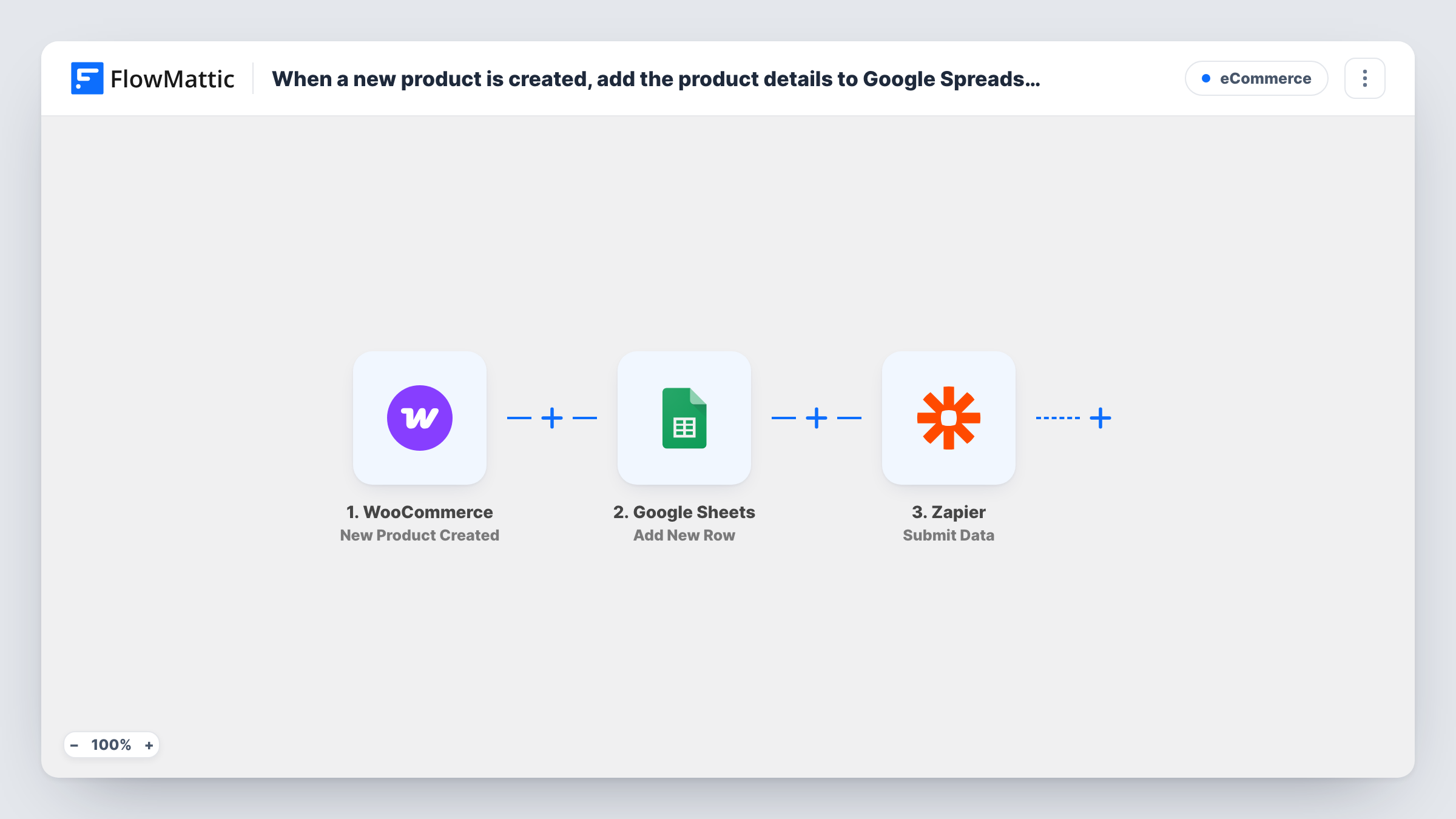
Each time you create a WooCommerce product, this workflow writes its details to a new Google Sheets row and then submits the same product data to Zapier, so a Zap can pass it on to other apps.
 WooCommerce
 Google Sheets
 Zapier
3 steps Setup ~5 min Used on 441 sites Free to import
What this workflow does
A new product in your store often needs to show up in more than one place. Someone wants it in a catalog spreadsheet, and another tool, reached through Zapier, needs to hear about it too. This workflow handles both from the moment the product is created in WooCommerce.
The WooCommerce trigger fires when a new product is created on your store. FlowMattic then adds a row to Google Sheets holding the product fields you map, such as the name, price or SKU. The last step submits product data to Zapier, where a Zap you set up takes it on to whichever apps you connect there.
The sheet gets one row per new product and is never updated afterwards. Later edits to a product do not start this workflow. Task History lists every run, so you can see what was written to the sheet and what was sent to Zapier.
A product catalog sheet for your team
Staff who never log in to WordPress see each new product in a shared Google Sheet, with the columns you chose, as soon as it is created.
Reach an app FlowMattic doesn't connect to
You already run a Zap that posts to a tool your team depends on. This workflow feeds that Zap with every new WooCommerce product.
Keep a creation log while moving to FlowMattic
You are replacing some Zaps with FlowMattic workflows. The sheet records each new product while your existing Zap keeps handling the rest.
How this workflow runs
What happens at each step once the workflow is on, and what you need before you import it.
 WooCommerce New Product Created
Starts each time a product is added to your WooCommerce store. The product's details become data you can map in the Google Sheets and Zapier steps.
- Google Sheets Add New Row
Adds a new row to the Google Sheets spreadsheet you choose. Connect your Google account, pick the sheet, and map each column to a product field.
- Zapier Submit Data
Submits the product data to Zapier so a Zap can pick it up. Map the fields you want your Zap to receive, then run a test to confirm the data arrives on the Zapier side.
What you need
- FlowMatticCore
- WooCommerce PluginPlugin
- Google Sheets AccountAccount
- Zapier AccountAccount
After importing, map your own data. To keep the template universal, not every step is pre-filled. Open each step in the builder and connect your accounts and fields (channels, lists, sheets, recipients) before you switch the workflow on.
Make it yours
Changes worth making after you import it.
- Add a Filter after the trigger if only some products should be logged and sent, for example products in one category or with a price set.
- Create one test product after import so FlowMattic captures real product fields, then map them in both the Google Sheets and Zapier steps.
- If Zapier only needs to forward the product to one app that FlowMattic also supports, you can replace the Zapier step with that app's action instead.
Questions about this workflow
Do I need a Zap set up before this workflow sends data to Zapier?
Yes. The Zapier step only submits the data. A Zap on your Zapier account has to receive it and decide what happens next.
Will editing a WooCommerce product add another row to the sheet?
No. The trigger is New Product Created, so only newly created products start a run. Edits to existing products are not sent.
Are products that already exist in WooCommerce copied over?
No. Only products created after you turn the workflow on reach Google Sheets and Zapier.
What if the Google Sheets step fails for a product?
Task History shows the error on that step. The Zapier step still runs for that product, so check the sheet and add the missing row yourself if needed.
More E-Commerce workflows
Other ready-to-import templates from the same category.







Import this workflow into your WordPress site
Download the JSON, import it from the Workflows screen and connect your accounts. Every run stays on your server, with no per-task fees.
30-day money-back guarantee Unlimited workflows and runs Self-hosted