

When order is successful in ThriveCart, add a tag to the contact in FluentCRM and send WhatsApp template message to user
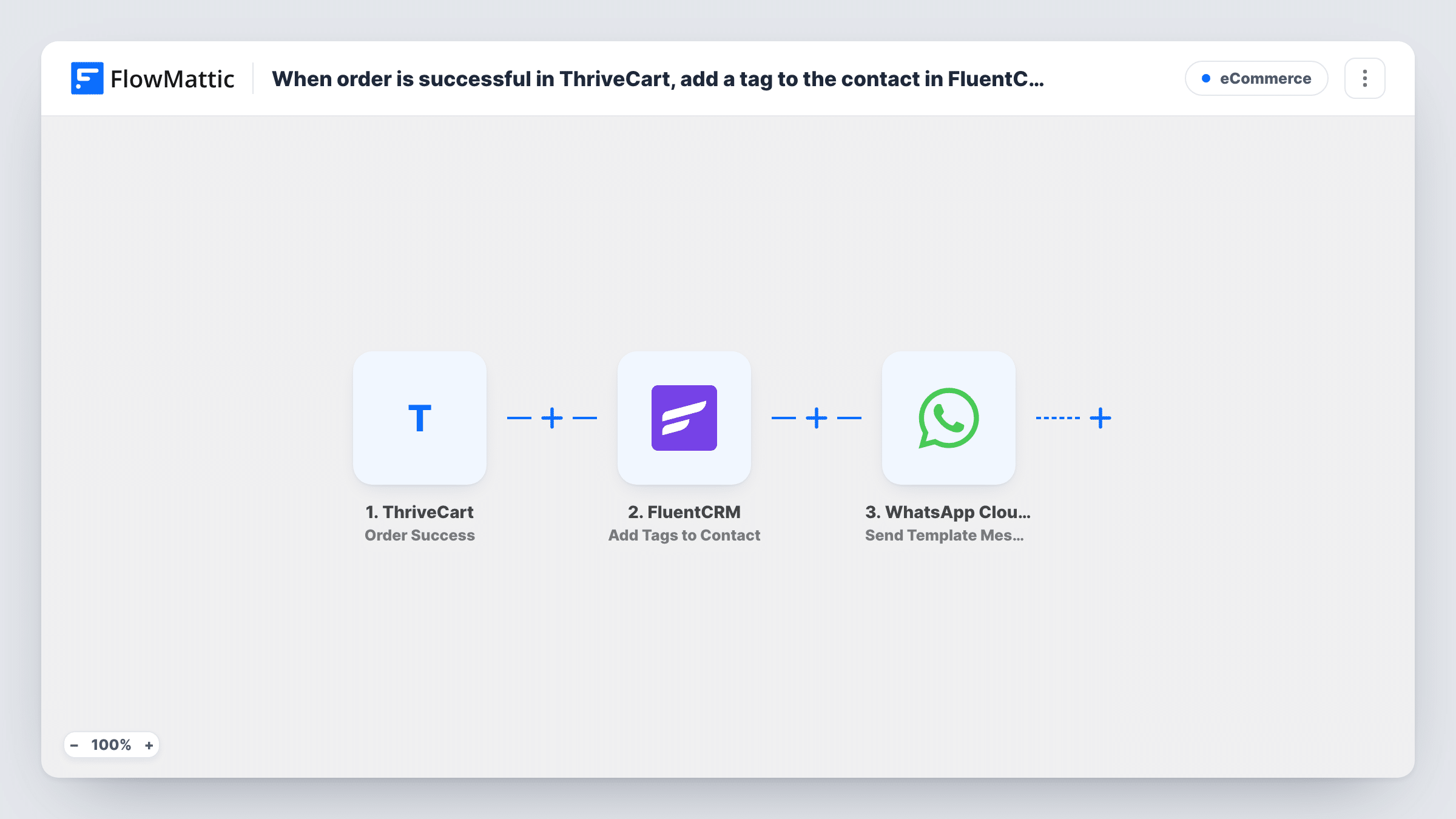
When a ThriveCart order succeeds, the buyer is created or updated as a FluentCRM contact, tagged with the tags you choose, and sent an approved WhatsApp template message.
 ThriveCart
 FluentCRM
 WhatsApp Cloud API
4 steps Setup ~8 min Used on 2.0k sites Free to import
What this workflow does
A ThriveCart sale is the moment a buyer becomes a customer, and your CRM and your follow-up should both reflect that. This workflow records the buyer in FluentCRM on your WordPress site, tags them so your email automations know what they bought, and greets them on WhatsApp.
The ThriveCart trigger fires when an order is successful and passes the buyer's details and the order data. FluentCRM then creates a contact, or updates the one that already uses that email address. Because the contact now exists, the next step can add one or more tags to it, such as the product name or a customer tag.
The last step sends a WhatsApp template message through WhatsApp Cloud API to the buyer's phone. Templates must be approved for your WhatsApp Business account, and they can reach buyers who have never messaged you. None of the three action steps are mapped as shipped, so after import you map the email and name into FluentCRM, pick the tags, then choose the template and map the buyer's phone and any template variables.
Each successful order runs the workflow, so a returning buyer is updated in FluentCRM, tagged again and gets another message. Each order's run in Task History lists what FluentCRM and WhatsApp sent back.
Course buyers tagged for onboarding emails
A course creator sells through ThriveCart, and each buyer's FluentCRM tag starts an onboarding email sequence while WhatsApp sends the login link template.
Coaching clients welcomed by phone
A coach selling packages in ThriveCart greets each new client on WhatsApp with a template that explains how to book the first session.
Product-specific tags for upsells
A digital product seller tags buyers by product in FluentCRM, so later campaigns can offer the next product only to people who own the first.
How this workflow runs
What happens at each step once the workflow is on, and what you need before you import it.
 ThriveCart Order Success
Fires when an order is successful in ThriveCart. The buyer's name, email, phone and order details become available for the FluentCRM and WhatsApp steps.
- FluentCRM Create or Update Contact
Creates a FluentCRM contact from the buyer, or updates the existing contact with the same email address. Map the email and name fields after import.
- FluentCRM Add Tags to Contact
Adds the tags you choose to the contact from the previous step. Pick one or more FluentCRM tags and map the contact created or updated in step 2.
- WhatsApp Cloud API Send Template Message
Sends an approved WhatsApp template to the buyer through WhatsApp Cloud API. Choose the template, map the buyer's phone in international format and fill any variables.
What you need
- FlowMatticCore
- ThriveCart AccountAccount
- FluentCRM PluginPlugin
- WhatsApp Cloud API AccountAccount
After importing, map your own data. To keep the template universal, not every step is pre-filled. Open each step in the builder and connect your accounts and fields (channels, lists, sheets, recipients) before you switch the workflow on.
Make it yours
Changes worth making after you import it.
- Create the FluentCRM tags before importing, and use a FluentCRM automation that starts when a tag is applied to send your welcome emails.
- Ask for the phone number with country code on your ThriveCart checkout, since WhatsApp needs the full international number.
- Put a Filter between the Add Tags to Contact step and the WhatsApp step that continues only when the phone is not empty, so buyers without a number still get their contact and tags.
Questions about this workflow
What if the ThriveCart buyer is already a FluentCRM contact?
Create or Update Contact matches by email and updates that contact, then the tags step adds your tags to it. The buyer stays a single FluentCRM record.
Can the WhatsApp message reach buyers who never messaged my business?
Yes, because it is a template message. Approved templates can start a conversation, unlike free-form text, which WhatsApp limits to its 24-hour window.
Can I use different FluentCRM tags for different ThriveCart products?
As imported, every order gets the same tags. For tags per product, add a Router between the Create or Update Contact step and the tags step with one route per product and conditions that can't both match, give each route its own tags step, and end the routes with a Join before the WhatsApp step.
More E-Commerce workflows
Other ready-to-import templates from the same category.









Import this workflow into your WordPress site
Download the JSON, import it from the Workflows screen and connect your accounts. Every run stays on your server, with no per-task fees.
30-day money-back guarantee Unlimited workflows and runs Self-hosted