

When a new submission is received in Fluent Forms, check if the email is valid with Emailable, and create a new contact in FluentCRM
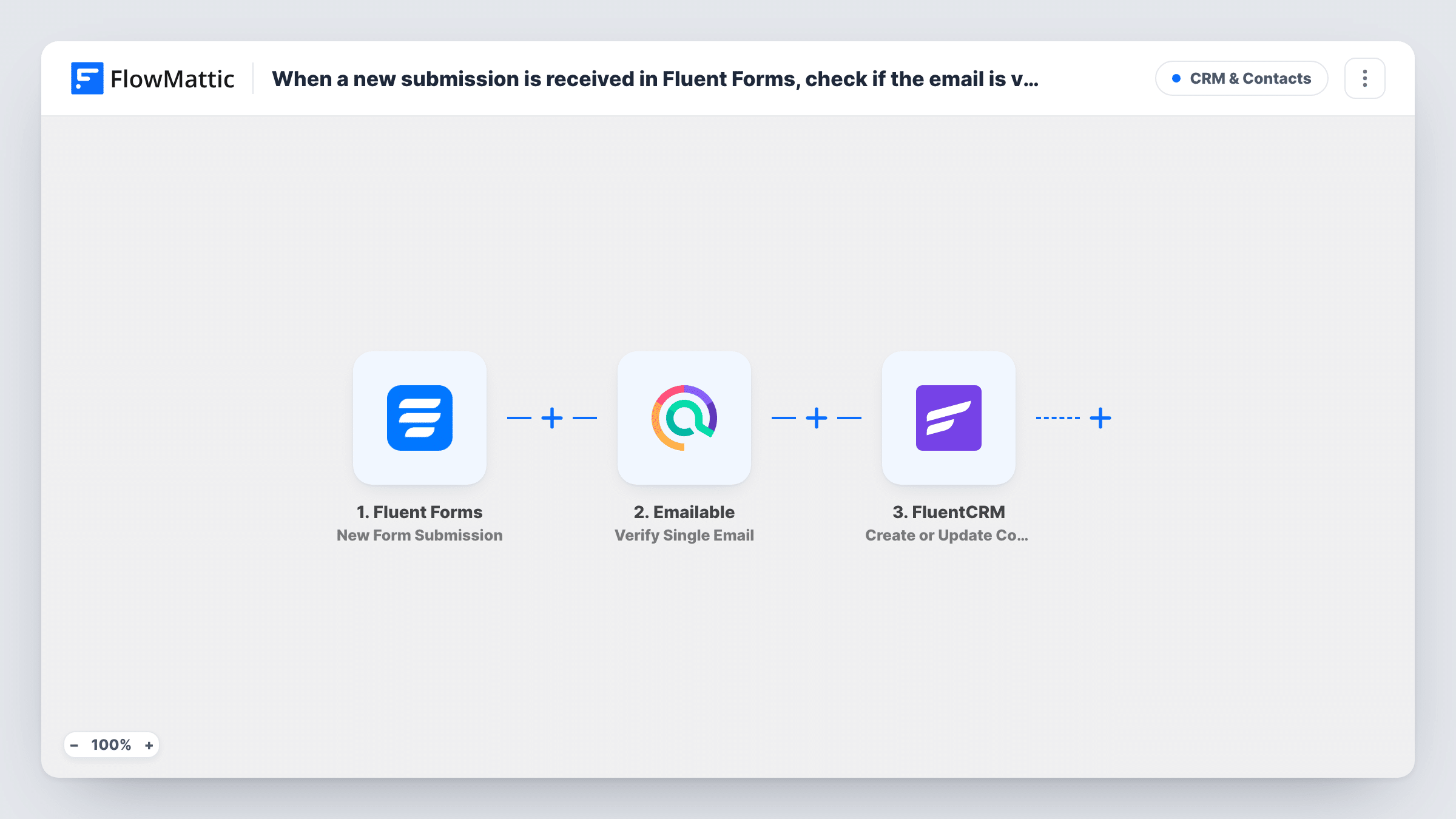
Each Fluent Forms submission has its email address checked by Emailable before FlowMattic creates or updates the person in FluentCRM. The result is ready to map or filter on, and as imported every entry still reaches FluentCRM.
 Fluent Forms
 Emailable
 FluentCRM
3 steps Setup ~5 min Used on 3.0k sites Free to import
What this workflow does
A CRM fills up with bad addresses one form entry at a time: a typo here, a disposable inbox there. Sending campaigns to them costs you bounces. This workflow asks Emailable about each address before the person is stored in FluentCRM, so you know what you are adding.
After a visitor sends a Fluent Forms form, FlowMattic passes the submitted address to Emailable through its Verify Single Email action. Emailable's answer becomes data in the run. Next, FluentCRM creates the contact, or updates the one that already uses that email.
Be aware that the template has no Filter. Every entry becomes a FluentCRM contact, whether Emailable judged the address good or bad. To store only addresses that pass, add a Filter on Emailable's result between the second and third steps.
Course enquiry form
A training company collects enquiries in Fluent Forms. With a Filter on the Emailable result, only reachable addresses join the FluentCRM list that gets the course brochure.
Giveaway entries
Contest forms draw throwaway addresses. Checking each one with Emailable lets you filter them out before they become FluentCRM contacts.
Membership waitlist
Every waitlist entry lands in FluentCRM, and the Emailable result in Task History tells you which addresses may not receive your opening announcement.
How this workflow runs
What happens at each step once the workflow is on, and what you need before you import it.
 Fluent Forms New Form Submission
Starts a run whenever a visitor completes one of your Fluent Forms forms. The answers, including the email field, go on to Emailable and FluentCRM.
- Emailable Verify Single Email
Asks Emailable whether the submitted address is deliverable. Connect your Emailable account on import and map the form's email answer here. The reply can feed a Filter or the FluentCRM step.
- FluentCRM Create or Update Contact
Adds the person to FluentCRM, or updates the existing contact that shares the address. Map the email answer and any name answers from the form into this step.
What you need
- FlowMatticCore
- Fluent Forms PluginPlugin
- Emailable AccountAccount
- FluentCRM PluginPlugin
After importing, map your own data. To keep the template universal, not every step is pre-filled. Open each step in the builder and connect your accounts and fields (channels, lists, sheets, recipients) before you switch the workflow on.
Make it yours
Changes worth making after you import it.
- Place a Filter after Emailable that continues only when its result matches the value it returns for a deliverable address. Submit a real and a fake address once to learn that value.
- Rather than dropping failed addresses, add a Router after Emailable. Move the FluentCRM step into the route for good results, and give the other route a Google Sheets step that logs the rest for a manual look.
- After import, send one entry through the form so FlowMattic records its answers. You can then pick the email answer in both the Emailable and FluentCRM steps.
Questions about this workflow
Will Emailable keep bad addresses out of FluentCRM?
Only once you add a Filter. As shipped, every Fluent Forms entry continues to FluentCRM, whatever Emailable reports.
Someone submits twice with the same email. Do I get two FluentCRM contacts?
No. FluentCRM's step matches on the email address, so the second submission updates the contact it already created.
Which account does the Emailable check use?
Your own. You connect Emailable when you import the workflow, and every check runs through that connection.
Is the Fluent Forms entry blocked if Emailable flags the address?
No. The form saves the entry before the workflow starts. The check only shapes what happens in FlowMattic afterwards.
More CRM & Contacts workflows
Other ready-to-import templates from the same category.




Import this workflow into your WordPress site
Download the JSON, import it from the Workflows screen and connect your accounts. Every run stays on your server, with no per-task fees.
30-day money-back guarantee Unlimited workflows and runs Self-hosted