

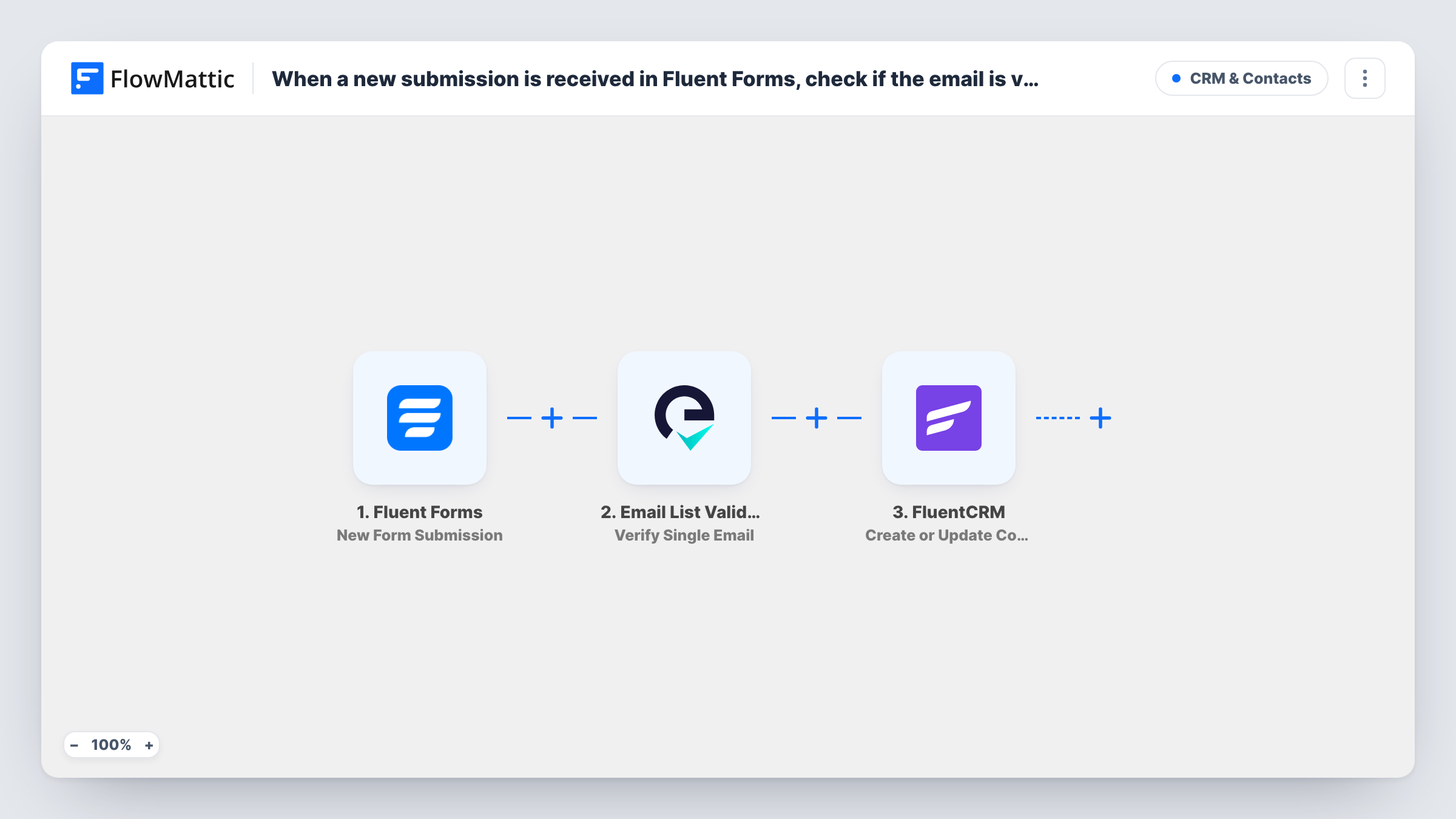
When a new submission is received in Fluent Forms, check if the email is valid with Email List Validation, and create a new contact in FluentCRM
Each Fluent Forms entry has its email address checked by Email List Validation, then FluentCRM creates the contact or updates the existing one. As imported, every entry reaches FluentCRM whatever the check returns.
 Fluent Forms
 Email List Validation
 FluentCRM
3 steps Setup ~5 min Used on 2.6k sites Free to import
What this workflow does
Form-built contact lists collect typos and throwaway addresses, and every one of them costs you a bounce once you start emailing. Running a check before the contact is saved gives you the result while the entry is still fresh. This workflow puts that check between your form and your CRM, all on your WordPress site except for the verification call.
A visitor submits a Fluent Forms form, and FlowMattic picks up the answers. The email field is sent to Email List Validation with its Verify Single Email action, and the response becomes data you can map. The final step is Create or Update Contact in FluentCRM, which matches by email address: an unknown address is added as a contact, while one already in the CRM gets the fresh details.
No Filter sits between the check and FluentCRM, so as imported every entry becomes or updates a contact, valid address or not. Add a condition on the verification result if you want only passing addresses in the CRM. Task History logs each run and the response from Email List Validation.
Newsletter sign-ups with a quality check
A Fluent Forms sign-up box feeds FluentCRM, and with a Filter on the verification result, addresses that fail the check never become contacts you email.
Recording the check on each contact
Map the verification result to a FluentCRM custom field, so you can segment contacts by it later instead of losing the result after the run.
Contact requests for a service business
Enquiry forms create FluentCRM contacts for follow-up, and the check helps you spot a mistyped address before your reply bounces.
How this workflow runs
What happens at each step once the workflow is on, and what you need before you import it.
 Fluent Forms New Form Submission
Fires on every Fluent Forms entry submitted on your WordPress site. The email answer and the other fields are passed on for the verification step and the FluentCRM step.
- Email List Validation Verify Single Email
Sends the submitted address to Email List Validation to verify it. Connect your Email List Validation account and map the form's email field. The response is available to the FluentCRM step and to any Filter you add.
- FluentCRM Create or Update Contact
Creates a contact in FluentCRM, or updates the one with the same email address. Map the form's email and name fields, and any answer you keep on the contact. Run a test to see the options the step offers.
What you need
- FlowMatticCore
- Fluent Forms PluginPlugin
- Email List Validation AccountAccount
- FluentCRM PluginPlugin
After importing, map your own data. To keep the template universal, not every step is pre-filled. Open each step in the builder and connect your accounts and fields (channels, lists, sheets, recipients) before you switch the workflow on.
Make it yours
Changes worth making after you import it.
- Add a Filter between Email List Validation and FluentCRM that continues only when the result shows a valid address. Submit one real and one made-up address first to see what the service returns for each.
- Make the email field required in Fluent Forms so every entry has an address to verify. A blank email gives Email List Validation nothing to check and FluentCRM nothing to match on.
- To keep a record of failures, add a Router between Email List Validation and FluentCRM instead of a Filter. Put the FluentCRM step on a route for valid results, and give the other route a Google Sheets step that logs the rest. The two route conditions must never both match.
Questions about this workflow
Does Email List Validation stop invalid addresses from reaching FluentCRM?
Not as imported. The check runs and its response is passed along, but no step acts on it. Add a Filter between the Email List Validation step and the FluentCRM step to keep failed addresses out.
What if the submitter is already a FluentCRM contact?
Create or Update Contact matches on email, so the existing contact is updated rather than duplicated. A field mapped to a blank form answer can overwrite what the contact had, so map only fields the form always fills.
Do Fluent Forms and FluentCRM need to be on the same site as FlowMattic?
Yes. Both are WordPress plugins, and the trigger and the CRM step work with the copies installed alongside FlowMattic. Only the verification step calls an outside service.
Is the address checked before Fluent Forms saves the entry?
No. The workflow starts after submission, so Fluent Forms stores the entry as usual. Verification happens afterwards, inside the workflow, and has no effect on the stored Fluent Forms entry.
More CRM & Contacts workflows
Other ready-to-import templates from the same category.





Import this workflow into your WordPress site
Download the JSON, import it from the Workflows screen and connect your accounts. Every run stays on your server, with no per-task fees.
30-day money-back guarantee Unlimited workflows and runs Self-hosted