

When a new Typeform submission matches a form ID, create a new customer in Desku.io
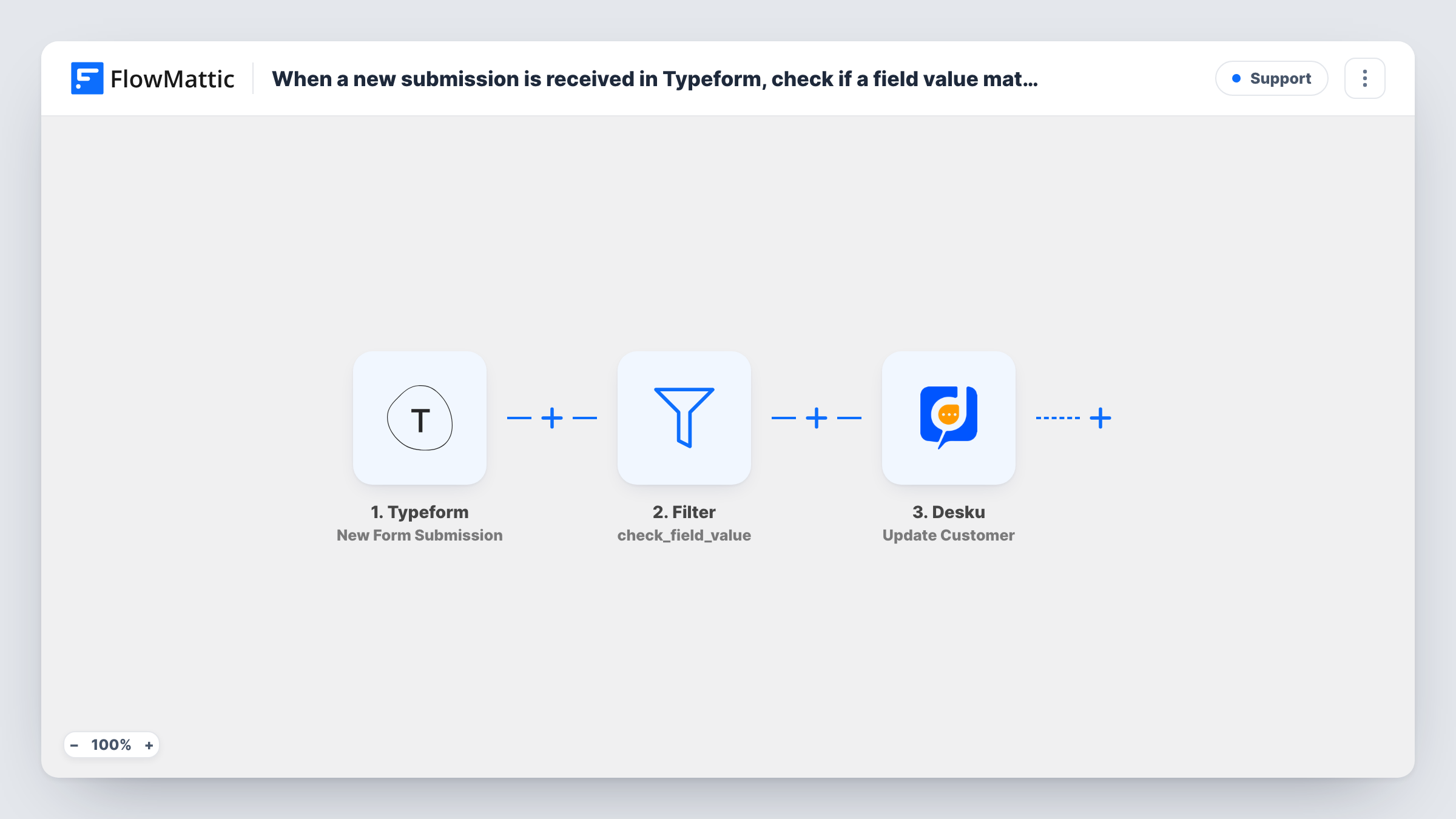
When a Typeform response arrives, a Filter checks that it came from the form ID you enter, and only matching responses create a new customer in Desku.io for your support team.
 Typeform
 Filter
 Desku
Desku3 steps Setup ~5 min Used on 2.2k sites Free to import
What this workflow does
If you run several Typeforms, only some of them usually belong in your help desk: a customer onboarding form, say, but not a quiz or an event survey. This workflow lets one specific form create customers in Desku.io, so support has the person on file before their first ticket.
The Typeform New Form Submission trigger starts a run when a response comes in, and passes on the answers along with the ID of the form they came from. A Filter then compares that form ID with a value you set.
In the template, the form ID to compare against is left empty. A real response always has a form ID, so as imported no response matches and every run stops at the Filter. Before you turn the workflow on, enter your form's ID, the code in the form's Typeform URL, as the value to match. Matching ignores upper and lower case.
Responses that pass reach Desku, where Create Customer adds a new customer. That step ships unmapped: connect Desku.io after import and map the respondent's name and email from the Typeform answers. Task History shows which runs stopped at the Filter and what Desku returned for the rest.
Onboarding form feeds the help desk
A SaaS company's Typeform welcome questionnaire creates each new client as a Desku customer, so the support team sees their details on the first ticket.
One form among many
A marketing team runs a dozen Typeforms from one account but only wants the warranty registration form to create Desku customers.
Service request intake
An IT services firm sends new clients a Typeform intake form and keeps each respondent as a Desku customer for later ticket history.
How this workflow runs
What happens at each step once the workflow is on, and what you need before you import it.
 Typeform New Form Submission
Starts a run when a response is submitted to a Typeform form. The answers and the form's ID are passed to the Filter and to the Desku step.
- Filter Continue If Condition Meet
Continues only when the response's form ID exactly matches the value you set. The value ships blank, so every run stops here until you enter your Typeform form ID; it is an example to edit, not a fixed rule.
- Desku Create Customer
Creates a new customer in Desku.io for each response that passed the Filter. Nothing is mapped yet, so connect Desku and map the respondent's name and email answers into it.
What you need
- FlowMatticCore
- Typeform AccountAccount
- Desku.io AccountAccount
After importing, map your own data. To keep the template universal, not every step is pre-filled. Open each step in the builder and connect your accounts and fields (channels, lists, sheets, recipients) before you switch the workflow on.
Make it yours
Changes worth making after you import it.
- Find the form ID in the form's Typeform address, the part after /to/ in a share link, and paste it into the Filter's value before you switch the workflow on.
- To let two forms through, add a second condition group to the existing Filter, which sits between the Typeform trigger and the Desku step, with the other form ID. Separate groups let either ID pass.
- Make the email question required in your Typeform, so every customer Desku creates has an address your team can reply to.
Questions about this workflow
Why does every Typeform response stop at the Filter after import?
The Filter compares the response's form ID with a value that ships blank. A real form ID never equals an empty value, so nothing passes until you enter your form's ID in the Filter.
What happens when a Typeform respondent already exists as a Desku customer?
Create Customer is meant for new customers, and Desku may reject or duplicate an email it already holds. Test with an existing customer's address and look at Desku's response in Task History.
Can this workflow open a Desku ticket as well?
Yes, if you add it. FlowMattic's Desku integration also has a Create Ticket action. Add it after Create Customer and map the request from the Typeform answers.
More Support workflows
Other ready-to-import templates from the same category.







Import this workflow into your WordPress site
Download the JSON, import it from the Workflows screen and connect your accounts. Every run stays on your server, with no per-task fees.
30-day money-back guarantee Unlimited workflows and runs Self-hosted