

Tag new WPForms submitters in FluentCRM with a different tag based on the Counter number
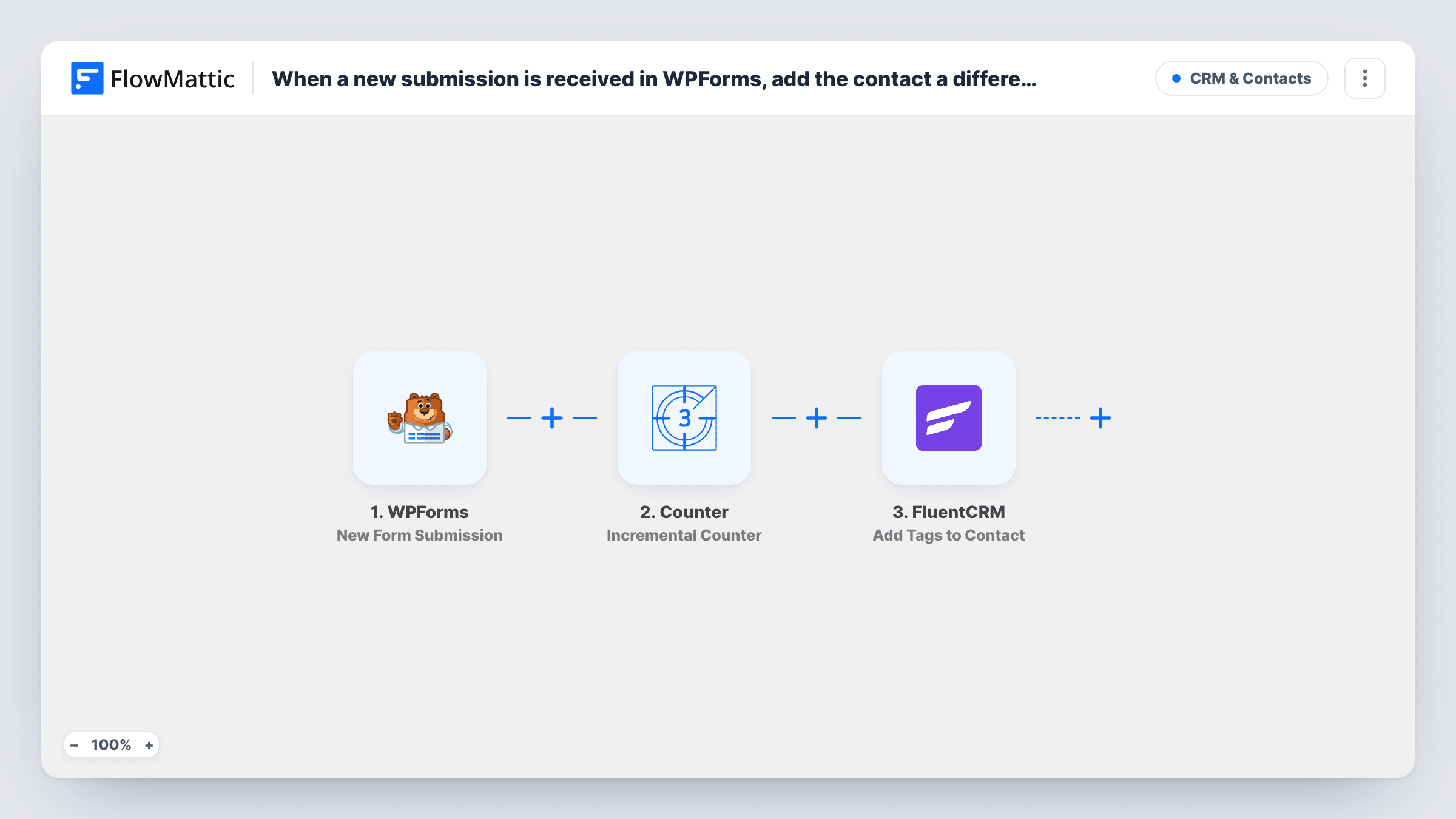
Each WPForms submission creates or updates a FluentCRM contact, a Counter adds one to a running total, and a Router tags the contact by position: submissions 1-10, 11-100 or after 100.
 WPForms
 FluentCRM
 Counter
 Router
7 steps Setup ~12 min Used on 2.7k sites Free to import
What this workflow does
Early sign-ups are often worth treating differently: the first ten people to answer a launch form might get a founder discount, the next ninety an early-bird offer, and everyone after that the standard welcome. Counting submissions by hand and tagging contacts afterwards is slow. This workflow numbers each submission as it arrives and tags the contact in FluentCRM to match.
The WPForms trigger fires on each new submission. The FluentCRM step creates a contact from it, or updates the existing contact with the same email. Then the Counter step adds 1 to a stored number, which starts at 0, and returns the new total.
A Router reads that total. The Submissions 1-10 route runs when it is below 11, Submissions 11-100 when it is above 10 and below 101, and Submissions after 100 when it is above 100. The ranges don't overlap, so each submission takes exactly one route. Every route ends in an Add Tags to Contact step for the contact created in step 2.
The FluentCRM steps ship unmapped. After import, map the form's email and name into the contact step, then pick a tag on each route and map the contact from step 2. The Counter counts submissions, not people, so someone who submits twice takes two numbers.
Founder pricing for the first ten
A SaaS maker opens a WPForms waitlist and tags the first ten sign-ups as founders in FluentCRM, then emails that tag a lifetime-deal link.
Early-bird tier for a workshop
A trainer tags registrations 11 to 100 as early birds, so a FluentCRM campaign sends them the discounted ticket while later sign-ups get the regular offer.
Limited giveaway on a product launch
A shop gives a free sample to the first ten people who fill in its launch form and uses the tags to see who qualifies when packing orders.
How this workflow runs
What happens at each step once the workflow is on, and what you need before you import it.
 WPForms New Form Submission
Fires each time someone submits your WPForms form. The submitted fields, such as name and email, are passed to FluentCRM.
- FluentCRM Create or Update Contact
Creates a FluentCRM contact from the submission, or updates the contact with the same email. The step ships unmapped, so after import you map the email and name WPForms collects.
- Counter Incremental Counter
Adds 1 to a stored number on each run, starting from 0, and returns the new total as final_value. The first submission gets 1, the second 2, and so on.
- Router 3 paths
Sends each run down the route whose range its Counter total falls in: below 11, from 11 to 100, or above 100. The ranges don't overlap, so one route runs per submission.
- FluentCRM Add Tags to Contact
On the Submissions 1-10 route, tags the contact from step 2. Pick the tag for your earliest sign-ups, such as founder, and map the contact from the Create or Update Contact step.
- FluentCRM Add Tags to Contact
On the Submissions 11-100 route, adds the tag you choose for the middle group, for example early-bird, to the same contact. The template leaves the tag and contact for you to set.
- FluentCRM Add Tags to Contact
On the Submissions after 100 route, tags every later contact. Choose a tag such as standard and map the contact from step 2 so FluentCRM knows whom to tag.
What you need
- FlowMatticCore
- WPForms PluginPlugin
- FluentCRM PluginPlugin
After importing, map your own data. To keep the template universal, not every step is pre-filled. Open each step in the builder and connect your accounts and fields (channels, lists, sheets, recipients) before you switch the workflow on.
Make it yours
Changes worth making after you import it.
- Change the route limits to suit your offer, for example below 51 and above 50, by editing the numbers in each route's conditions. Keep the ranges from overlapping.
- Set the WPForms trigger to the one form you want counted, so submissions from other forms don't use up places in the first ten.
- Build a FluentCRM automation that starts when each tag is added, so the founder, early-bird and standard emails go out without another workflow.
- To count people instead of submissions, add a Filter between the Create or Update Contact step and the Counter step that stops contacts who already carry one of the three tags. Check a test run for the field to test.
Questions about this workflow
Does someone who submits the WPForms form twice get two numbers?
Yes. The Counter goes up on every run, and each submission is a run. The same person can end up with two tags if their second submission falls in a different range.
Can one WPForms submission get more than one FluentCRM tag?
Not from the Router. Its three ranges don't overlap, so each submission matches one route and gets that route's tag. A repeat submitter can collect another tag on a later submission.
Do the Add Tags to Contact steps work for new submitters?
Yes. Step 2 creates the contact first, or updates the existing one, so the contact exists when the tag step runs. Map that contact from step 2 into each tag step.
Where do I set which FluentCRM tag each route adds?
In the Add Tags to Contact step on each route. All three ship without a tag, so pick one per route after import and test with a submission.
More CRM & Contacts workflows
Other ready-to-import templates from the same category.




Import this workflow into your WordPress site
Download the JSON, import it from the Workflows screen and connect your accounts. Every run stays on your server, with no per-task fees.
30-day money-back guarantee Unlimited workflows and runs Self-hosted