

When a New User Registers in WordPress, Retrieve Country Information via ISO Integration and Send a Personalized Welcome Email
When a new user registers in WordPress, FlowMattic looks up their country’s details with ISO and sends them a welcome email that greets them by display name.
 WordPress
 ISO
ISO
 Email
Email3 steps Setup ~5 min Used on 1.8k sites Free to import
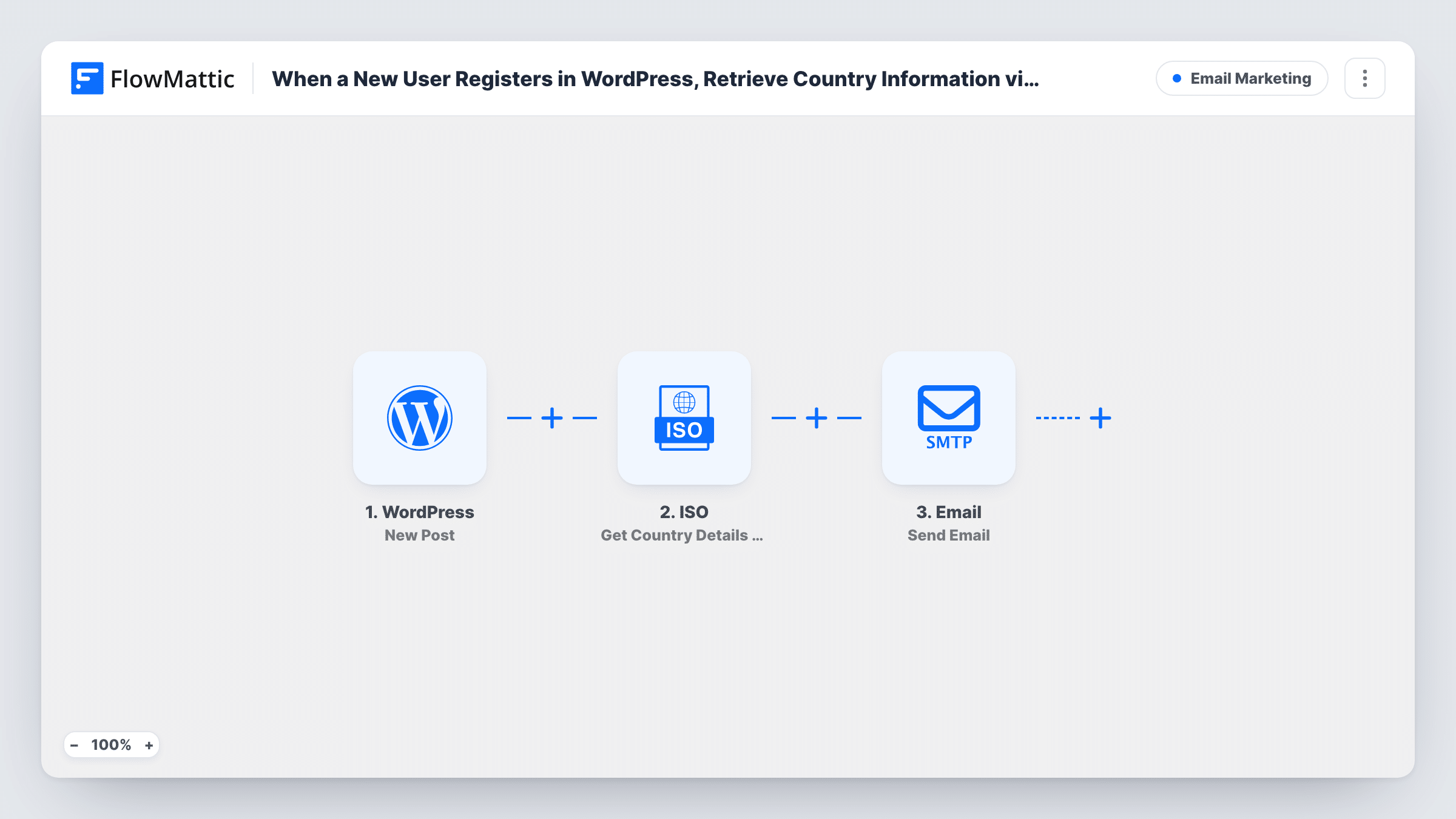
What this workflow does
A welcome email that knows something about the reader, such as their name or where they are, feels less like a form letter. This workflow sends one to every new WordPress account and fetches country information you can work into it, without a separate lookup on your part.
The WordPress New User trigger fires for every new account, whether it comes from a sign-up form, an admin or a plugin. It sends the user's details and their user meta. WordPress doesn't store a country by default, so the country has to come from your registration form or a plugin that saves it to the user.
The ISO Get Country Details by Country Name step returns the country's name, code, capital, region, currency, language and flag. It ships unmapped: after import, map the user's country name into it. If your site stores a two-letter code instead, swap in ISO's Get Country Details by Country Code action.
The Email step is already set: it goes to the user's email with a short welcome subject and the line "Hi {display name}, welcome aboard." As imported, it doesn't use the ISO result. Edit the message to mention their country, capital or currency where that helps.
International membership sites
A language-learning community greets each new member by name and mentions their country in the welcome, mapped from the ISO lookup.
Shops that sell across borders
A store with a country field at registration adds a line to the welcome email naming the currency for the customer's country.
Event platforms with global attendees
An online conference site adds the country's region to the welcome email, so attendees see which regional sessions apply to them.
How this workflow runs
What happens at each step once the workflow is on, and what you need before you import it.
 WordPress New User
Fires whenever a new WordPress account is created, by sign-up, admin or plugin. The user's email, display name and user meta, including any country field your site saves, are passed on.
- ISO Get Country Details by Country Name
Looks up the country's name, code, capital, region, currency, language and flag from a country name. The step ships unmapped: map the user's country name from the trigger after import.
 Email Send Email
Emails the new user with a short welcome subject and a greeting that uses their display name. The ISO details aren't in the message yet; edit the text to add the ones you want.
What you need
- FlowMatticCore
- ISO AccountAccount
After importing, map your own data. To keep the template universal, not every step is pre-filled. Open each step in the builder and connect your accounts and fields (channels, lists, sheets, recipients) before you switch the workflow on.
Make it yours
Changes worth making after you import it.
- Add a country field to your registration form that saves to user meta, so the New User trigger has a country to pass to ISO.
- Use ISO's Get Country Details by Country Code action instead if your site stores two-letter country codes rather than full names.
- Map the ISO flag image or currency into the welcome message, so the email reflects where the new user lives.
- Put a Filter between the New User trigger and the ISO step that continues only when the country field isn't empty. Users without one then stop before the lookup and the email; the field name is yours to pick.
Questions about this workflow
Where does the user's country come from?
From your own site. WordPress doesn't ask for a country by default, so add a registration field or a plugin that saves it to the user, then map that field into the ISO step.
Does the welcome email include the ISO country details?
Not as imported. The message greets the user by display name only. Edit the Email step to map in the country, capital, currency or flag from the ISO step.
Are accounts created by an admin welcomed too?
Yes. The New User trigger runs for every new WordPress account, including ones an admin or a plugin adds. Add a Filter between the trigger and the ISO step on the user role to leave some out.
Do I need an ISO account?
Connect ISO in its step after import, following the connection steps FlowMattic shows there. The country lookup needs that connection to return results.
More Email Marketing workflows
Other ready-to-import templates from the same category.





Import this workflow into your WordPress site
Download the JSON, import it from the Workflows screen and connect your accounts. Every run stays on your server, with no per-task fees.
30-day money-back guarantee Unlimited workflows and runs Self-hosted