

When a product is added in WooCommerce, create image to video in Veo 3 for product showcase
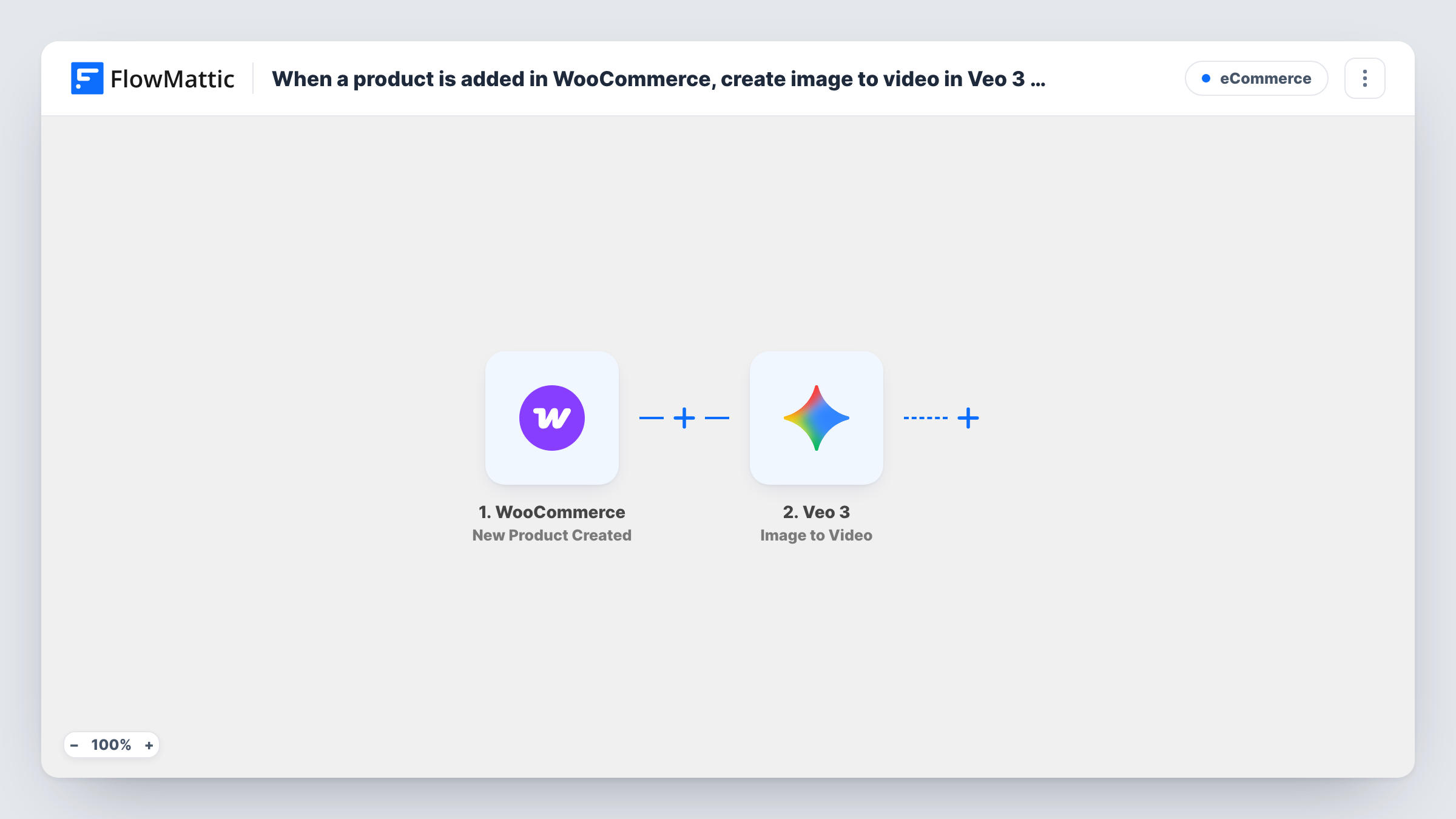
When you add a product to WooCommerce, FlowMattic sends its image to Veo 3 and asks Gemini AI to generate a short video from it, giving you motion footage to use in your product showcase.
 WooCommerce
 Veo 3
Veo 32 steps Setup ~5 min Used on 1.1k sites Free to import
What this workflow does
Product videos catch the eye, but filming each new item takes time you may not have. Most products already have a good photo. This workflow hands that photo to Veo 3 as soon as the product is created in your store, so a video generation starts without you opening another tool.
The WooCommerce trigger runs when a new product is created. Its details, including the product image, become data you can map. The Veo 3 step then uses Image to Video, which asks Gemini AI to generate a video from the image you map in.
Video generation runs as an operation on Veo 3's side, and this template stops after starting it. It does not fetch the finished file, and nothing attaches a video to the product page. Veo 3 has a separate Retrieve Video action that checks an operation's status and returns the video when it's ready; add it, after a Delay, when you want the result back in FlowMattic. Task History shows what each run sent and what Veo 3 replied.
Short clips for a fashion catalogue
Each new garment you add gets a video generated from its main photo, giving you motion content to review for the product gallery or social posts.
Seasonal product launches
When you load a batch of holiday products, every one of them starts a Veo 3 video from its image, so you have a set of clips to pick from before the launch.
Handmade goods shop
A maker who photographs each piece once can turn that photo into a moving preview without filming, then choose which videos to post.
How this workflow runs
What happens at each step once the workflow is on, and what you need before you import it.
 WooCommerce New Product Created
Starts each time you, or a plugin, create a new WooCommerce product. The product's details become available to map into the Veo 3 step.
- Veo 3 Image to Video
Asks Veo 3 to generate a video from an image using Gemini AI. Map the product image from the trigger and connect your Veo 3 account. The reply is available to later steps.
What you need
- FlowMatticCore
- WooCommerce PluginPlugin
- Veo 3 AccountAccount
After importing, map your own data. To keep the template universal, not every step is pre-filled. Open each step in the builder and connect your accounts and fields (channels, lists, sheets, recipients) before you switch the workflow on.
Make it yours
Changes worth making after you import it.
- Add a Delay after the Veo 3 step, then Veo 3's Retrieve Video action, mapping the operation from the Image to Video reply. That step checks the status and returns the video once it's ready.
- Add a Filter after the trigger that continues only when the product image is not empty, so products saved without a photo don't send an empty request to Veo 3.
- Create a test product with an image after import. The trigger then captures real product data, and you can confirm in Task History which value holds the image URL.
Questions about this workflow
Does the Veo 3 video get added to my WooCommerce product?
No. The template only asks Veo 3 to generate the video. Nothing in it downloads the file or attaches it to the product, so you add the video to the product yourself or extend the workflow.
Where do I get the finished Veo 3 video?
Add Veo 3's Retrieve Video action after a Delay. It checks the status of the generation and returns the video when it's ready, so later steps can use it.
Do I need a Veo 3 account to use this WooCommerce workflow?
Yes. The Image to Video step runs through the Veo 3 account you connect on import.
Will products I added earlier get videos?
No. The trigger fires on products created after you turn the workflow on, so existing products are left alone.
More E-Commerce workflows
Other ready-to-import templates from the same category.





Import this workflow into your WordPress site
Download the JSON, import it from the Workflows screen and connect your accounts. Every run stays on your server, with no per-task fees.
30-day money-back guarantee Unlimited workflows and runs Self-hosted