

When a Teachfloor course is completed, add the learner to FluentCRM and post a shout-out in Discord
When a learner completes a Teachfloor course, this workflow creates or updates their contact in FluentCRM and posts a congratulations message in a Discord channel, so graduates reach your email list and your community at once.
 Teachfloor
 FluentCRM
 Discord
3 steps Setup ~5 min Used on 1.8k sites Free to import
What this workflow does
Finishing a course is a natural moment to do two things: keep in touch with the learner by email, and recognise them in front of your community. Doing both by hand for every graduate is easy to forget. This workflow handles them in one run.
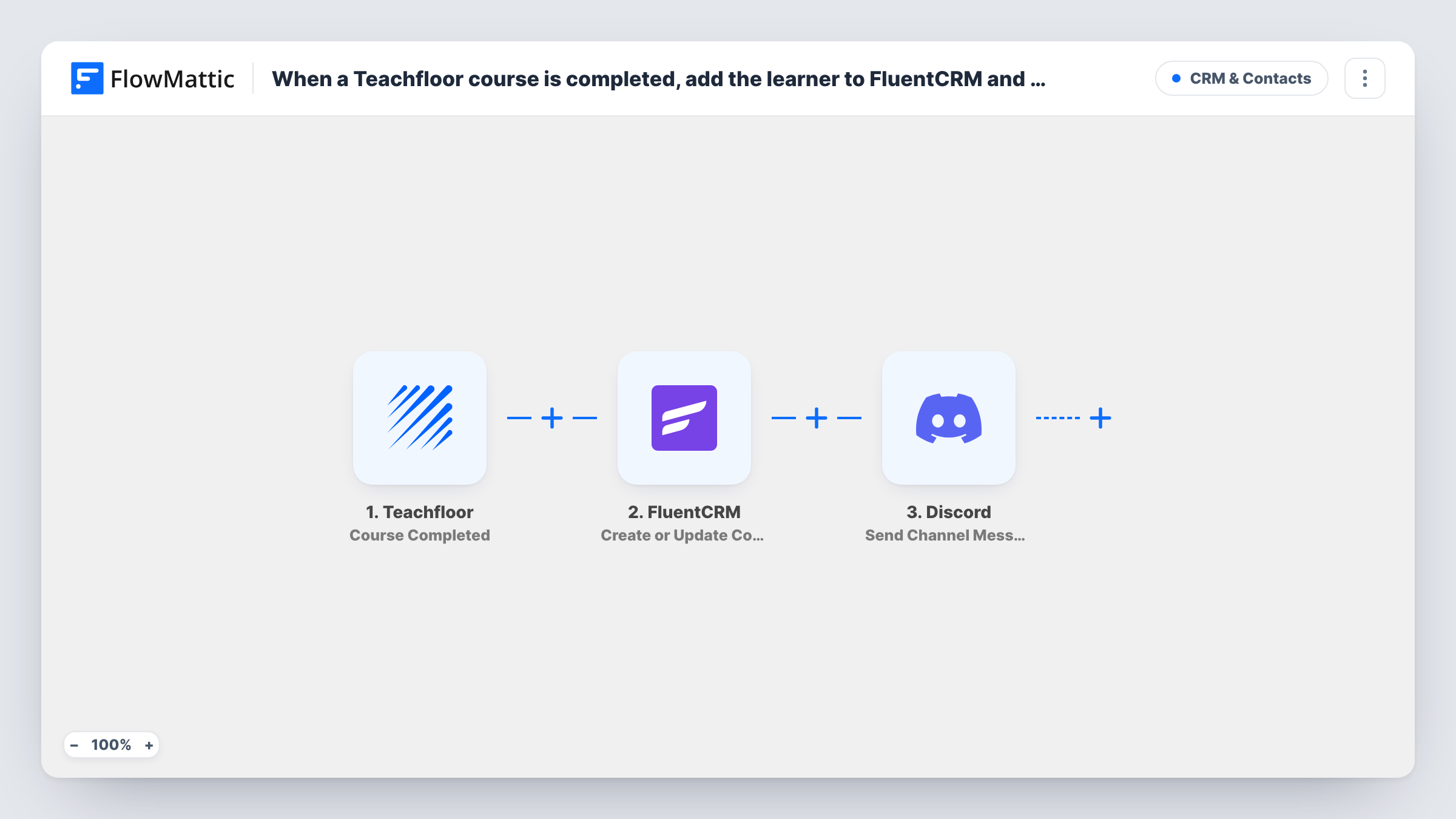
The Teachfloor trigger, Course Completed, fires when a course is completed and passes the completion details to FlowMattic. The second step sends them to FluentCRM Create or Update Contact, which creates a contact or updates the existing one, matched by email address. The third step posts a message in the #channel you choose on Discord, written by you with Teachfloor values placed in it.
FluentCRM runs on your WordPress site, so the contact is stored there. The Discord post is public to everyone in that channel, so only include details your learners are happy to share. Run one test completion after import to see which learner details Teachfloor sends, then map the learner's email into FluentCRM and decide what the Discord message says.
A course community on Discord
Your learners hang out in a Discord server. Each graduate gets a congratulations post in the wins channel, and FluentCRM holds their contact for your next course launch.
Graduates ready for your next course launch
Every graduate ends up as a FluentCRM contact on your WordPress site, so when your follow-on course opens you can email the people who finished the first one.
Cohort programmes with a shared channel
In a cohort where everyone finishes around the same time, each completion is announced in the cohort channel as it happens.
How this workflow runs
What happens at each step once the workflow is on, and what you need before you import it.
 Teachfloor Course Completed
Fires when a learner completes a course in Teachfloor. Connect your Teachfloor account, and the completion details become available for the FluentCRM and Discord steps.
- FluentCRM Create or Update Contact
Creates a contact in FluentCRM, or updates the existing one with the same email address. Map the learner's email from Teachfloor, plus any name fields the completion data includes.
- Discord Send Channel Message
Posts a congratulations message to the Discord channel you pick. Connect Discord, choose the channel, and write the message using values from the Teachfloor completion.
What you need
- FlowMatticCore
- Teachfloor AccountAccount
- FluentCRM PluginPlugin
- Discord AccountAccount
After importing, map your own data. To keep the template universal, not every step is pre-filled. Open each step in the builder and connect your accounts and fields (channels, lists, sheets, recipients) before you switch the workflow on.
Make it yours
Changes worth making after you import it.
- Add a Filter before the Discord step if a consent value is available, so only learners who agreed to be named get a public shout-out while every graduate still reaches FluentCRM.
- Check whether the FluentCRM step lets you set a list or tag, and use one for graduates of this course so you can segment them later.
- Run a test completion with your own account and look at the Discord post before you switch the workflow on for real learners.
Questions about this workflow
What if the learner is already a FluentCRM contact?
FluentCRM Create or Update Contact matches on email address, so the existing contact is updated instead of being added again.
Does the Discord shout-out name the Teachfloor learner?
Only if you put their name in the message. You write the Discord text yourself and choose which Teachfloor values appear in it.
Will a learner who finishes two Teachfloor courses get two Discord posts?
Yes. Each Course Completed event runs the whole workflow, so every completion posts a message and updates the same FluentCRM contact.
Do I need FluentCRM on the same WordPress site as FlowMattic?
Yes. FluentCRM is a WordPress plugin, so install it on the site where FlowMattic runs. Teachfloor and Discord connect through their own accounts.
More CRM & Contacts workflows
Other ready-to-import templates from the same category.







Import this workflow into your WordPress site
Download the JSON, import it from the Workflows screen and connect your accounts. Every run stays on your server, with no per-task fees.
30-day money-back guarantee Unlimited workflows and runs Self-hosted