

When a Vimeo OTT free trial is created, add the customer to a FluentCRM list and log it in Google Sheets
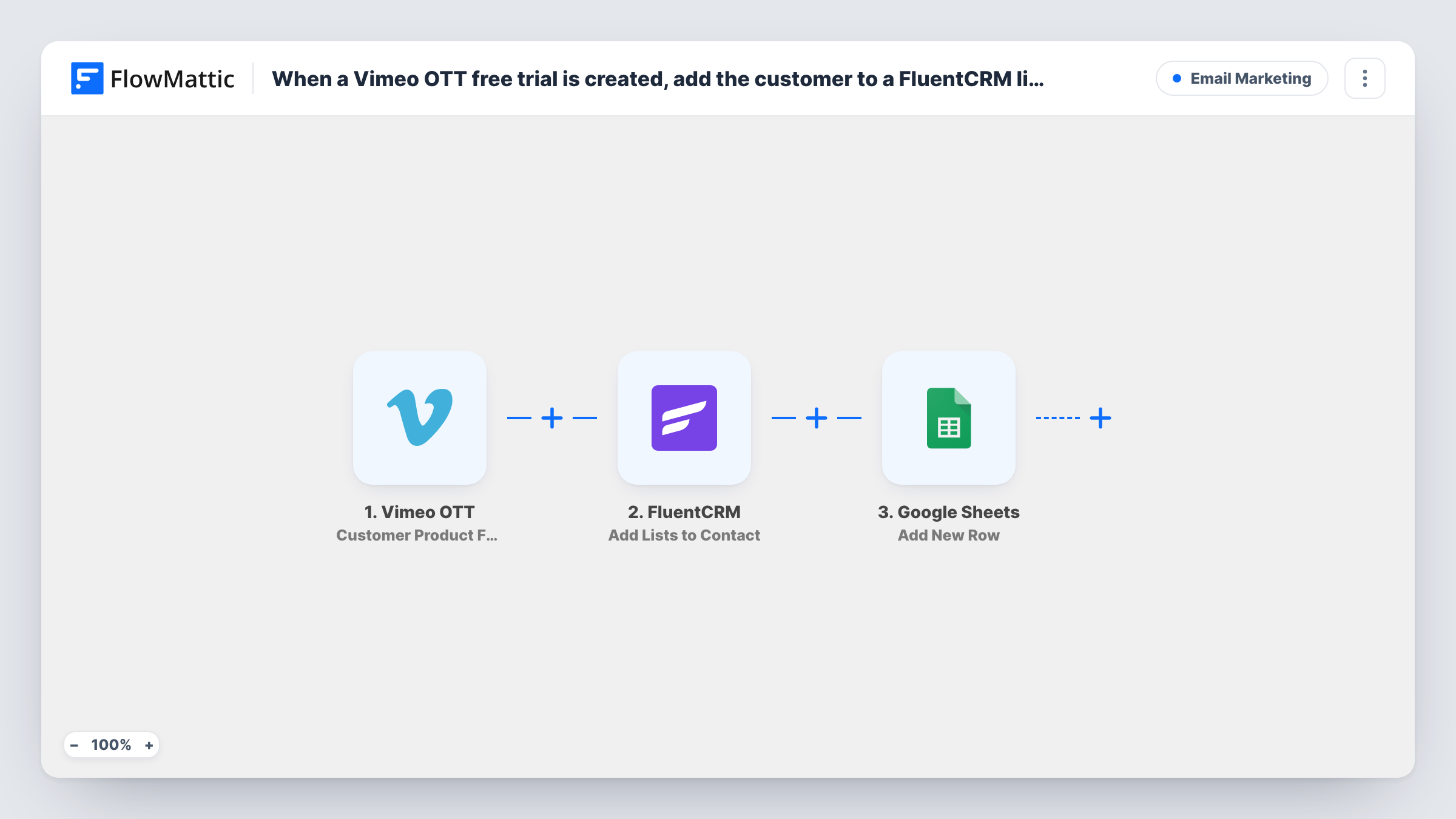
When someone starts a free trial of a Vimeo OTT subscription product, FlowMattic creates or updates them as a FluentCRM contact, adds that contact to your trial list and records the trial in Google Sheets.
 Vimeo OTT
 FluentCRM
 Google Sheets
4 steps Setup ~8 min Used on 3.3k sites Free to import
What this workflow does
A free trial is the window in which a new viewer decides whether to pay. If the trialist only exists inside your video platform, your email tool can't reach them during that window. This workflow copies each trialist into your WordPress CRM the moment the trial begins and keeps a spreadsheet record of every trial start.
The Vimeo OTT trigger fires when a customer is added to a subscription product and begins a free trial. The first FluentCRM step creates a contact from that customer, or updates the existing contact with the same email address. The second FluentCRM step adds lists to that contact, so a trialist always ends up on the list you choose for trial emails.
The final step adds a new row to Google Sheets. Every action step ships unmapped: after import you map the customer's email and name into the contact step, pick the list and point the list step at the contact from step 2, then choose a spreadsheet and match trial details to your columns.
Each trial start runs the full workflow once. Run a test trial and open Task History to see the fields Vimeo OTT sends and what FluentCRM and Google Sheets returned.
Trial nurture sequence in FluentCRM
A fitness streaming channel puts every new trialist on a FluentCRM list that drives a short series of emails pointing to its most-watched classes before the trial ends.
Trial start log for the marketing team
A documentary service keeps one sheet row per trial start, so the team can count trials by week and compare them with paid conversions later.
Returning viewers kept as one contact
A former subscriber who starts a new trial with the same email is updated in FluentCRM rather than duplicated, then added to the trial list again.
How this workflow runs
What happens at each step once the workflow is on, and what you need before you import it.
 Vimeo OTT Customer Product Free Trial Created
Fires when Vimeo OTT adds a customer to a subscription product and their free trial begins. The customer and product details from that event are available to map into the next steps.
- FluentCRM Create or Update Contact
Creates a FluentCRM contact for the trialist, or updates the contact that already has that email address. The step ships unmapped, so map at least the customer's email from the trigger, plus the name if you want it.
- FluentCRM Add Lists to Contact
Adds one or more lists to the contact from the previous step. It works on an existing contact, which step 2 has just created or updated. After import, pick your trial list and map the contact from step 2.
- Google Sheets Add New Row
Records the trial as a single new row in a spreadsheet of yours. No columns are mapped in the template, so select the spreadsheet and sheet, then map trial fields such as the email, product and start date.
What you need
- FlowMatticCore
- Vimeo OTT AccountAccount
- FluentCRM PluginPlugin
- Google Sheets AccountAccount
After importing, map your own data. To keep the template universal, not every step is pre-filled. Open each step in the builder and connect your accounts and fields (channels, lists, sheets, recipients) before you switch the workflow on.
Make it yours
Changes worth making after you import it.
- Create a FluentCRM list just for Vimeo OTT trialists and pick it in the Add Lists to Contact step, so trial emails never go to your general audience.
- Map the product name into its own sheet column when you sell several subscription products, so you can sort trial starts by product.
- Build a second workflow on the Vimeo OTT 'Customer Product Free Trial Converted' trigger to move paying customers off the trial list in FluentCRM.
- Add a column for the workflow run date in the Google Sheets step if the trigger data doesn't include a start date you can map.
Questions about this workflow
What happens if the trialist is already a FluentCRM contact?
FlowMattic describes the Create or Update Contact action as matching contacts by email address. An existing contact with the same email is updated instead of duplicated, and the next step adds your list to it.
Does the Vimeo OTT trigger fire when a trial converts to paid?
No. This trigger fires when a free trial begins. FlowMattic's Vimeo OTT integration has separate triggers for a converted trial, an expired trial and a renewal if you want workflows for those moments.
Which FluentCRM list does the trialist join?
The one you pick after import. The Add Lists to Contact step ships with no list chosen, so select your trial list and map the contact from the Create or Update Contact step.
Do I need a Google account for the sheet step?
Yes. Connect a Google account that can edit the spreadsheet, then pick the spreadsheet and sheet in the Add New Row step and map the trial details to its columns.
More Email Marketing workflows
Other ready-to-import templates from the same category.





Import this workflow into your WordPress site
Download the JSON, import it from the Workflows screen and connect your accounts. Every run stays on your server, with no per-task fees.
30-day money-back guarantee Unlimited workflows and runs Self-hosted