

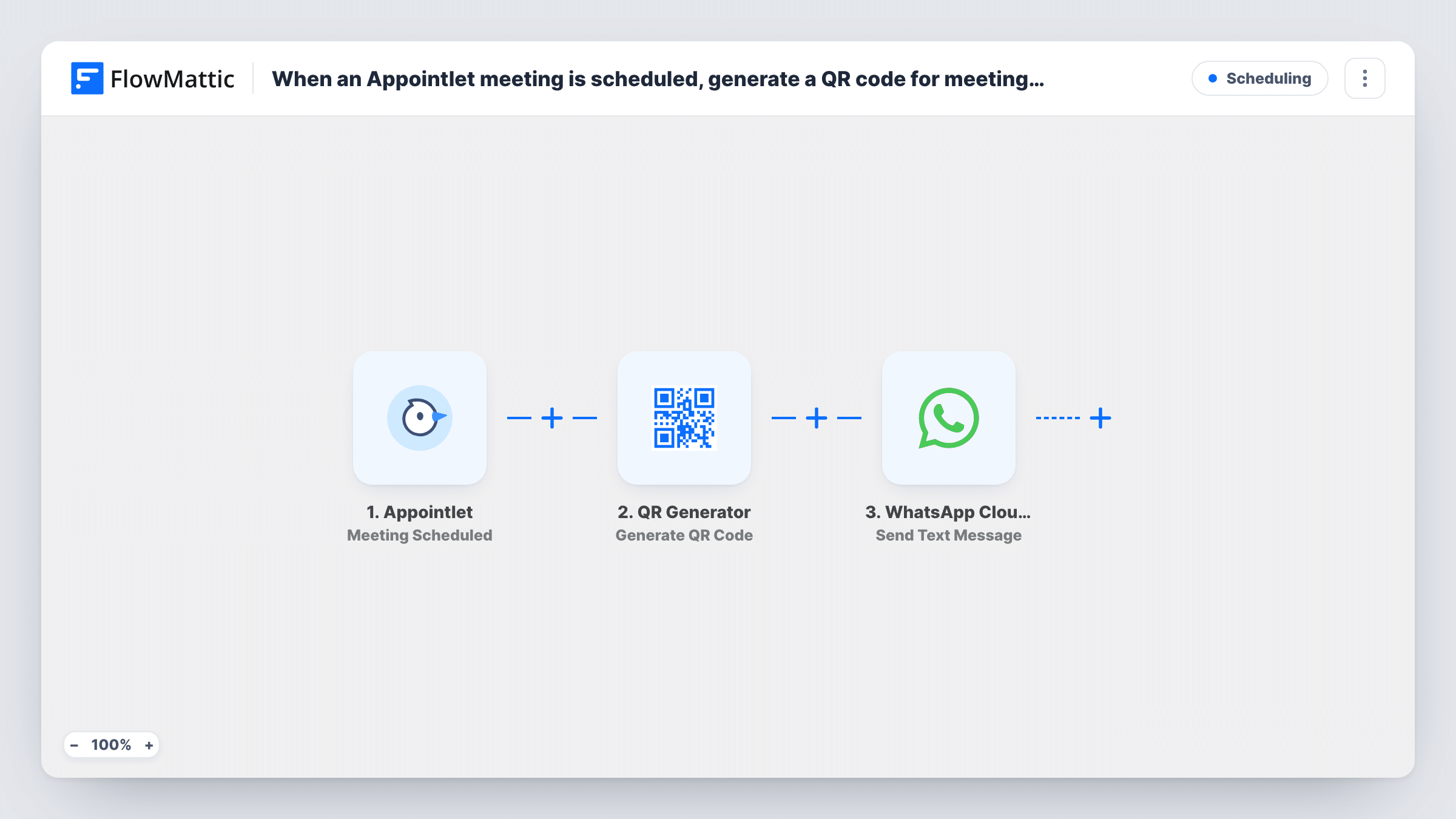
When an Appointlet meeting is scheduled, generate a QR code for meeting URL in QR Generator, then send it via WhatsApp Cloud API
When a meeting is scheduled in Appointlet, this workflow makes a QR code for the meeting URL, saves it to your WordPress media library and sends a WhatsApp text message you can include its link in.
 Appointlet
 QR Generator
 WhatsApp Cloud API
3 steps Setup ~5 min Used on 3.0k sites Free to import
What this workflow does
Some attendees join a meeting from a laptop while the confirmation sits on their phone, or you want a scannable code to show on a screen. This workflow builds a QR code for the meeting link each time someone books with you, then sends a WhatsApp message about it.
The Appointlet trigger fires when a meeting is scheduled. FlowMattic passes the meeting data, including the meeting URL, to QR Generator, which creates a QR code and saves it to your WordPress media library. Last, a text goes out through WhatsApp Cloud API. Map the QR image's address into it, if QR Generator returns one, along with the meeting details.
Know the WhatsApp rule before you rely on this. Free-form WhatsApp text is delivered only inside a 24-hour window that opens when the person messages your business number. Someone who books a meeting and never wrote to you will usually not get this message. For new attendees, switch the last step to Send Template Message with a template WhatsApp has approved.
Consultants who message clients on WhatsApp
A coach whose clients already chat with the business number sends each booked session's link and QR code there, inside the 24-hour window.
Codes for a meeting-room screen
Open the saved QR image from your media library and show it on a screen, so a guest can scan it and open the meeting link on their own phone.
Internal booking alerts
Send the message to your own team number instead of the attendee, so a colleague has the meeting link and QR code on their phone.
How this workflow runs
What happens at each step once the workflow is on, and what you need before you import it.
 Appointlet Meeting Scheduled
Runs when a meeting is scheduled in Appointlet. The booking data, including the meeting URL and attendee details, is passed to the next steps.
- QR Generator Generate QR Code
Generates a QR code from the meeting URL you map in and saves the image to your WordPress media library. Its output can be used in the WhatsApp step.
- WhatsApp Cloud API Send Text Message
Sends a WhatsApp text message to the phone number you map in. Add the meeting details and the QR image link. Free-form text reaches only people who messaged your number in the last 24 hours.
What you need
- FlowMatticCore
- Appointlet AccountAccount
- WhatsApp Cloud API AccountAccount
After importing, map your own data. To keep the template universal, not every step is pre-filled. Open each step in the builder and connect your accounts and fields (channels, lists, sheets, recipients) before you switch the workflow on.
Make it yours
Changes worth making after you import it.
- To reach attendees who never messaged you, change step 3 to Send Template Message and use a WhatsApp-approved template that holds the meeting link.
- WhatsApp Cloud API also offers Send Image Message. Use it with the QR image URL if you want the code to show as a picture rather than a link.
- Ask for a phone number with country code on your Appointlet booking form, so the WhatsApp step has a number in the format it can send to.
Questions about this workflow
Will a new Appointlet attendee receive the WhatsApp message?
Usually not as imported. Free-form text only goes through within 24 hours of the person messaging your business number. Use Send Template Message with an approved template for first contact.
Where is the QR code stored?
QR Generator saves it to your WordPress media library, so the image stays on your own site and you can find it there later.
Where does the WhatsApp step get the attendee's phone number?
From the Appointlet booking data, if your booking form collects a phone number. Book a test meeting and check the captured data before mapping the recipient.
Does a rescheduled Appointlet meeting create a new QR code?
This workflow uses Meeting Scheduled. Appointlet has a separate Meeting Rescheduled trigger in FlowMattic, so add a second workflow on that trigger if you need it.
More Scheduling workflows
Other ready-to-import templates from the same category.




Import this workflow into your WordPress site
Download the JSON, import it from the Workflows screen and connect your accounts. Every run stays on your server, with no per-task fees.
30-day money-back guarantee Unlimited workflows and runs Self-hosted