

When Event Booking Completed in WP Amelia, Create contact in FluentCRM
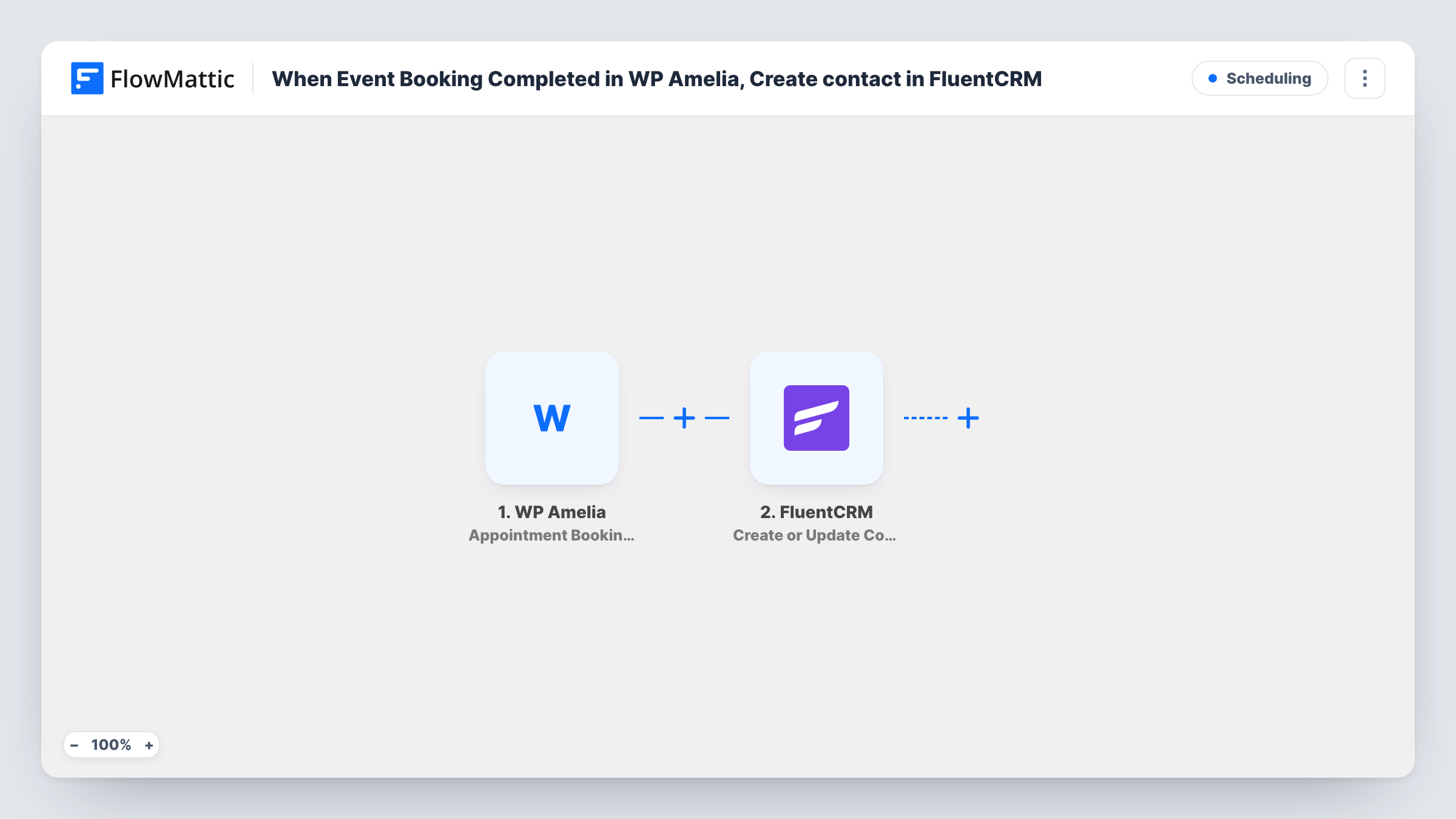
When someone completes a booking for one of your Amelia events, FluentCRM creates a contact for them, or updates the contact that already uses that email address.
 WP Amelia
 FluentCRM
2 steps Setup ~5 min Used on 3.1k sites Free to import
What this workflow does
Event attendees are some of your warmest contacts, but Amelia keeps them in its own booking tables. This workflow copies each event booker into FluentCRM, so you can send pre-event reminders, post-event surveys and future invitations from the same CRM as the rest of your list.
The WP Amelia trigger fires when an event's booking is completed. It covers event bookings only: Amelia appointments have their own triggers, as do rescheduled, cancelled and status-changed event bookings. The booking details, including the customer's name and email, are passed on.
The FluentCRM step creates a contact, or updates an existing one, matching by email address. That means someone who books several events stays one contact, with their details refreshed each time. The step ships unmapped, so after import you map the booker's email, first and last name, and phone if you want it.
Each completed booking runs the workflow once. Adding a list or tag in the FluentCRM step lets you tell attendees apart from other contacts and start a FluentCRM automation for them. Make a test booking and check Task History to see what the step returned.
Workshop attendee follow-up
A training company books workshops through Amelia, and every attendee lands in FluentCRM, where a follow-up email with the slides goes out after the session.
Invitations to the next event
A venue keeps everyone who booked a past event in a FluentCRM list and emails them when new dates open.
One record for repeat attendees
A yoga studio's regulars book many Amelia events; FluentCRM keeps one contact per email and updates their phone number when it changes.
How this workflow runs
What happens at each step once the workflow is on, and what you need before you import it.
 WP Amelia Event Booking Completed
Fires when a booking for an Amelia event is completed. The booking's customer details, such as name, email and phone, are passed on for the FluentCRM contact.
- FluentCRM Create or Update Contact
Creates a FluentCRM contact for the booker, or updates the existing contact with the same email. The step ships unmapped: map the email, name and phone, and add a list or tag if you use them.
What you need
- FlowMatticCore
- WP Amelia AccountAccount
- FluentCRM PluginPlugin
After importing, map your own data. To keep the template universal, not every step is pre-filled. Open each step in the builder and connect your accounts and fields (channels, lists, sheets, recipients) before you switch the workflow on.
Make it yours
Changes worth making after you import it.
- Choose a FluentCRM list or tag such as "event attendee" in the contact step, and build a FluentCRM automation that starts when it is added.
- To handle appointments too, import a second copy with Amelia's Appointment Booking Completed trigger, so service clients reach FluentCRM as well.
- If only certain events should reach FluentCRM, put a Filter between the Amelia trigger and the FluentCRM step on the event name. Use your own event's name in the condition.
Questions about this workflow
Will a person who books two Amelia events get two FluentCRM contacts?
No. Create or Update Contact matches by email, so the second booking updates the existing contact instead of adding a new one.
Are Amelia appointment bookings included?
No. This template uses Event Booking Completed. Appointments have their own Amelia triggers in FlowMattic, so use a second workflow for them.
Does a cancelled Amelia event booking remove the contact?
No. Cancellations don't start this workflow. Amelia's Event Booking Canceled trigger can drive a separate workflow, for example one that tags the contact.
More Scheduling workflows
Other ready-to-import templates from the same category.





Import this workflow into your WordPress site
Download the JSON, import it from the Workflows screen and connect your accounts. Every run stays on your server, with no per-task fees.
30-day money-back guarantee Unlimited workflows and runs Self-hosted