

When an ArcSite proposal is sent, create a Google Calendar follow-up event and notify the rep in Slack
When a proposal is sent from ArcSite, this workflow books a follow-up event in Google Calendar and posts a message in a Slack channel, so the rep knows the proposal is out and when to chase it.
 ArcSite
 Google Calendar
 Slack
Slack3 steps Setup ~5 min Used on 1.1k sites Free to import
What this workflow does
A proposal sent from the field is only half the sale. The follow-up call a few days later often decides it, and that call is easy to forget when the rep is already on the next site visit. This workflow puts the follow-up on the calendar and tells the team in Slack as soon as the proposal leaves ArcSite.
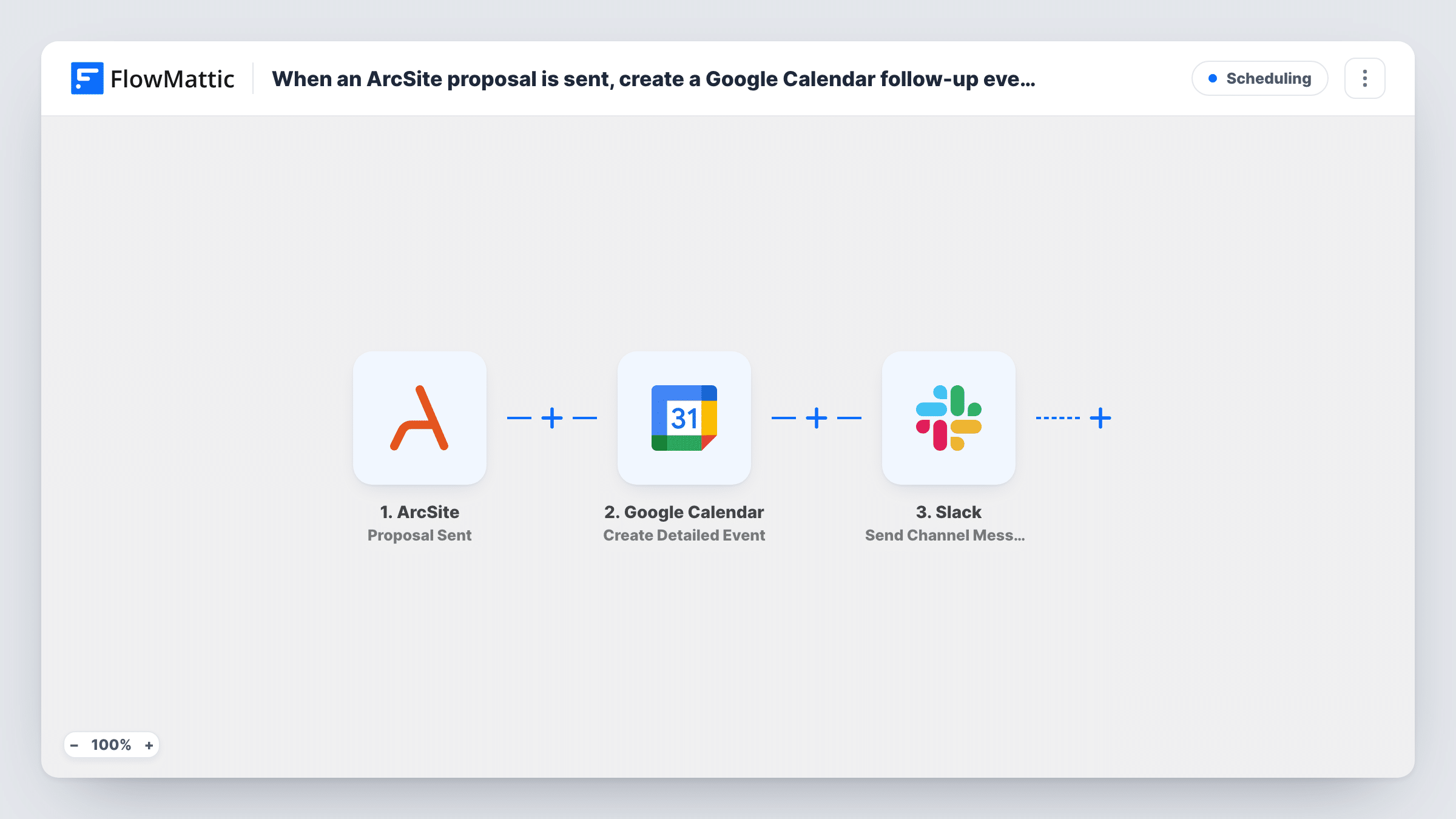
The ArcSite trigger, Proposal Sent, fires when a proposal is sent. FlowMattic then runs Google Calendar Create Detailed Event, which adds an event to the calendar you connect. You set its title, time and details by mapping ArcSite values and typing your own text. Finally, Slack Send Channel Message posts in the channel you pick, and can include the event details from the step before.
The Slack step posts to a channel, not to one person. To reach the rep directly, mention them in the message or switch to Slack's Send Direct Message action. The event time isn't worked out for you; plan how you'll set it before you switch the workflow on.
Three-day follow-up on remodel quotes
A rep sends a kitchen remodel proposal from ArcSite on site. A follow-up slot appears in the shared sales calendar and the sales channel sees that the quote went out.
Sales manager oversight
A manager watching the Slack channel sees every proposal as it is sent, with the follow-up date beside it, without opening ArcSite.
Field estimators who rarely sit at a desk
Estimators who work from their phones get the calendar event and the Slack post where they already look, instead of a spreadsheet to update.
How this workflow runs
What happens at each step once the workflow is on, and what you need before you import it.
 ArcSite Proposal Sent
Fires when a proposal is sent from ArcSite. The proposal and project data are passed to the next two steps for mapping.
- Google Calendar Create Detailed Event
Creates a Google Calendar event with detailed options from the ArcSite proposal. Map the proposal details into the event and set when it should happen; run a test to check the time it lands on.
- Slack Send Channel Message
Posts a message in a Slack channel with the proposal details and the calendar event from the previous step. Mention the rep in the text if they should be notified by name.
What you need
- FlowMatticCore
- ArcSite AccountAccount
- Google Calendar AccountAccount
- Slack AccountAccount
After importing, map your own data. To keep the template universal, not every step is pre-filled. Open each step in the builder and connect your accounts and fields (channels, lists, sheets, recipients) before you switch the workflow on.
Make it yours
Changes worth making after you import it.
- Put a Date/Time Formatter step before Google Calendar to add a few days to the send date, then map that result as the event start, so the follow-up falls on a set day after each proposal.
- To message the rep alone, swap the Slack step for Send Direct Message. Pair it with Slack Find User by Email if ArcSite sends the rep's email.
- For a private sales channel, use Slack's Send Private Channel Message action rather than Send Channel Message.
- Add the customer's name and address from ArcSite to the event description so the rep has the context when the reminder pops up.
Questions about this workflow
When is the Google Calendar follow-up scheduled?
Whenever you set it in the Create Detailed Event step. The template doesn't calculate a date, so map one or add a Date/Time Formatter step to work it out from the send date.
Does the rep get a direct Slack message about the ArcSite proposal?
Not as imported. The message goes to a channel. Mention the rep in it, or switch to Send Direct Message to reach them alone.
Which Slack channel gets the ArcSite proposal message?
You choose it when you connect Slack after import. Write the text there and map in the proposal details plus the event time returned by the Google Calendar step, so the channel sees when the follow-up is booked.
Does a re-sent ArcSite proposal create a second event?
If ArcSite reports the proposal as sent again, the trigger fires again, so you get another event and another Slack post. Test this with your own account.
More Scheduling workflows
Other ready-to-import templates from the same category.







Import this workflow into your WordPress site
Download the JSON, import it from the Workflows screen and connect your accounts. Every run stays on your server, with no per-task fees.
30-day money-back guarantee Unlimited workflows and runs Self-hosted