

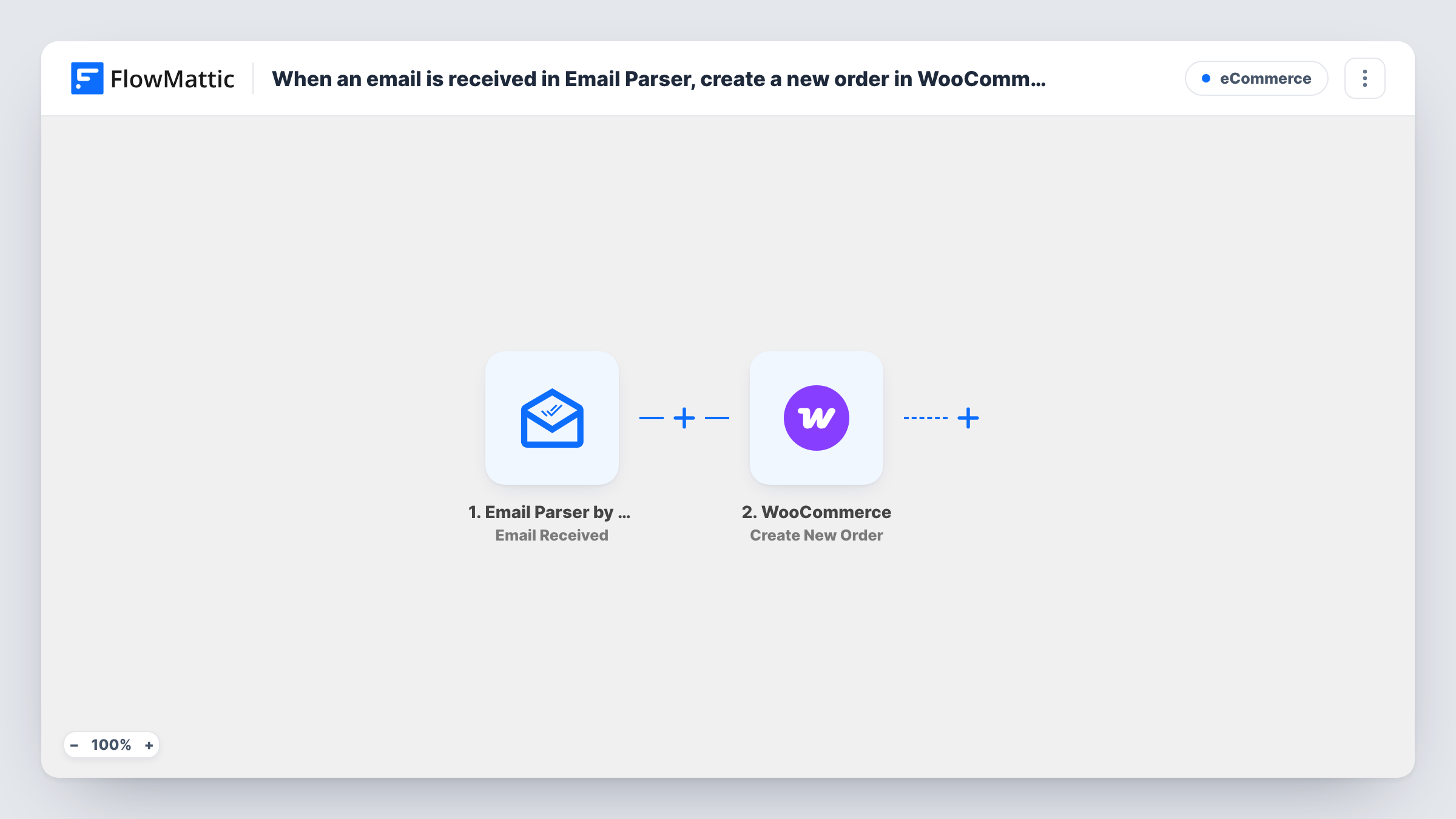
When an email is received in Email Parser, create a new order in WooCommerce
Each email sent to your FlowMattic Email Parser address creates a new WooCommerce order from the details you map out of the message, so orders that arrive by email are recorded in your store.
 Email Parser by FlowMattic
 WooCommerce
2 steps Setup ~5 min Used on 2.5k sites Free to import
What this workflow does
Some orders never touch your checkout. A wholesale buyer emails a list, a sales rep forwards a phone order, or another system sends an order notice by email. Re-keying each one into WooCommerce takes time and invites typos. This workflow turns each incoming email into a WooCommerce order.
The Email Parser by FlowMattic trigger gives you a dedicated email address. Each message that reaches it starts a run, and its contents become data you can map. The WooCommerce step then creates a new order on your WordPress store from the values you map in.
This works best when the emails follow a fixed layout, such as notices from one order form or one supplier system. A free-written email won't map cleanly, because the order step needs values it can use as they are. Run a few test emails and check each test order in WooCommerce before you rely on it. As imported, every email to the parser address creates an order, so keep that address private.
Orders from a marketplace notice
A sales channel without a WooCommerce connection emails you an order notice in the same layout every time. Forward those notices to the parser address to record them as store orders.
Phone orders taken by staff
Staff email a short order template to the parser address after each phone call, so phone sales appear in WooCommerce alongside web orders.
Wholesale reorders from a fixed form
Trade customers send reorders from an emailed form that always uses the same layout. Each email becomes an order you can process and fulfil in WooCommerce.
How this workflow runs
What happens at each step once the workflow is on, and what you need before you import it.
 Email Parser by FlowMattic Email Received
Starts a run each time an email arrives at your Email Parser address. The message contents become available to map into the WooCommerce order.
- WooCommerce Create New Order
Creates a new order in your WooCommerce store from the values mapped out of the email. Map the order details the step asks for, then check a test order in WooCommerce.
What you need
- FlowMatticCore
- WooCommerce PluginPlugin
After importing, map your own data. To keep the template universal, not every step is pre-filled. Open each step in the builder and connect your accounts and fields (channels, lists, sheets, recipients) before you switch the workflow on.
Make it yours
Changes worth making after you import it.
- Add a Filter after the trigger that continues only when the sender's address matches your trusted source, so stray or spam emails don't create orders.
- Use Text Formatter's Text Between action to pull a value, such as a product SKU or quantity, out of the email body before the WooCommerce step, then map that result.
- With a SKU extracted, add WooCommerce's Get Product by SKU step and map the product it returns, so the order points at the right item.
Questions about this workflow
Can the Email Parser read any order email?
It receives any email sent to its address, but WooCommerce needs clean values. Emails in a fixed layout are practical. Free-written ones usually need a person to enter the order.
What stops a spam email from creating a WooCommerce order?
Nothing, as imported. Every email to the parser address starts a run. Add a Filter on the sender's address and keep the parser address private.
Does this need WooCommerce on the same site as FlowMattic?
Yes. The order is created by the FlowMattic install on your WordPress site, so WooCommerce must be active there. The Email Parser is part of FlowMattic, so no extra account is needed for it.
Will the WooCommerce order send emails to the customer?
Your WooCommerce email settings decide that, not this workflow. Create a test order with your own address in it and see which emails go out.
More E-Commerce workflows
Other ready-to-import templates from the same category.




Import this workflow into your WordPress site
Download the JSON, import it from the Workflows screen and connect your accounts. Every run stays on your server, with no per-task fees.
30-day money-back guarantee Unlimited workflows and runs Self-hosted