

When contact status is changed to subscribed in FluentCRM, add member to list in MailChimp and create a new customer in Pabbly Subscriptions
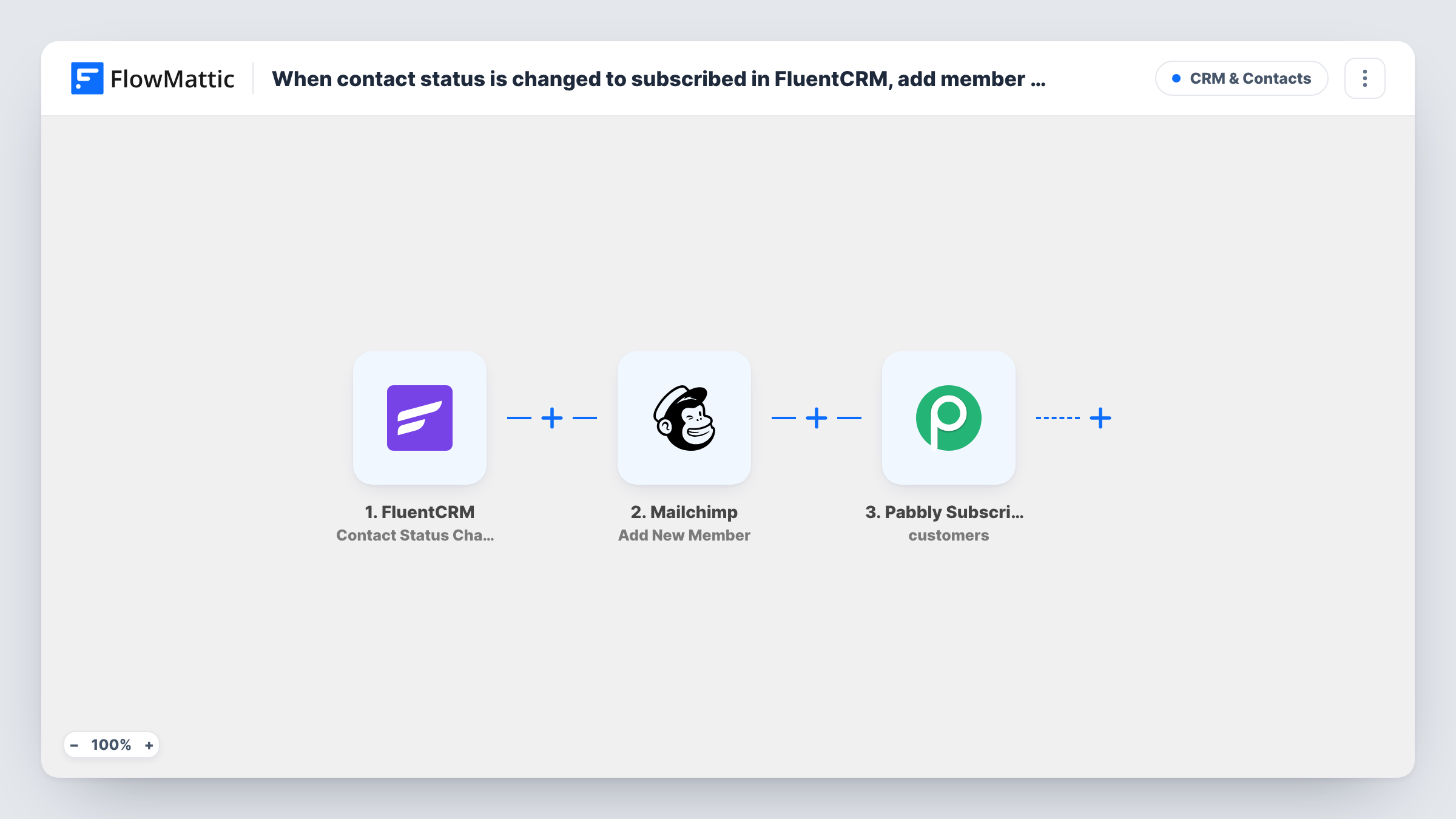
When a FluentCRM contact’s status changes to subscribed, the contact is added to your Mailchimp audience and created as a customer in Pabbly Subscriptions.
 FluentCRM
 Mailchimp
 Pabbly Subscriptions
3 steps Setup ~5 min Used on 2.7k sites Free to import
What this workflow does
Some sites keep their contact records in FluentCRM but send newsletters from Mailchimp and bill through Pabbly Subscriptions. Copying each confirmed subscriber into two more tools by hand is slow and easy to forget. This workflow does it at the moment a contact's FluentCRM status becomes subscribed.
The FluentCRM trigger starts a run when a contact's status changes to subscribed, for example after they confirm a double opt-in email or you change the status yourself. The contact's details, such as email, first name and last name, are passed to the next two steps.
The Mailchimp step adds the person to the audience you pick. FlowMattic describes this action as adding a new member or updating them if they already exist, so a person who is already on the audience is updated rather than added twice. Then the Pabbly Subscriptions step creates a new customer record for them.
You map both actions yourself: after import, connect both accounts, choose the Mailchimp audience, and map the FluentCRM email and name fields into each step. A contact whose status goes back to subscribed later starts another run, so test with a contact who already exists in Pabbly Subscriptions and check Task History to see what Pabbly returns.
Confirmed opt-ins on your Mailchimp audience
A blog collects sign-ups in FluentCRM with double opt-in. Once a reader confirms and becomes subscribed, they join the Mailchimp audience used for the weekly digest.
Billing records ready before the first invoice
A membership business creates a Pabbly Subscriptions customer for each subscribed contact, so a plan can be attached later without re-entering the name and email.
Moving a newsletter list off FluentCRM gradually
A site that still captures contacts in FluentCRM but now sends campaigns from Mailchimp keeps both tools in step as statuses change.
How this workflow runs
What happens at each step once the workflow is on, and what you need before you import it.
 FluentCRM Contact Status Change to Subscribed
Starts each time a FluentCRM contact's status changes to subscribed. The contact's email, name and other profile fields become available to map into Mailchimp and Pabbly Subscriptions.
- Mailchimp Add New Member
Adds the contact to a Mailchimp audience, or updates the member if the email is already there. The step ships unmapped: connect Mailchimp, choose the audience and map the contact's email and name.
- Pabbly Subscriptions Create Customer
Adds the contact as a new Pabbly Subscriptions customer. This step also ships unmapped, so after import you map the contact's email, first name and last name into the customer fields the step shows.
What you need
- FlowMatticCore
- FluentCRM PluginPlugin
- Mailchimp AccountAccount
- Pabbly Subscriptions AccountAccount
After importing, map your own data. To keep the template universal, not every step is pre-filled. Open each step in the builder and connect your accounts and fields (channels, lists, sheets, recipients) before you switch the workflow on.
Make it yours
Changes worth making after you import it.
- Put a Filter between the FluentCRM trigger and the Mailchimp step that checks a FluentCRM tag or list, so only contacts from one list reach Mailchimp and Pabbly. The tag or list is yours to pick.
- If only paying contacts belong in Pabbly Subscriptions, put a Filter on a FluentCRM tag between the Mailchimp step and the Pabbly Subscriptions step. Every subscribed contact still joins Mailchimp; only tagged ones become customers.
- Map the contact's first and last name into Mailchimp's merge fields as well as the email, so your campaigns can greet people by name.
- Run one test with a contact already in Pabbly Subscriptions and read the response in Task History before you turn the workflow on.
Questions about this workflow
Does FluentCRM trigger this for contacts who are already subscribed?
No. The run starts when a contact's status changes to subscribed after the workflow is active. Contacts who were subscribed before that don't start a run until their status changes to subscribed again.
What happens if the email is already in my Mailchimp audience?
The Add New Member action adds a new member or updates the existing one, so the person isn't added twice. Their details are updated with whatever you map.
Will Pabbly Subscriptions get a duplicate customer if the person resubscribes?
Each change to subscribed starts a run, and the step creates a new customer. How Pabbly treats an email it already holds is up to Pabbly, so test with an existing customer and check Task History.
Do I need a Mailchimp audience and a Pabbly Subscriptions account set up first?
Yes. You connect both accounts in FlowMattic and choose the Mailchimp audience in the Add New Member step, so create them before you configure the workflow.
More CRM & Contacts workflows
Other ready-to-import templates from the same category.




Import this workflow into your WordPress site
Download the JSON, import it from the Workflows screen and connect your accounts. Every run stays on your server, with no per-task fees.
30-day money-back guarantee Unlimited workflows and runs Self-hosted