

When data is received from Webhook, loop through the JSON array in response using Iterator, and create a new post in WordPress
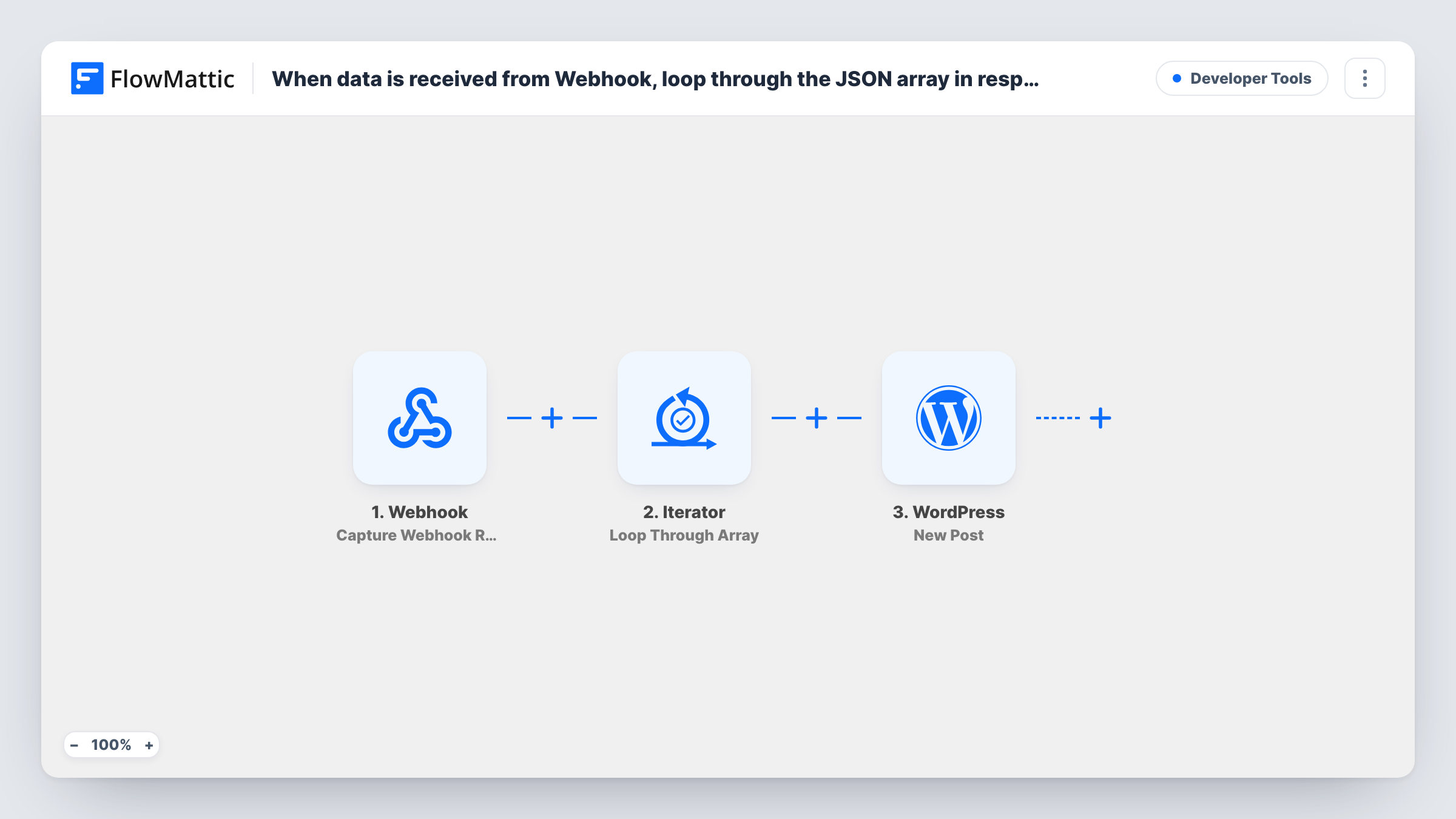
Send one webhook request that holds a JSON array, and this workflow loops through it with an Iterator and creates a WordPress post for each item, so a batch of content lands on your site in one go.
 Webhook
 Iterator
 WordPress
3 steps Setup ~5 min Used on 770 sites Free to import
What this workflow does
Content often arrives in batches: a list of articles from a writing tool, a feed of listings from another system, a set of entries exported from a spreadsheet script. Creating each one as a post by hand is slow, and one webhook call per post means more work on the sending side. This template accepts the whole batch at once.
The Webhook trigger hands you an endpoint for the batch. Whatever your other system posts to it becomes the run's data, including the JSON array that holds your items. An Iterator then walks through that array, one item at a time.
For each item, the WordPress New Post action creates a post on the site where FlowMattic runs. You map the item's fields, such as a title and body, into the post. A request carrying ten items creates ten posts. The Iterator and the post step ship without settings, so send a sample payload after import, then point the Iterator at the array and map each item's values.
Publishing drafts from an external writing tool
A content team finishes several articles in another app, which posts them to the webhook as one array. Each article becomes its own WordPress post.
Listings pushed from an inventory system
A property or product system sends its new listings as a JSON array, and each listing is created as a post your theme displays.
Migrating entries from a script
A developer exports records from an old site with a script and posts them to the webhook in batches, turning each record into a post.
How this workflow runs
What happens at each step once the workflow is on, and what you need before you import it.
 Webhook Capture Webhook Response
Gives you a webhook URL and starts a run each time data is posted to it. The request body, including the JSON array of items, becomes available to the Iterator.
- Iterator Loop Through Array
Loops through the JSON array you map from the webhook data. The WordPress step after it runs once for each item, using that item's values.
- WordPress New Post
Creates a WordPress post for the current item. Map the item's title, content and any other values you send, then run a test with a small array to check the result.
What you need
- FlowMatticCore
After importing, map your own data. To keep the template universal, not every step is pre-filled. Open each step in the builder and connect your accounts and fields (channels, lists, sheets, recipients) before you switch the workflow on.
Make it yours
Changes worth making after you import it.
- Turn on the Webhook trigger's "Require authentication on incoming requests" setting and have your sender include the key. Otherwise anyone who learns the URL can post data that becomes posts on your site.
- Add a Filter after the Iterator that continues only when an item's title is not empty. Items without one are skipped, and the loop goes on to the next.
- Send a payload with two or three items before going live, then review the new posts in WordPress to confirm the mapping before you send a full batch.
Questions about this workflow
What JSON format should the webhook receive?
Any request body that contains an array of items works, as long as each item holds the values you want in the post. You choose which part of the webhook data the Iterator loops through after a test request.
Does each item in the array become its own WordPress post?
Yes. The Iterator runs the New Post step once per item, so the number of posts created matches the number of items in the array.
Can someone else send data to this Webhook URL?
Anyone who has the URL can start a run unless authentication is on. Enable the trigger's authentication setting and send the key with each request to keep unwanted posts off your site.
What happens if one item fails to become a post?
Task History shows the error on that item's WordPress step. The Iterator still moves on, so the other items in the array are processed.
More Developer Tools workflows
Other ready-to-import templates from the same category.






Import this workflow into your WordPress site
Download the JSON, import it from the Workflows screen and connect your accounts. Every run stays on your server, with no per-task fees.
30-day money-back guarantee Unlimited workflows and runs Self-hosted