

When Document Received in Airparser, send a WhatsApp notification via WhatsApp Cloud API
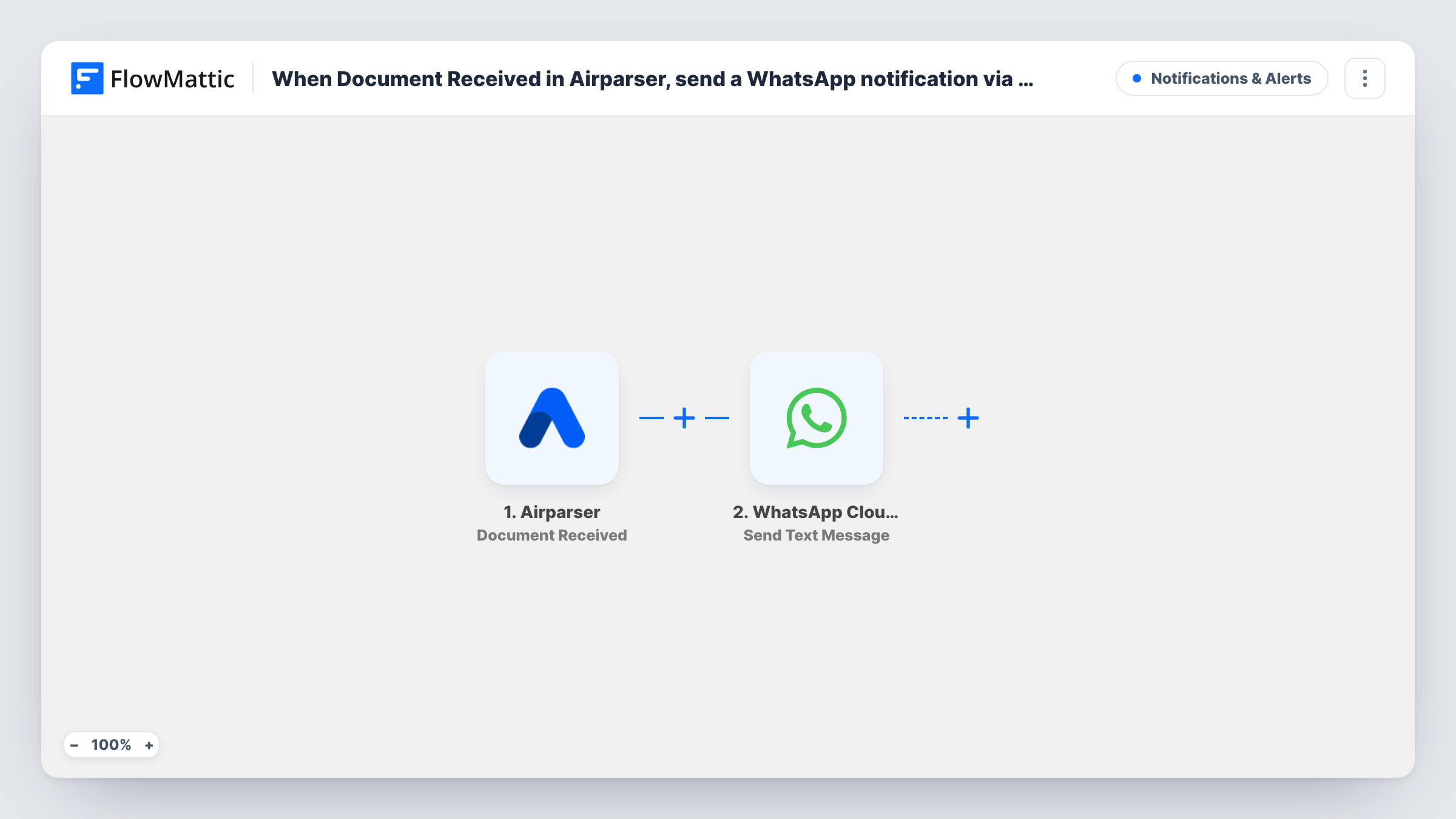
When Airparser receives a new document, this workflow sends a WhatsApp text through the WhatsApp Cloud API to the number you choose, so someone knows a document has arrived without watching the Airparser inbox.
 Airparser
 WhatsApp Cloud API
2 steps Setup ~5 min Used on 3.2k sites Free to import
What this workflow does
Airparser pulls data out of the emails and files you send to it. Documents can arrive at any hour, and nobody wants to keep refreshing the inbox to see what came in. This workflow sends a WhatsApp message each time a new document lands.
The Airparser trigger fires when a new email document is received. Its details become data in FlowMattic, and the WhatsApp Cloud API step sends a text message built from them to the phone number you set. You write the message and drop in whichever document details a test run shows, so the reader knows what arrived.
One limit matters here. WhatsApp only delivers free-form text to a person who messaged your business number within the last 24 hours. If the person you notify hasn't written to that number recently, the text usually won't arrive. For reliable alerts, switch the step to Send Template Message with a template WhatsApp has approved. Task History shows WhatsApp's response on every run.
Supplier invoices arriving by email
Invoices forwarded to your Airparser inbox trigger a WhatsApp text to your bookkeeper, so they know a new one is waiting to be checked.
Order confirmations from a marketplace
Confirmation emails parsed by Airparser send a WhatsApp note to whoever packs orders, giving them a heads-up before the parsed data reaches your other tools.
Out-of-hours documents
Documents that reach Airparser in the evening still produce a WhatsApp message, so the person on call sees that something came in.
How this workflow runs
What happens at each step once the workflow is on, and what you need before you import it.
 Airparser Document Received
Fires when Airparser receives a new email document in your inbox. The document's details are passed on so you can include them in the WhatsApp message.
- WhatsApp Cloud API Send Text Message
Sends a free-form WhatsApp text through the WhatsApp Cloud API. Set the recipient number and write the message with Airparser data in it. WhatsApp only delivers this to people who messaged your business number in the last 24 hours.
What you need
- FlowMatticCore
- Airparser AccountAccount
- WhatsApp Cloud API AccountAccount
After importing, map your own data. To keep the template universal, not every step is pre-filled. Open each step in the builder and connect your accounts and fields (channels, lists, sheets, recipients) before you switch the workflow on.
Make it yours
Changes worth making after you import it.
- Change the action to Send Template Message and use a template approved in your WhatsApp Business account. Templates are not bound by the 24-hour window, so alerts reach people who haven't written to you.
- If you want the extracted values in the message rather than news of an arrival, build the workflow on Airparser's Document Parsed trigger instead, which fires when a document is parsed.
- Add a Filter after the trigger that continues only when a detail of the received document matches what you care about, so routine emails don't send a WhatsApp alert. Run a test first to see which details Airparser sends.
Questions about this workflow
Why didn't my Airparser alert arrive on WhatsApp?
Send Text Message is a free-form message, and WhatsApp only delivers those within 24 hours of the recipient messaging your business number. Outside that window the text is usually not delivered. Switch to Send Template Message with an approved template to avoid this.
Does the message include the parsed data from the document?
Not as imported. The trigger is Document Received, which fires on arrival. Airparser has a separate Document Parsed trigger that fires when a document is parsed; build on that one if you want extracted values in the text.
What do I need for the WhatsApp Cloud API step?
A WhatsApp Business setup on Meta's Cloud API with a business phone number, connected to FlowMattic when you import the workflow, plus your Airparser account.
Can I notify more than one person about each Airparser document?
Yes. Add another WhatsApp Cloud API step for each extra number, or send to a Slack channel or email address with a step from those apps.
More Notifications & Alerts workflows
Other ready-to-import templates from the same category.





Import this workflow into your WordPress site
Download the JSON, import it from the Workflows screen and connect your accounts. Every run stays on your server, with no per-task fees.
30-day money-back guarantee Unlimited workflows and runs Self-hosted