

When Label Created in Nifty PM, Send Template Message in WhatsApp using WhatsApp Cloud API
When someone creates a new label in Nifty PM, FlowMattic sends a WhatsApp template message through WhatsApp Cloud API to the number you set, so a project lead hears about new labels on their phone.
 Nifty PM
 WhatsApp Cloud API
2 steps Setup ~5 min Used on 2.5k sites Free to import
What this workflow does
Labels in Nifty PM shape how a team sorts and filters its work, so a new one can change how tasks get triaged. If the person who looks after your project structure lives in WhatsApp more than in Nifty, this workflow tells them each time a label appears.
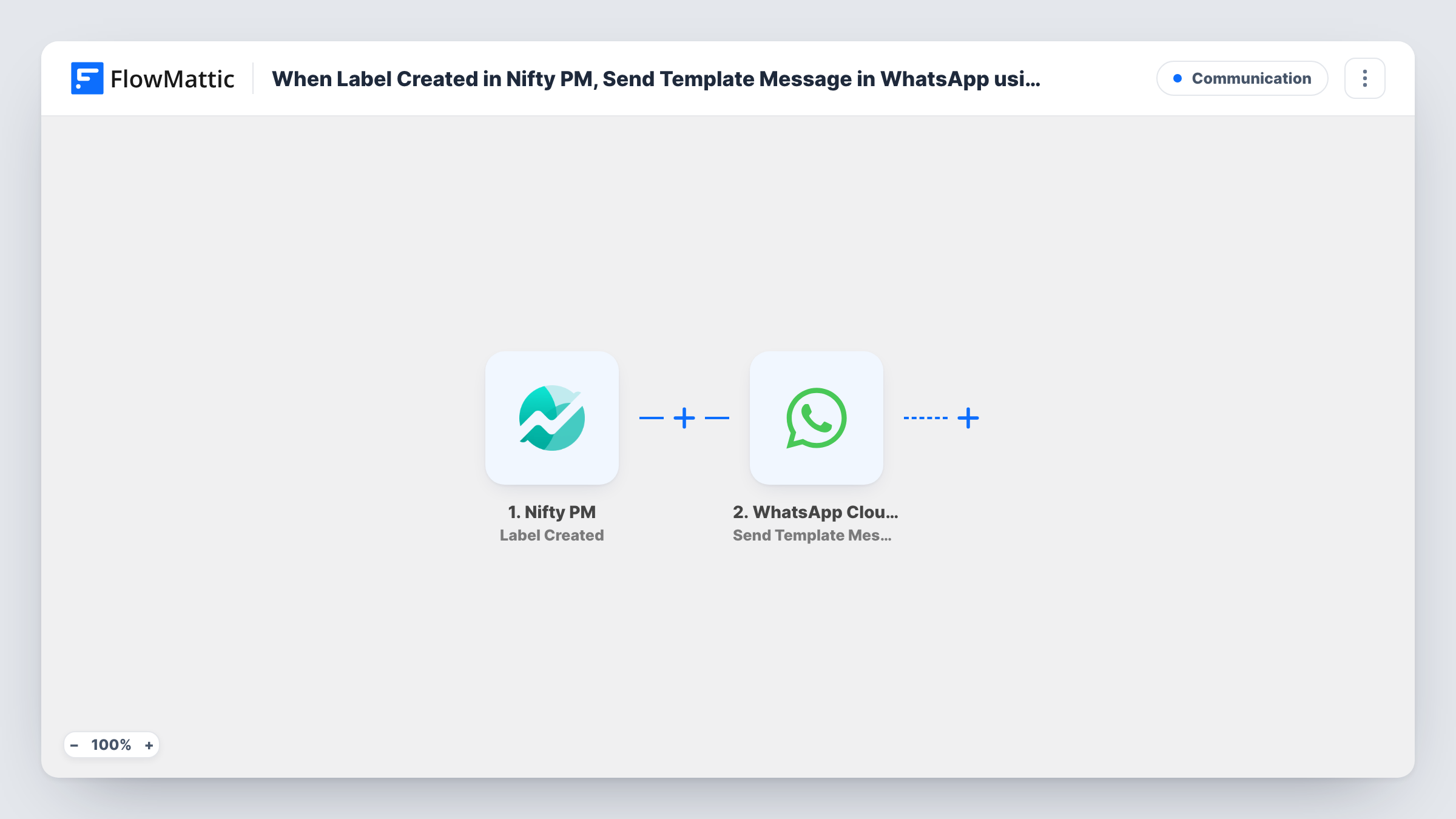
The Nifty PM Label Created trigger fires when a new label is created. FlowMattic passes the label's data to the next step. Renaming or removing a label are separate Nifty PM triggers, so they don't start this workflow.
The WhatsApp Cloud API Send Template Message step then sends a message from your WhatsApp Business number. The step ships unmapped: after import you connect your WhatsApp Cloud API account, enter the recipient's phone number and choose the message template. Templates are created and approved on the WhatsApp side first, which is what lets them reach a number that hasn't messaged you recently.
If your template has variables, map Nifty PM values such as the label name into them. Create a test label and check Task History for WhatsApp's response before relying on it.
Workspace owner kept in the loop
An agency's operations lead wants to know when anyone adds a label to Nifty PM, so the label list stays consistent across client projects.
Alert for a new priority label
A product team's manager gets a WhatsApp message whenever a teammate creates a label, and checks whether it duplicates one that already exists.
Remote founder on the go
A founder who rarely opens Nifty PM on mobile hears about new labels on WhatsApp and reviews them at the end of the day.
How this workflow runs
What happens at each step once the workflow is on, and what you need before you import it.
 Nifty PM Label Created
Fires when a new label is created in Nifty PM. The label's details are passed to the WhatsApp step for use in the message.
- WhatsApp Cloud API Send Template Message
Sends an approved WhatsApp template message from your business number. It ships unmapped, so set the recipient's number, pick the template and map Nifty PM values into any template variables.
What you need
- FlowMatticCore
- Nifty PM AccountAccount
- WhatsApp Cloud API AccountAccount
After importing, map your own data. To keep the template universal, not every step is pre-filled. Open each step in the builder and connect your accounts and fields (channels, lists, sheets, recipients) before you switch the workflow on.
Make it yours
Changes worth making after you import it.
- Create a short utility template in WhatsApp Manager with one variable for the label name, and get it approved before you finish setting up the step.
- Enter the recipient's phone number in full international format with the country code, so WhatsApp can deliver the template.
- To hear about renamed or deleted labels too, copy this workflow and switch its trigger to Nifty PM's Label Updated or Label Removed event.
Questions about this workflow
Who receives the WhatsApp message about the Nifty PM label?
Whoever's phone number you enter in the Send Template Message step. The template doesn't set a recipient, so add the number of the person who should hear about new labels.
Why a template message instead of plain WhatsApp text?
Plain WhatsApp text reaches someone only inside the 24 hours after they last wrote to your business number. An approved template can be sent outside that window, which suits alerts.
Does editing a Nifty PM label send another message?
No. This workflow uses Label Created, which fires for new labels only. Label Updated is a separate trigger you can use in another workflow.
More Communication workflows
Other ready-to-import templates from the same category.




Import this workflow into your WordPress site
Download the JSON, import it from the Workflows screen and connect your accounts. Every run stays on your server, with no per-task fees.
30-day money-back guarantee Unlimited workflows and runs Self-hosted