

When new form submission is received in Fluent Forms, create a new user in WordPress, and add a new subscriber in Sendinblue
A Fluent Forms submission creates a WordPress user account for the person who filled it in, then adds them as a contact in Brevo (Sendinblue), so sign-up and list-building happen in one run.
 Fluent Forms
 WordPress
 Brevo ( Sendinblue )
3 steps Setup ~5 min Used on 3.0k sites Free to import
What this workflow does
Some forms do two jobs: they give the visitor an account on your site, and they put them on your mailing list. Doing both by hand means creating the user in WordPress and then adding the same person in Brevo. This workflow does both from one Fluent Forms submission.
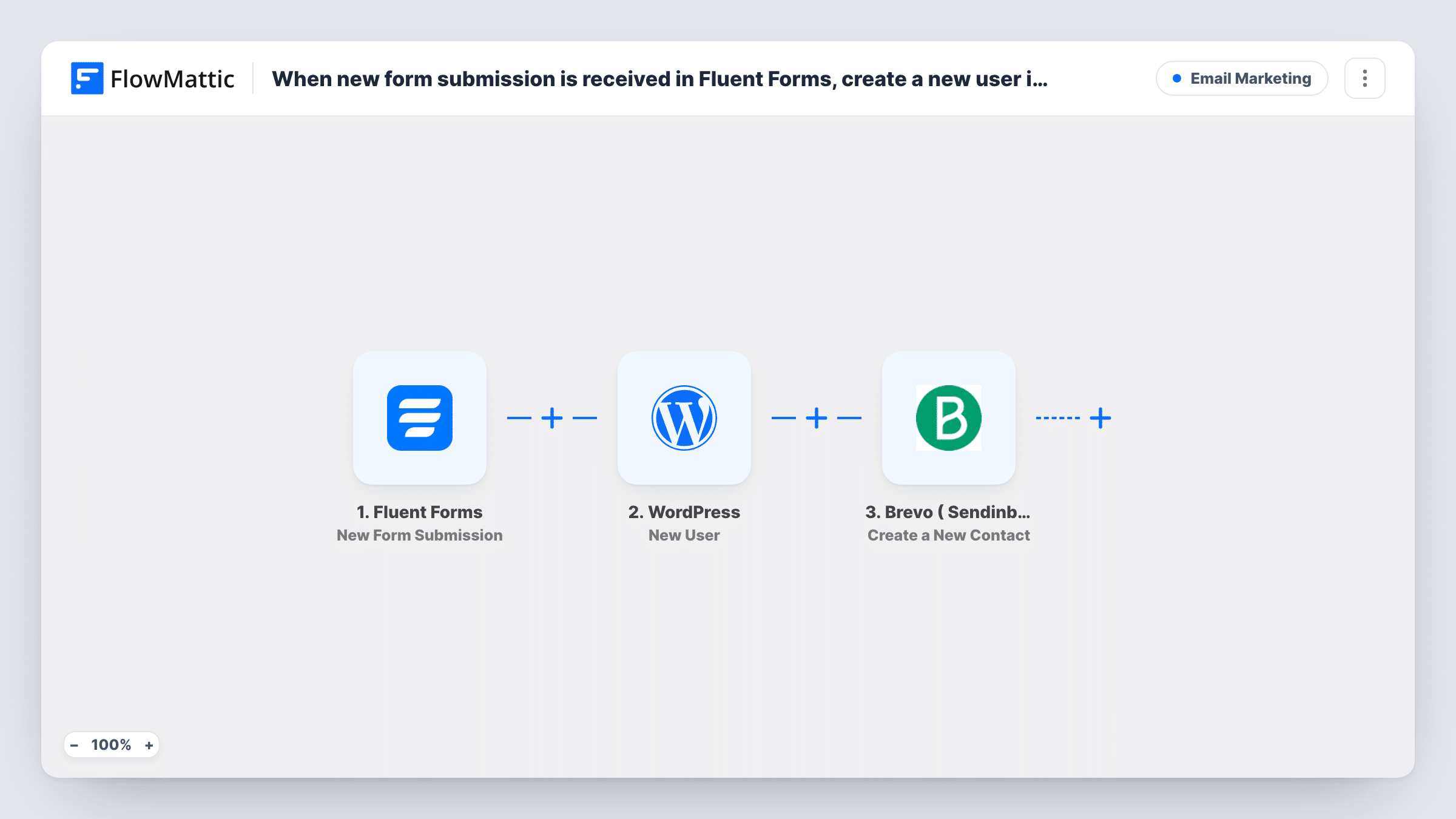
The Fluent Forms trigger fires when the form is submitted, and every answer becomes data you can map. The WordPress step creates a new user on your site from those answers, such as the email and name. The Brevo (Sendinblue) step then creates a contact in your Brevo account with the same details.
A repeat submission from someone already registered won't create a second account; the WordPress step hands back that person's existing user ID. Open the run in Task History to see the reply from each step. Test with a fresh email address and with one already registered before you go live.
Member sign-up with a newsletter
A membership site's Fluent Forms sign-up creates the member's WordPress account and puts them in Brevo for member emails.
Free resource library access
Visitors register to download resources, getting a WordPress login and a place on your Brevo list in one step.
Course or community waitlist
People who join a waitlist get a site account ready for launch day, and you can email them from Brevo.
How this workflow runs
What happens at each step once the workflow is on, and what you need before you import it.
 Fluent Forms New Form Submission
Fires when someone submits your Fluent Forms form. Their answers, including email and name, are available to both later steps.
- WordPress New User
Creates a new WordPress user from the form answers. Map the email and name answers into the user details, then check a test run to see the account it creates.
- Brevo ( Sendinblue ) Create a New Contact
Creates a contact in Brevo (Sendinblue) with the same person's details. Map the email from the form and connect your Brevo account.
What you need
- FlowMatticCore
- Fluent Forms PluginPlugin
- Brevo ( Sendinblue ) AccountAccount
After importing, map your own data. To keep the template universal, not every step is pre-filled. Open each step in the builder and connect your accounts and fields (channels, lists, sheets, recipients) before you switch the workflow on.
Make it yours
Changes worth making after you import it.
- Make the email field required in Fluent Forms so both the WordPress user and the Brevo contact always have an address.
- Add a Filter between the WordPress step and the Brevo step that continues only when a consent checkbox is ticked, if only consenting visitors should be added to Brevo.
- Fluent Forms already stores each entry, so you can compare entries with the users created while testing.
Questions about this workflow
What if the email already belongs to a WordPress user?
WordPress keeps one account per address, so the step returns the ID of the user who already has that email instead of creating one. Task History shows that ID on the WordPress step.
What if the Fluent Forms email is already a contact in Brevo?
Brevo may respond that the contact exists. Check Task History after a test with an address already in your Brevo account to see how it is handled.
Will the user created from Fluent Forms receive a welcome or login email?
This workflow only creates the user and has no email step of its own. Run a test submission to see whether the new user receives any message from your site.
Do Fluent Forms and FlowMattic need to be on the same WordPress site?
Yes. The trigger listens to Fluent Forms on the site where FlowMattic runs, and the user is created on that same site.
More Email Marketing workflows
Other ready-to-import templates from the same category.





Import this workflow into your WordPress site
Download the JSON, import it from the Workflows screen and connect your accounts. Every run stays on your server, with no per-task fees.
30-day money-back guarantee Unlimited workflows and runs Self-hosted