

When new order received in WooCommerce, create a new subscriber in MailPoet
Each new WooCommerce order adds the customer to MailPoet as a subscriber, using the billing email and name from the order, so buyers are ready for your store emails in MailPoet.
 WooCommerce
 MailPoet
2 steps Setup ~5 min Used on 596 sites Free to import
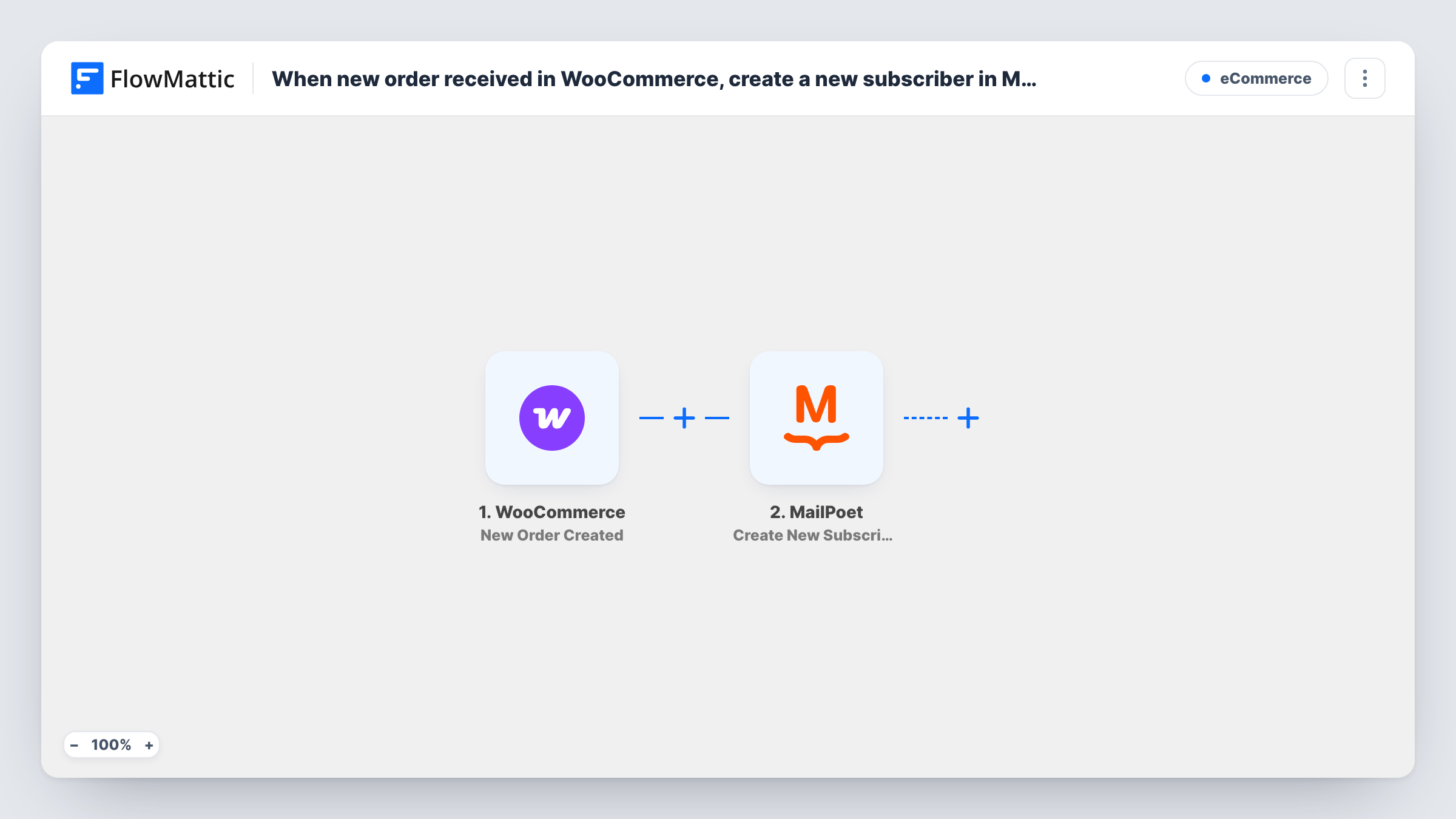
What this workflow does
WooCommerce and MailPoet both run on your WordPress site, yet buyers don't become MailPoet subscribers unless you add them. This workflow creates the subscriber for you when an order comes in.
Each run begins with the WooCommerce New Order Created trigger, which picks up every order as your shop records it. The order details, including the billing email and name, become available to map.
The MailPoet step uses Create New Subscriber. You map the billing email and name, and the subscriber is stored in MailPoet on the same site. Every order starts a run, so a repeat buyer triggers the step again. Because the step creates subscribers, MailPoet may refuse an email it already has. Check that step's reply in Task History.
Post-purchase emails for a WooCommerce shop
Every buyer becomes a MailPoet subscriber, so you can send care guides, review requests or product news from MailPoet.
Building a customer list from day one
A new store has no mailing list yet. Each order adds the buyer to MailPoet, so the list fills as sales come in.
Keeping store and email on one site
You want customer data to stay in WordPress. Both WooCommerce and MailPoet run on your site, so the subscriber never leaves it.
How this workflow runs
What happens at each step once the workflow is on, and what you need before you import it.
 WooCommerce New Order Created
Starts a run whenever WooCommerce records a new order on your site. The order data, including billing details, is passed on. Place a test order after import so the fields appear for mapping.
- MailPoet Create New Subscriber
Creates a new subscriber in MailPoet from the order. Map the billing email and first and last name, and check a test run to confirm the subscriber appears in MailPoet.
What you need
- FlowMatticCore
- WooCommerce PluginPlugin
- MailPoet PluginPlugin
After importing, map your own data. To keep the template universal, not every step is pre-filled. Open each step in the builder and connect your accounts and fields (channels, lists, sheets, recipients) before you switch the workflow on.
Make it yours
Changes worth making after you import it.
- Add only buyers who opted in. If your checkout has a marketing consent box, add a Filter after the trigger that continues only when it is ticked.
- MailPoet has an Add Subscriber to List(s) action. Add it after this step to put buyers on a customer list you email separately.
- Repeat buyers may show an error on the MailPoet step, since they're likely already subscribers. Look for it in Task History before assuming the workflow is broken.
Questions about this workflow
Will a repeat WooCommerce buyer be sent to MailPoet a second time?
Each order starts a run, so the step tries to create the subscriber again. MailPoet may refuse an email it already holds, and Task History shows its reply.
Does this WooCommerce to MailPoet workflow send anything to customers?
Not by itself. It creates the subscriber. What MailPoet sends next depends on your MailPoet setup, such as any welcome email you've configured.
Do I need MailPoet on the same site as WooCommerce?
Yes. Both are WordPress plugins, and FlowMattic uses the copies installed on the site where it runs.
More E-Commerce workflows
Other ready-to-import templates from the same category.







Import this workflow into your WordPress site
Download the JSON, import it from the Workflows screen and connect your accounts. Every run stays on your server, with no per-task fees.
30-day money-back guarantee Unlimited workflows and runs Self-hosted