

When new submission received in Fluent Forms, do math calculation on the number field data and add the data to FluentCRM custom fields
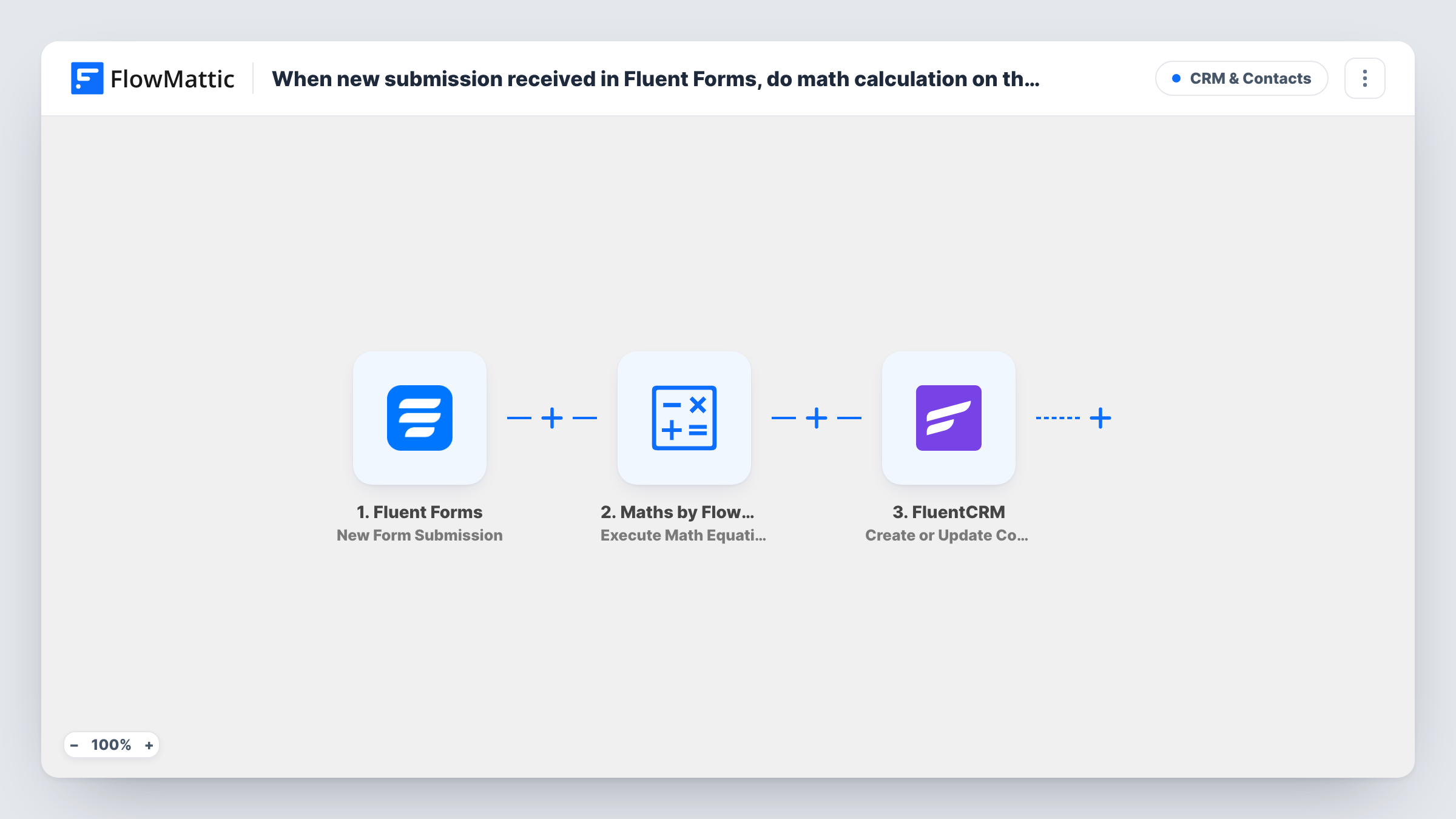
Each Fluent Forms submission passes its number fields to a Maths equation you write, and the result is saved to the submitter’s FluentCRM contact, created or updated by email, in the custom field you map it to.
 Fluent Forms
 Maths by FlowMattic
 FluentCRM
3 steps Setup ~5 min Used on 3.4k sites Free to import
What this workflow does
Forms often collect numbers that only matter once combined: quantities times a unit price, answers added into a score, a budget split across months. Working those out later in a spreadsheet means the figure never reaches your CRM. This workflow calculates the value on submission and stores it on the contact.
The Fluent Forms trigger starts a run for every entry your form receives. The next step is Maths by FlowMattic, whose Execute Math Equation action runs an equation you provide and returns the result. The template ships without an equation, so you write one and map the form's number fields into it. The last step, FluentCRM Create or Update Contact, creates a new contact or updates the existing one based on the email address, and that's where you map the result into your custom field.
Create the custom field in FluentCRM before you set up the workflow so it can be chosen in the step. Everything runs on your own WordPress site, and Task History shows the equation's result for each run.
Scoring a self-assessment quiz
A coach's Fluent Forms questionnaire has numbered answers. Adding them up gives a score that sits on each FluentCRM contact, ready for segmenting follow-up emails.
Estimating project value from a quote form
A renovation firm's form asks for room count and size. The equation turns those into a rough estimate stored on the lead, so the sales team sees it in FluentCRM.
Totalling event ticket requests
Visitors enter adult and child ticket numbers. The sum lands in a custom field, so you can filter contacts by group size before sending event details.
How this workflow runs
What happens at each step once the workflow is on, and what you need before you import it.
 Fluent Forms New Form Submission
Starts the workflow whenever your chosen Fluent Forms form receives an entry. Number fields, email and other answers from the submission can be mapped into the Maths and FluentCRM steps.
- Maths by FlowMattic Execute Math Equation
Runs the equation you write and returns the result. The template has no equation yet, so build it from the form's number fields, for example adding two fields or multiplying one by a fixed rate.
- FluentCRM Create or Update Contact
Creates a FluentCRM contact or updates the existing one matched on email. Map the form's email and name, and map the Maths result into the custom field you created for it.
What you need
- FlowMatticCore
- Fluent Forms PluginPlugin
- FluentCRM PluginPlugin
After importing, map your own data. To keep the template universal, not every step is pre-filled. Open each step in the builder and connect your accounts and fields (channels, lists, sheets, recipients) before you switch the workflow on.
Make it yours
Changes worth making after you import it.
- Make the number fields required in Fluent Forms, or give them a default of 0, so the equation always has values to work with.
- Submit one test entry with simple numbers you can check by hand, then compare the Maths result in Task History before relying on it.
- To tag contacts by result, add a Router after the FluentCRM step with routes that can't overlap, such as greater than 9 and less than 10, each holding its own Add Tags to Contact step. Placing it there means the contact has already been saved.
Questions about this workflow
Which equation does the Fluent Forms Maths step use?
None until you set one. The template's Execute Math Equation step ships empty, so write your equation and map the form fields into it after import.
Will a repeat Fluent Forms submitter get a second FluentCRM contact?
No. Create or Update Contact matches on email address, so their existing contact is updated with the new result instead of being duplicated.
Do I need to create the FluentCRM custom field first?
Yes. Add the custom field in FluentCRM, then open the contact step in FlowMattic and map the Maths result to it. A test run confirms the value is saved.
Can the result also go into the Fluent Forms entry?
Not with this template. It only writes the result to FluentCRM. The submission is stored in Fluent Forms as usual, with the original numbers.
More CRM & Contacts workflows
Other ready-to-import templates from the same category.






Import this workflow into your WordPress site
Download the JSON, import it from the Workflows screen and connect your accounts. Every run stays on your server, with no per-task fees.
30-day money-back guarantee Unlimited workflows and runs Self-hosted