

When Order paid in SureCart, create user in WordPress and enroll the user in a course in Tutor LMS
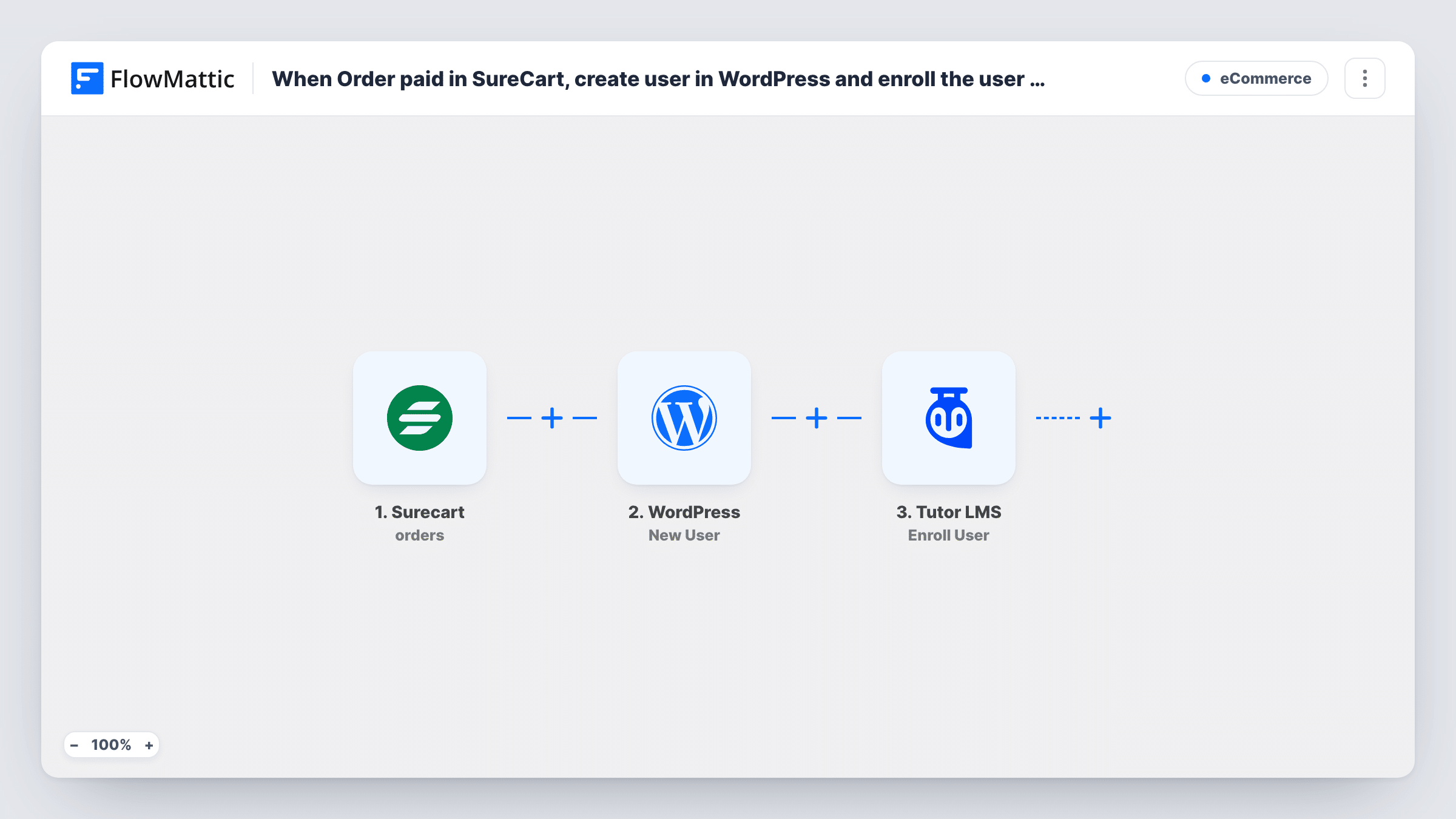
When a SureCart order is paid, FlowMattic creates a WordPress account for the buyer and enrolls that user in the Tutor LMS course you choose, so access follows payment.
 Surecart
 WordPress
 Tutor LMS
3 steps Setup ~5 min Used on 804 sites Free to import
What this workflow does
Selling a course with SureCart and teaching it in Tutor LMS leaves a gap: the payment happens in one plugin and the course access lives in another. This workflow closes it. Once the order is paid, the buyer gets a WordPress account and a place in the course.
The SureCart trigger fires when an order's status changes to paid and passes the customer and order details on. The WordPress step creates a user from them. After import, map the buyer's email and name, and check with a test order how the username and password come out.
The Tutor LMS step then enrolls a user in a course. Choose the course and map the user ID returned by the WordPress step, so the enrollment goes to the account just created. Neither the account step nor the enrollment step has its fields filled in yet.
If the buyer's email already has an account, for example someone buying a second course, WordPress doesn't create another one; the step reports the existing user's ID, so the enrollment can still go to that person. The workflow enrolls in one course as imported, whatever was bought. Place a test order and check Task History before you sell.
Single-course creator
A photographer sells one editing course through SureCart. Each paid order creates the student's login and enrolls them in the Tutor LMS course straight away.
Returning students buying again
A language school's past students buy the next level with the same email. The workflow uses their existing account and adds the new Tutor LMS enrollment.
Workshops sold outside the course catalogue
A coach sells a paid workshop with a SureCart product and delivers the recordings as a Tutor LMS course, so buyers get access without an admin step.
How this workflow runs
What happens at each step once the workflow is on, and what you need before you import it.
 Surecart Order paid
Starts once SureCart marks an order as paid. The buyer's email, name and the order details are passed to the WordPress and Tutor LMS steps.
- WordPress New User
Sets up a login on your WordPress site for the person who paid. The step ships unmapped: map the email and name from SureCart, then run a test order to see the username, password and role the account receives.
- Tutor LMS Enroll User
Enrolls the user in a Tutor LMS course. After import, pick the course and map the user ID returned by the WordPress step, so the enrollment goes to the buyer's account.
What you need
- FlowMatticCore
- SureCart AccountAccount
- Tutor LMS PluginPlugin
After importing, map your own data. To keep the template universal, not every step is pre-filled. Open each step in the builder and connect your accounts and fields (channels, lists, sheets, recipients) before you switch the workflow on.
Make it yours
Changes worth making after you import it.
- If you sell several products, put a Filter between the SureCart trigger and the WordPress step that checks the product in the order, so only course purchases create accounts and enrollments.
- For more than one course, use a Router between the WordPress step and the enrollment, with one route per product, conditions that can't both match, and its own Enroll User step set to that course.
- Plan how new students get their login details, for example by mapping a password and adding an Email step after the enrollment with a link to your login page.
Questions about this workflow
What if the SureCart buyer already has a WordPress account?
WordPress won't make a duplicate account for that email. The New User step reports success with the person's current user ID, so Tutor LMS can enroll that account. Task History shows which user ID came back from the step.
Does every paid SureCart order enroll someone in the course?
Yes, as imported. Each paid order starts a run and enrolls the buyer in the one course you set. Add a Filter on the product between the SureCart trigger and the WordPress step if you sell other things too.
Must the Tutor LMS course exist before I set up this SureCart workflow?
Yes. Tutor LMS has to be active on the site where FlowMattic runs, and the course must already be created there so you can pick it in the Enroll User step. Test the enrollment with a sample order.
Can the course depend on what the customer bought?
Not in the template, which enrolls in one fixed course. Use a Router between the WordPress and Tutor LMS steps, with a route and its own enrollment step for each product.
More E-Commerce workflows
Other ready-to-import templates from the same category.






Import this workflow into your WordPress site
Download the JSON, import it from the Workflows screen and connect your accounts. Every run stays on your server, with no per-task fees.
30-day money-back guarantee Unlimited workflows and runs Self-hosted