

When payment is successful in Swipe Pages, add user meta in WordPress, and add a tag to member in Mailchimp
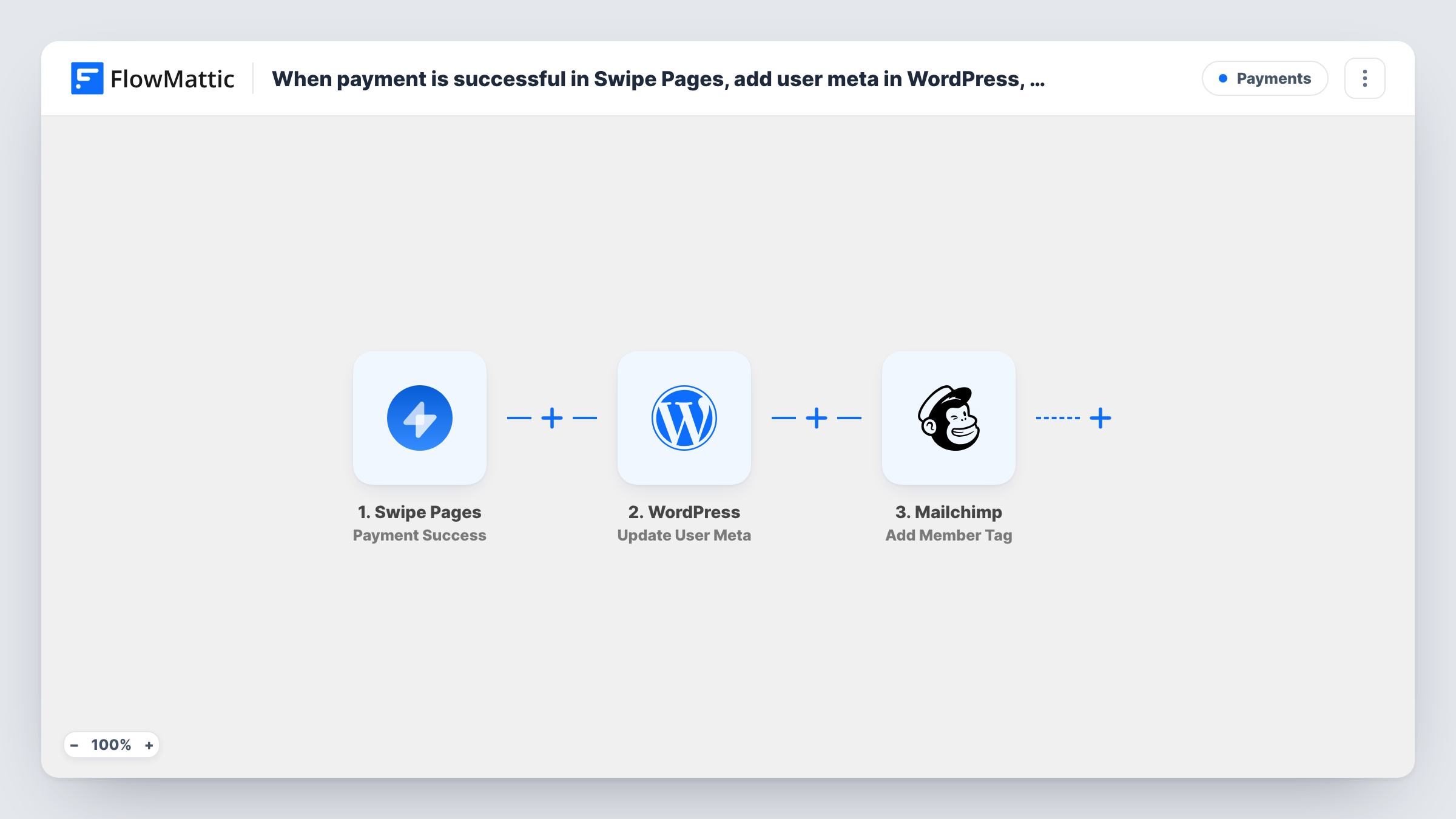
After a successful Swipe Pages payment, FlowMattic finds the buyer’s WordPress account by email, saves user meta on it, adds them to your Mailchimp list and tags them as a customer.
 Swipe Pages
 WordPress
 Mailchimp
5 steps Setup ~8 min Used on 1.5k sites Free to import
What this workflow does
Swipe Pages landing pages can take payments, but the buyer's WordPress account and your Mailchimp list don't know about the purchase. That leaves members-area access, purchase notes and customer emails to be sorted out by hand. This workflow records each payment in both places.
The Swipe Pages Payment Success trigger fires when a payment goes through and passes on the payment details, including the buyer's email. WordPress Get User by Email then looks up the account that uses that email, and Update User Meta writes the meta key and value you choose onto that user, using the user ID the lookup returned. A key such as a purchase date or product name can later drive access rules or reports on your site.
Next, Mailchimp Add New Member puts the buyer on your list, or updates them if they are already a member. Add Member Tag then tags that member, for example with the product they bought, and creates the tag if it doesn't exist yet.
Every action ships unmapped, so plan a few minutes after import to pick the meta key, the list and the tag. The lookup only finds people who already have a WordPress account with the same email, so test with a buyer who has one and check Task History for what each step returned.
Members who pay on a landing page
A membership site sells an upgrade on a Swipe Pages page. The member's WordPress profile gets a meta value marking the upgrade, and Mailchimp tags them for upgrade-only emails.
Course buyers with existing accounts
An LMS site whose students already have logins records each Swipe Pages purchase on the user profile and tags the buyer with the course name in Mailchimp.
Customer segment for post-purchase emails
A coach sells a workshop through Swipe Pages and uses the Mailchimp tag to send buyers the joining instructions and a follow-up survey.
How this workflow runs
What happens at each step once the workflow is on, and what you need before you import it.
 Swipe Pages Payment Success
Fires when a payment succeeds on your Swipe Pages page. The payment details, including the buyer's email, pass on to the WordPress and Mailchimp steps.
- WordPress Get User by Email
Looks up the WordPress user whose account email matches the buyer's. The step ships unmapped: map the email from the Swipe Pages payment so the lookup can return that user's profile and ID.
- WordPress Update User Meta
Saves a meta key and value on the user the lookup found. After import, map the user ID from the Get User by Email step, then set the meta key and the value to store, such as the product or payment date.
- Mailchimp Add New Member
Adds the buyer to the Mailchimp list you choose, or updates them if the email is already a member. Map the buyer's email and name from the payment, and pick the list after you connect Mailchimp.
- Mailchimp Add Member Tag
Tags the member the previous step added or updated. Map the buyer's email and enter the tag you want, such as the product name; Mailchimp creates the tag if it isn't there yet.
What you need
- FlowMatticCore
- Swipe Pages AccountAccount
- Mailchimp AccountAccount
After importing, map your own data. To keep the template universal, not every step is pre-filled. Open each step in the builder and connect your accounts and fields (channels, lists, sheets, recipients) before you switch the workflow on.
Make it yours
Changes worth making after you import it.
- Pick a clear meta key, such as swipe_purchase, and store the product name as the value, so you can find buyers later in a user query or a membership plugin rule.
- If some buyers have no WordPress account yet, add a WordPress New User step between the Swipe Pages trigger and Get User by Email. WordPress won't create a second account for an email that's already registered, and the lookup then has an account to find.
- Use a tag that names the product rather than a generic Customer tag, so you can tell buyers of different offers apart in Mailchimp.
Questions about this workflow
What if the Swipe Pages buyer has no WordPress account?
Get User by Email has no user to return, so there is no user ID for the meta update. The run's Task History entry shows the lookup's empty result. Test with an email that has an account, or add a New User step first.
Does the Mailchimp step create a duplicate for an existing subscriber?
No. Add New Member adds the email to the list, or updates the existing member if the address is already there, so returning buyers stay as one member.
Which user meta does the WordPress step save?
The key and value you set in the Update User Meta step. The template leaves them empty, so decide what you want to record, such as the product name or payment date.
Does every Swipe Pages payment run this workflow?
Yes. Each successful payment the trigger receives starts a run. To handle only one product, put a Filter between the Swipe Pages trigger and the Get User by Email step on a product value from the payment data.
More Payments workflows
Other ready-to-import templates from the same category.






Import this workflow into your WordPress site
Download the JSON, import it from the Workflows screen and connect your accounts. Every run stays on your server, with no per-task fees.
30-day money-back guarantee Unlimited workflows and runs Self-hosted