

When Reclaim AI scheduling link activity happens, create a Google Calendar event and send a confirmation email via Gmail
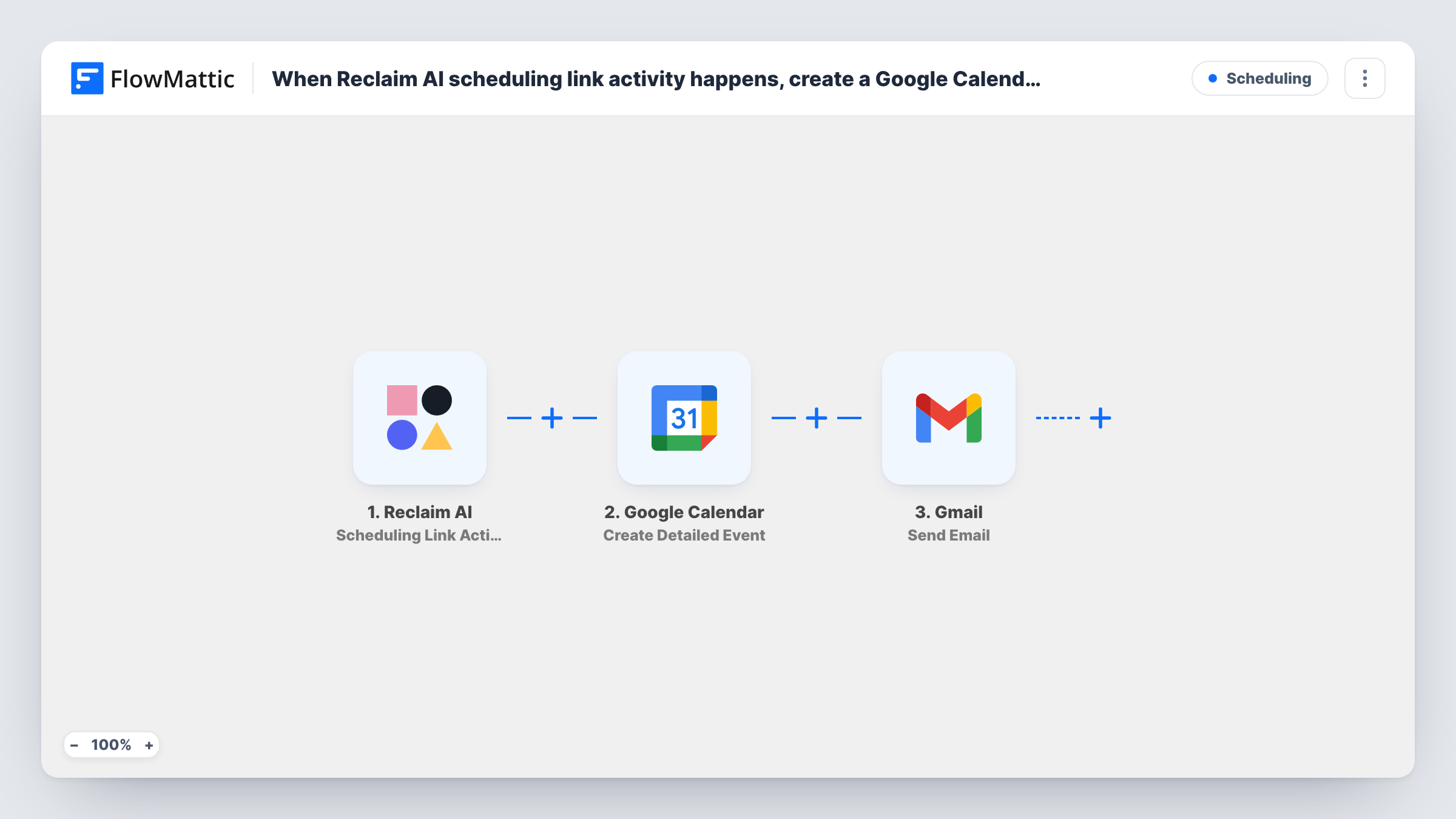
When a Reclaim AI scheduling link sees a booking, reschedule or cancellation, this workflow creates a Google Calendar event and then sends an email through Gmail with the details you map.
 Reclaim AI
 Google Calendar
 Gmail
Gmail3 steps Setup ~5 min Used on 335 sites Free to import
What this workflow does
When someone books time through your Reclaim AI link, you may want the meeting on a second calendar and a personal email from your own Gmail. This workflow handles both from one Reclaim event.
Any booking, reschedule or cancellation made through a Reclaim AI scheduling link starts the workflow. FlowMattic sends the meeting data to Google Calendar, where Create Detailed Event adds a new event from the details you map. Gmail then sends an email from your account, and it can use data from both Reclaim and the new calendar event.
The trigger does not tell bookings from other activity on its own. As imported, a reschedule or a cancellation also creates an event and sends an email. If the email is meant as a booking confirmation, add a Filter between the Reclaim AI trigger and the Google Calendar step so only bookings carry on, as the tips explain.
Personal confirmations for client calls
With a bookings Filter, each client who books through your Reclaim AI link gets a confirmation written in your voice from your Gmail address.
Team calendar plus guest email
Once you filter for bookings, each one is copied onto a shared team calendar and the guest receives an email with the meeting details and any preparation notes.
Activity-aware messages
Keep all activity and write the email so it names the activity type, letting the guest know whether the meeting was booked, moved or cancelled.
How this workflow runs
What happens at each step once the workflow is on, and what you need before you import it.
 Reclaim AI Scheduling Link Activity
Runs when a meeting is booked, rescheduled or cancelled through a Reclaim AI scheduling link. The activity type and meeting data go to both later steps.
- Google Calendar Create Detailed Event
Creates a new event on the Google Calendar you connect, built from the Reclaim meeting details you map. It runs for each activity type unless a Filter stops it.
- Gmail Send Email
Sends an email from your Gmail account to the address you map, usually the guest's. Write the subject and body using Reclaim and calendar event data.
What you need
- FlowMatticCore
- Reclaim AI AccountAccount
- Google Calendar AccountAccount
- Gmail AccountAccount
After importing, map your own data. To keep the template universal, not every step is pre-filled. Open each step in the builder and connect your accounts and fields (channels, lists, sheets, recipients) before you switch the workflow on.
Make it yours
Changes worth making after you import it.
- Add a Filter between the Reclaim AI trigger and the Google Calendar step that continues only when the activity type equals the value Reclaim sends for a booking. A Filter stops every later step, so cancellations create no event and send no email.
- For different emails per activity, add a Router between the Reclaim AI trigger and the Google Calendar step instead. Use conditions that can't both match, and give each route its own Gmail step, plus a calendar step only where an event should be made.
- Book a test meeting through your Reclaim link so FlowMattic captures the fields for mapping in the calendar and Gmail steps.
Questions about this workflow
Will a Reclaim AI cancellation send a confirmation email?
Yes, as imported. The trigger covers cancellations too, so the Gmail step runs for them. Add a Filter between the Reclaim AI trigger and the Google Calendar step that lets only bookings through to stop that.
Does a rescheduled Reclaim meeting move the calendar event?
No. The calendar step only creates events, so a reschedule adds another one and the earlier event stays.
Does the Gmail message go to the guest automatically?
Only once you map it. The Send Email step ships unmapped, so after a test booking you set the guest's email from the Reclaim data as the recipient and write the subject and body yourself.
More Scheduling workflows
Other ready-to-import templates from the same category.



Import this workflow into your WordPress site
Download the JSON, import it from the Workflows screen and connect your accounts. Every run stays on your server, with no per-task fees.
30-day money-back guarantee Unlimited workflows and runs Self-hosted