

When a report row is added in Google Sheets, save a draft email in Zoho Mail for review
Each new row added to your Google Sheets report becomes a draft email in Zoho Mail, built from that row’s figures, so you can read it over and send it yourself.
 Google Sheets
 Zoho Mail
2 steps Setup ~5 min Used on 958 sites Free to import
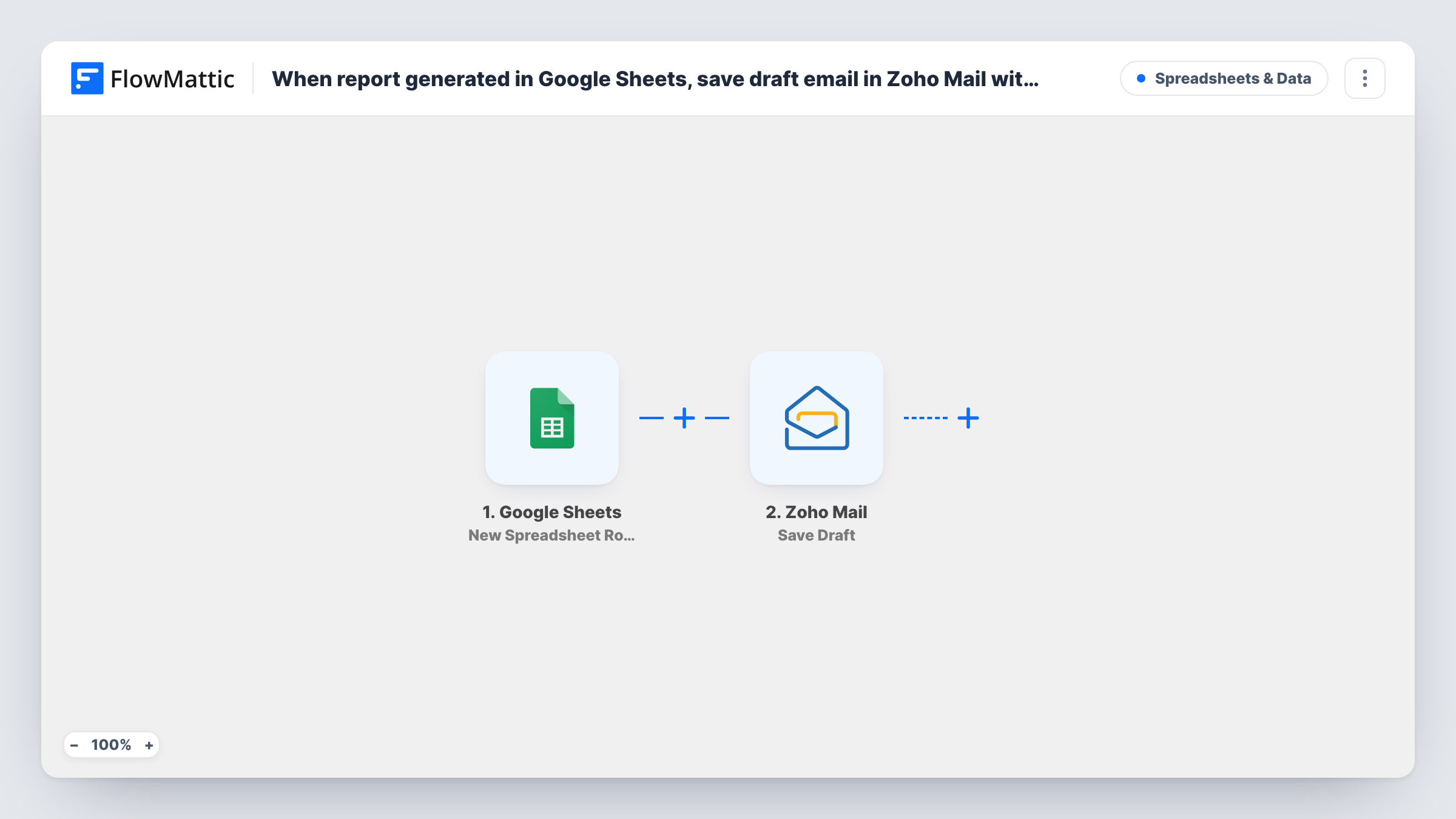
What this workflow does
Some reports shouldn't go out untouched. A weekly figure needs a comment, a client summary needs a friendly opening line, or someone has to sanity-check the numbers. This workflow does the drafting for you and leaves the sending to a person: every report row added to a Google Sheet turns into an unsent email waiting in Zoho Mail.
The Google Sheets trigger starts a run whenever a fresh report row lands in the spreadsheet you link. Its column values, such as the period, totals or client name, are passed on. The Zoho Mail step then saves an email as a draft in the account you choose, with the row's values mapped into the recipient, subject and body.
Both steps come empty in the template. After import you connect Google, choose the report spreadsheet and sheet, add one test row, then connect Zoho Mail and build the draft from the row's columns. Use a dedicated sheet or tab for report rows, because every new row on it produces a draft.
No email leaves your outbox without you. You open the draft in Zoho Mail, adjust the wording and send it when you're happy with it. Task History shows the row data and Zoho Mail's response for each run.
Client reports that get a personal touch
An agency adds a row with each client's monthly results to a Google Sheet, and the account manager finds a ready-made draft in Zoho Mail to personalise before sending.
Weekly sales summary for the director
A sales lead logs the week's totals in a report sheet every Friday, and a draft summary is waiting in Zoho Mail for a final check.
Inspection results reviewed before release
A property manager records each inspection outcome in Google Sheets; the draft to the landlord waits in Zoho Mail until someone confirms the findings.
How this workflow runs
What happens at each step once the workflow is on, and what you need before you import it.
 Google Sheets New Spreadsheet Row
Starts the workflow when a new row is added to your report spreadsheet in Google Sheets. Connect your Google account, pick the sheet and add a test row so its columns can be mapped.
- Zoho Mail Save Draft
Saves an email as a draft in your Zoho Mail account without sending it. The step ships unmapped: connect Zoho Mail and map the row's columns into the recipient, subject and message.
What you need
- FlowMatticCore
- Google Sheets AccountAccount
- Zoho Mail AccountAccount
After importing, map your own data. To keep the template universal, not every step is pre-filled. Open each step in the builder and connect your accounts and fields (channels, lists, sheets, recipients) before you switch the workflow on.
Make it yours
Changes worth making after you import it.
- Keep a column in the sheet for the recipient's email address, so each draft is already addressed when you open it.
- If only some rows need an email, put a Filter between the Google Sheets trigger and the Zoho Mail step on a column such as status or report type. The column and value are yours to choose.
- When the drafts no longer need checking, swap Save Draft for Zoho Mail's Send Email action and map the same columns into it, so each row's message goes out straight away.
Questions about this workflow
Does Zoho Mail send the report email on its own?
No. Save Draft only stores the message in your Zoho Mail drafts. You open it, review it and press send yourself.
Will editing a row in the Google Sheet create another draft?
The trigger is New Spreadsheet Row, which FlowMattic describes as firing when a row is added. Test an edit on a row before relying on it, and check Task History for any new run.
Which Zoho Mail account are the drafts saved in?
The account you connect and select in the Save Draft step. If you have more than one Zoho Mail account, choose the one whose drafts you check.
Can the draft include every column from the report row?
Yes. Any column the trigger passes can be mapped into the subject or body. Add the columns you need to the sheet before you send your test row.
More Spreadsheets & Data workflows
Other ready-to-import templates from the same category.



Import this workflow into your WordPress site
Download the JSON, import it from the Workflows screen and connect your accounts. Every run stays on your server, with no per-task fees.
30-day money-back guarantee Unlimited workflows and runs Self-hosted