

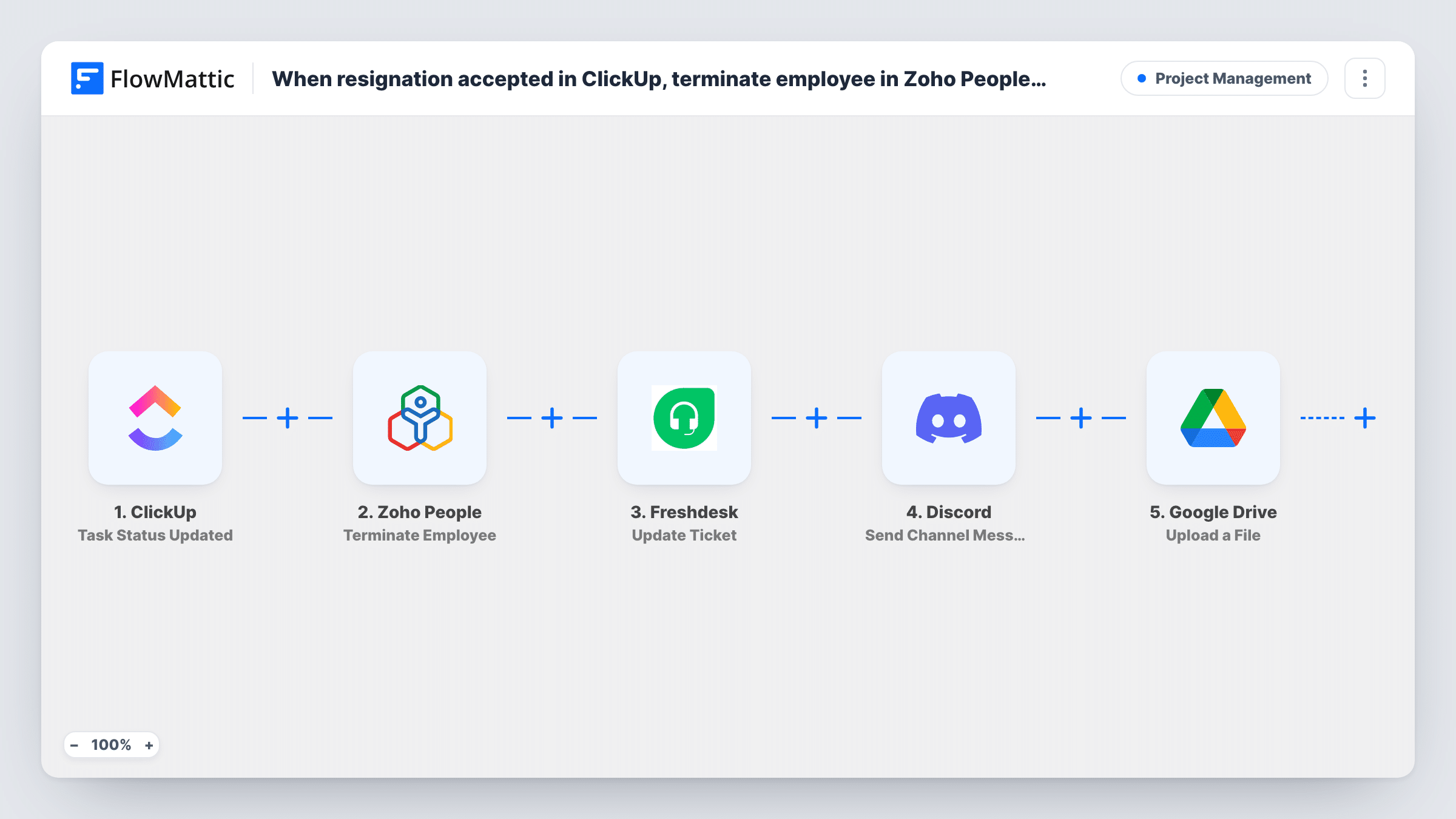
When resignation accepted in ClickUp, terminate employee in Zoho People, revoke access via Freshdesk ticket, notify IT via Discord, and archive records to Google Drive.
When a ClickUp task’s status change mentions Resignation Accepted, the employee is found and terminated in Zoho People, a Freshdesk ticket is opened through the API, IT hears on Discord and a file goes to Google Drive.
 ClickUp
 Filter
 Zoho People
 API by FlowMattic
 Discord
 Google Drive
7 steps Setup ~12 min Used on 3.3k sites Productivity Free to import
What this workflow does
Offboarding touches several teams at once: HR closes the record, IT removes access, and someone keeps the paperwork. If HR tracks resignations as ClickUp tasks, this workflow starts all of that from one status change.
The trigger fires whenever a task's status is updated. A Filter then continues only when the task's history items contain "resignation accepted". Next, Zoho People fetches the employee record, by employee ID or email address, and the Terminate Employee step deactivates that record. FlowMattic notes that Zoho People doesn't allow hard deletion through its API, so the record stays, marked inactive.
The access request goes to Freshdesk through an API by FlowMattic POST step, because FlowMattic has no Freshdesk action for creating tickets. This step ships unmapped: after import you enter your Freshdesk ticket API address and API key and build the ticket's fields from the employee data. A Discord channel message then tells IT, and Google Drive's Upload a File step stores a file in the folder you pick.
Apart from the Filter, every step ships unmapped. The ClickUp task must carry something Zoho People can match, such as the employee's email in a custom field. No step creates the archive file, so map a file link the run already has, such as a document attached to the task. Test with a dummy employee record before using it for real.
HR-led offboarding in ClickUp
An HR team tracks each resignation as a ClickUp task. Moving it to Resignation Accepted deactivates the person in Zoho People and alerts IT the same minute.
Access removal with a ticket trail
IT wants every access removal logged as a Freshdesk ticket, so the API step opens one per departing employee for the helpdesk to work through.
Keeping the resignation letter
When the resignation letter is attached to the ClickUp task, its link is mapped into the Google Drive step so a copy lands in the HR archive folder.
How this workflow runs
What happens at each step once the workflow is on, and what you need before you import it.
 ClickUp Task Status Updated
Fires whenever the status of a ClickUp task is updated, for any status. The task's details and its history items, which describe the change, are passed on.
- Filter Continue If Condition Meet
Continues only when the task's history items contain "resignation accepted"; the check ignores case. Match the text to your own status name. Runs it stops never reach Zoho People or the later steps.
- Zoho People Get Employee
Fetches one Zoho People employee record by employee ID, email address or another searchable column. The step ships unmapped: map the employee's email or ID from a field on the ClickUp task.
- Zoho People Terminate Employee
Deactivates the employee found in step 3 in Zoho People. Zoho People doesn't support hard deletion through the API, so the record stays as inactive. Map the employee ID from the previous step.
- API by FlowMattic POST
Sends a POST request to Freshdesk to open the access-revocation ticket. The step ships unmapped: after import, enter your Freshdesk ticket API address and API key and build the ticket fields from the run's data.
- Discord Send Channel Message
Posts a message to the Discord channel you choose, so IT knows to remove the person's access. Write the text after import and map the employee's name and the Freshdesk ticket details.
- Google Drive Upload a File
Stores a copy of a file in the Google Drive folder you choose for HR records. No earlier step creates a file, so map a file link the run already has, such as an attachment on the ClickUp task, and check it with a test run.
What you need
- FlowMatticCore
- ClickUp AccountAccount
- Zoho People AccountAccount
- Discord AccountAccount
- Google Drive AccountAccount
After importing, map your own data. To keep the template universal, not every step is pre-filled. Open each step in the builder and connect your accounts and fields (channels, lists, sheets, recipients) before you switch the workflow on.
Make it yours
Changes worth making after you import it.
- ClickUp's history items can name both the old and the new status, so moving a task out of Resignation Accepted may also pass the Filter. Run a test of each move and tighten the condition if it does.
- Add a ClickUp custom field for the employee's work email on resignation tasks, so the Get Employee step always has something to match.
- Put a Human in the Loop step between the Filter and the Get Employee step if a manager should approve each termination first. Set its timeout action to End Workflow so nothing happens without an answer.
Questions about this workflow
Does Zoho People delete the employee completely?
No. Terminate Employee deactivates the record, since Zoho People doesn't allow hard deletion through its API. The employee's history stays in Zoho People.
Why is the Freshdesk step an API by FlowMattic request?
FlowMattic's Freshdesk integration offers triggers but no ticket-creation action, so the template sends the request itself. You add the Freshdesk address, your API key and the ticket fields after import.
What does the Google Drive step upload from ClickUp?
Only the file you map. The workflow doesn't build a record file, so map a link to an existing document, such as one attached to the ClickUp task, and confirm in a test run that the link reaches the step.
Do other ClickUp status changes start the offboarding?
Every status change starts a run, but the Filter stops any run whose history items don't contain "resignation accepted". Those runs end before the Zoho People steps.
More Project Management workflows
Other ready-to-import templates from the same category.





Import this workflow into your WordPress site
Download the JSON, import it from the Workflows screen and connect your accounts. Every run stays on your server, with no per-task fees.
30-day money-back guarantee Unlimited workflows and runs Self-hosted