

When tag is removed from Groundhogg, delete the user account in WordPress
When a tag comes off a contact in Groundhogg, FlowMattic deletes the matching WordPress user account on the same site. Use it to close accounts tied to a tag, such as a membership or client-access tag.
 Groundhogg
 WordPress
2 steps Setup ~5 min Used on 2.1k sites Free to import
What this workflow does
Many WordPress sites use a Groundhogg tag to mark who should have an account: paying members, active clients, current students. When that tag comes off, the account is often left behind, still able to log in. This workflow removes the WordPress user as soon as the tag is taken off the contact.
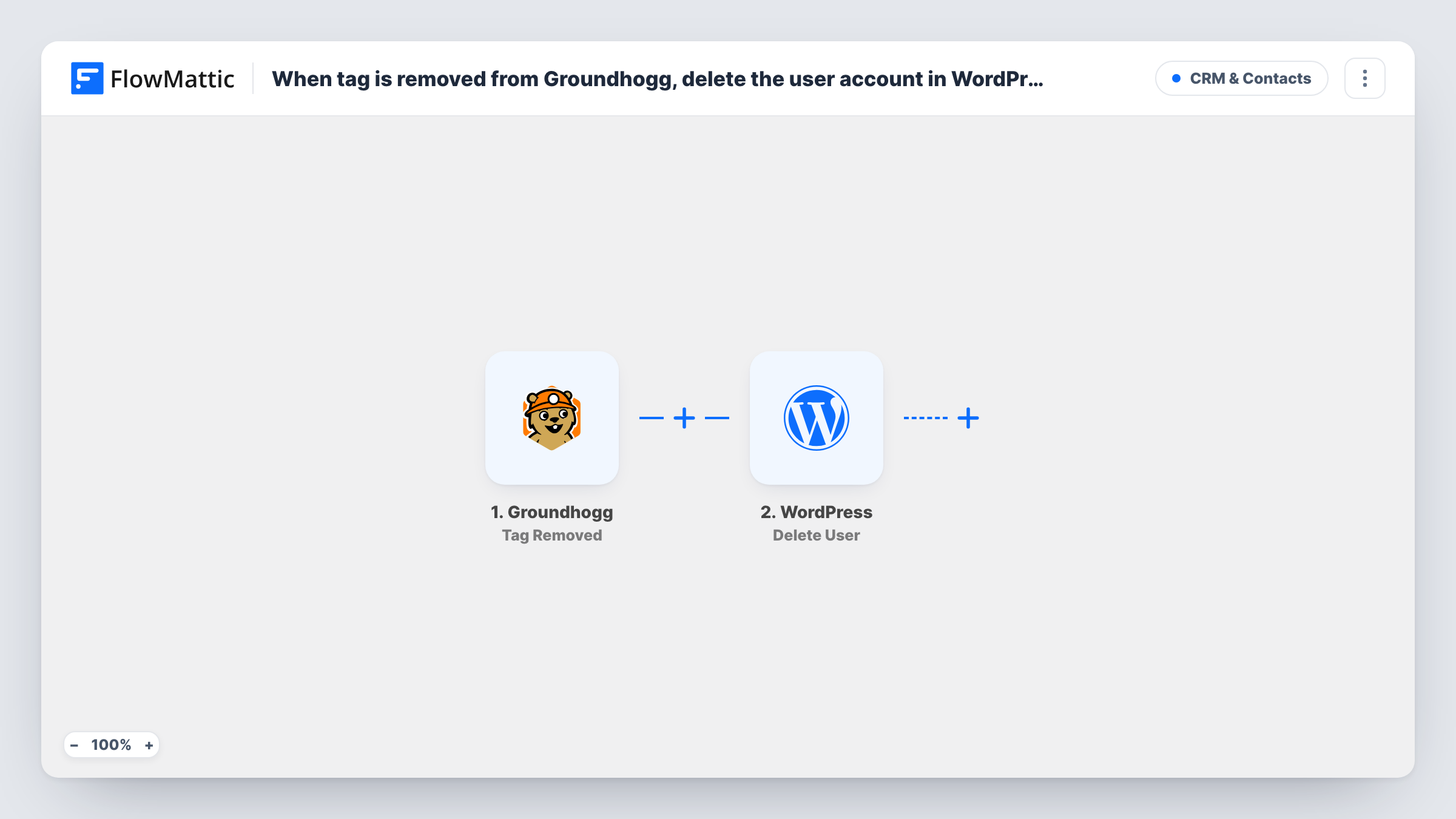
The Groundhogg trigger, Tag Removed, fires when tags are removed from a contact. The contact's data is passed to the WordPress step, Delete User, which deletes a user account from your site. Map the WordPress user that belongs to the contact into this step. Groundhogg contacts can be linked to a WordPress user, but check a test run to confirm the trigger data includes that user before you rely on it.
Be careful with scope. As imported there is no Filter, so removing any tag from a contact starts a run, not only the tag you have in mind. Deleting a WordPress user can't be undone from the trash, so set a Filter for the exact tag and test on a dummy account first.
Closing accounts when a membership lapses
Your billing process removes a Member tag in Groundhogg when someone stops paying. With a Filter on that tag, their WordPress login is deleted at the same moment.
Ending client portal access
An agency tags clients with Active Client while a project runs. Removing the tag at hand-off deletes the client's WordPress user so the portal account doesn't linger.
Clearing out test or spam sign-ups
You tag suspicious registrations for review and remove an Approved tag from the ones you reject, which deletes their WordPress accounts in one action.
How this workflow runs
What happens at each step once the workflow is on, and what you need before you import it.
 Groundhogg Tag Removed
Fires when tags are removed from a Groundhogg contact on your site. The contact's details, and the tags removed, become available to the next step.
- WordPress Delete User
Deletes a user account from your WordPress site. Map the WordPress user that belongs to the Groundhogg contact. A test run shows which user value the trigger provides.
What you need
- FlowMatticCore
- Groundhogg PluginPlugin
After importing, map your own data. To keep the template universal, not every step is pre-filled. Open each step in the builder and connect your accounts and fields (channels, lists, sheets, recipients) before you switch the workflow on.
Make it yours
Changes worth making after you import it.
- Add a Filter after the trigger that continues only when the removed tag is the one that controls access. Without it, taking any tag off a contact deletes their WordPress account.
- Add a second condition to the Filter that stops the run for administrator accounts or your own email address, so a tag change on staff contacts never removes a team login.
- Run the first tests on a dummy contact linked to a throwaway WordPress user, and check Task History to see which user the Delete User step received.
- Fill in the Delete User step's reassign user ID if the member wrote posts or other content. Left empty, WordPress deletes that user's content along with the account.
Questions about this workflow
Does removing any Groundhogg tag delete the WordPress user?
Yes, as imported. Tag Removed fires for every tag removal, and nothing in the template checks which tag it was. Add a Filter on the tag name before you turn the workflow on.
What if the Groundhogg contact has no WordPress account?
Then there is no user to delete, and the Delete User step returns an error that you can see in Task History. The contact in Groundhogg is not changed by this workflow.
Is the Groundhogg contact deleted too?
No. Only the WordPress user account is deleted. The contact stays in Groundhogg with its remaining tags. Groundhogg has a separate Delete Existing Contact action if you want that as well.
Can I restore a WordPress user deleted by this workflow?
Not from WordPress itself; user deletion has no trash. Keep a site backup, or use a Filter and a test account to make sure only the right users are removed.
More CRM & Contacts workflows
Other ready-to-import templates from the same category.







Import this workflow into your WordPress site
Download the JSON, import it from the Workflows screen and connect your accounts. Every run stays on your server, with no per-task fees.
30-day money-back guarantee Unlimited workflows and runs Self-hosted