

When user adds a product to cart, check if it is a specific product using Filter module, and apply discount coupon
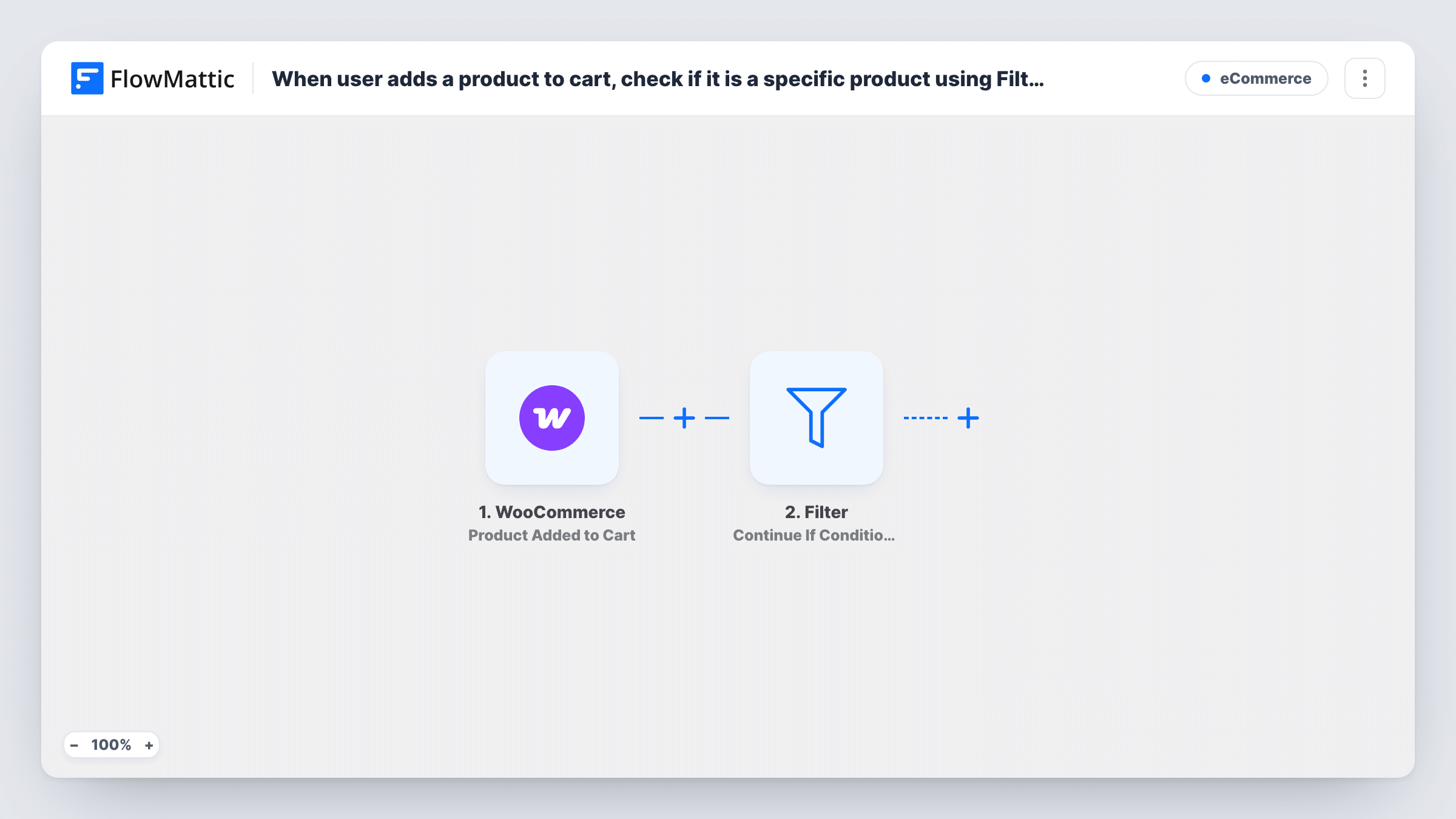
When a shopper adds a product to the WooCommerce cart, a Filter checks the product ID against the one you set, and if it matches WooCommerce applies your discount coupon to the cart.
 WooCommerce
 Filter
3 steps Setup ~5 min Used on 2.2k sites Free to import
What this workflow does
Some promotions are tied to one item: a launch discount on a new product, or a reward for picking the bundle you want to move. Asking shoppers to type a code for that item adds friction. This workflow watches WooCommerce carts and applies the coupon for them when that product goes in.
A run starts each time a shopper adds a product to the cart. The Filters step then compares the added product's ID with a value, using an exactly-matches condition. In the template that value is blank. Fill in the ID of your promoted product before you turn the workflow on; as imported, no product ID matches the blank value, so every run stops at the Filter.
When the IDs match, the last step uses WooCommerce's Apply Coupon action to add a coupon to the cart. It ships unmapped, so choose or enter the coupon code you created in WooCommerce. The coupon's own rules still decide the discount: its amount, expiry and usage limits are whatever you set on the coupon itself.
Add the product to a cart in a private window to test, then look in Task History to see whether the Filter passed and what the coupon step returned.
Launch discount on a new product
A skincare shop releases a new serum and gives anyone who adds it to the cart a launch coupon, with no code to remember.
Clearing a slow-moving bundle
A gadget store sets the Filter to its accessory bundle's ID so shoppers who pick it see the discount applied straight away.
Campaign product from a newsletter
A bookshop features one title in its email; readers who add that book to the cart get the newsletter coupon automatically.
How this workflow runs
What happens at each step once the workflow is on, and what you need before you import it.
 WooCommerce Product Added to Cart
Starts the workflow whenever a shopper adds a product to the WooCommerce cart. The added product's details, including its product ID, are passed to the Filter.
- Filter Continue If Condition Meet
Continues only when the added product's ID exactly matches the value set here. The template ships with the value blank, so as imported every run stops at this step; enter your product's ID. Treat it as an example to edit.
- WooCommerce Apply Coupon
Applies a coupon to the cart once the Filter passes. The step ships unmapped: after import, set the coupon code you created in WooCommerce, then test with a real cart.
What you need
- FlowMatticCore
- WooCommerce PluginPlugin
After importing, map your own data. To keep the template universal, not every step is pre-filled. Open each step in the builder and connect your accounts and fields (channels, lists, sheets, recipients) before you switch the workflow on.
Make it yours
Changes worth making after you import it.
- Find the product ID by hovering over the product in the WooCommerce Products list, then paste that number into the Filter's value.
- For a second promoted product with its own coupon, duplicate the workflow and set that product's ID and code in the copy.
- Set a usage limit per customer on the WooCommerce coupon itself, since the workflow applies it each time the matching product is added.
- Create the coupon in WooCommerce before importing, and restrict it to the promoted product there too so the discount lands on the right item.
Questions about this workflow
Why does nothing happen right after I import the WooCommerce coupon workflow?
The Filter's value is blank in the template. No product ID equals a blank value, so every run stops there until you enter the ID of the product the coupon is for.
Do I need to create the coupon first?
Yes. Apply Coupon adds an existing WooCommerce coupon to the cart, so create the code with its discount and limits in WooCommerce, then set it in the step.
Can the coupon apply for a product category instead of one product?
Only if the trigger sends the category for the added item. Look at a test run's trigger data in Task History; if a category field arrives, change the Filter condition to check it instead of the product ID.
What if the shopper adds the same product twice?
Each add-to-cart starts a new run, so the product check passes again and the coupon step runs again. WooCommerce decides how a coupon already in the cart is handled.
More E-Commerce workflows
Other ready-to-import templates from the same category.








Import this workflow into your WordPress site
Download the JSON, import it from the Workflows screen and connect your accounts. Every run stays on your server, with no per-task fees.
30-day money-back guarantee Unlimited workflows and runs Self-hosted