

When user completes a payment in Stripe, enroll the user in a course in Tutor LMS
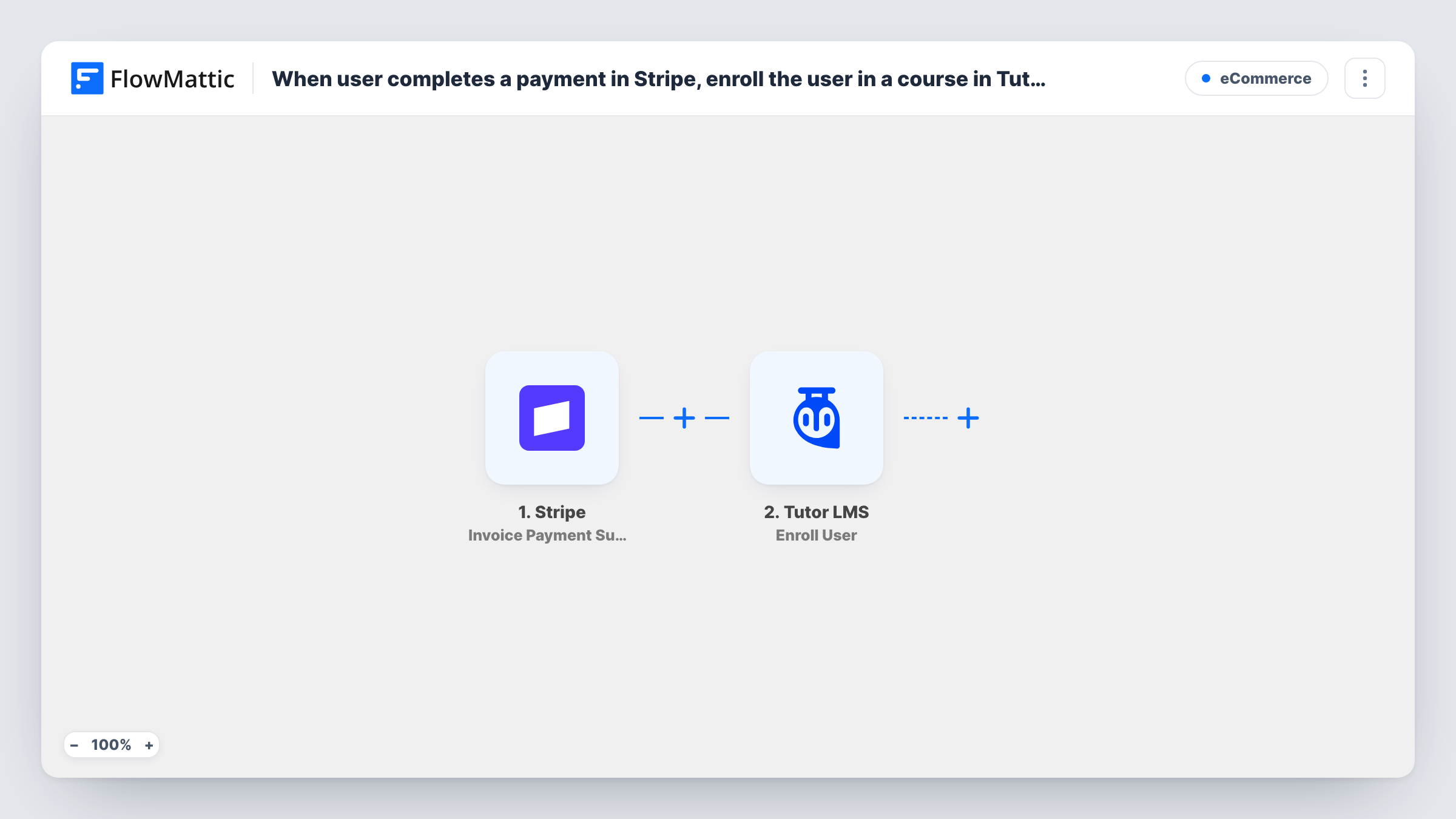
When a Stripe invoice is paid, FlowMattic creates a WordPress account for the payer and enrolls that account in the Tutor LMS course you choose, so course access follows the payment.
 Stripe
 WordPress
 Tutor LMS
3 steps Setup ~5 min Used on 566 sites Free to import
What this workflow does
If you sell a course through Stripe but host it in Tutor LMS, someone has to turn each payment into a login and an enrollment. This workflow does that hand-off for you: a paid invoice in Stripe leads to a WordPress account and a seat in your course.
The Stripe trigger is Invoice Payment Succeeded, which FlowMattic describes as firing whenever an invoice payment attempt succeeds. That covers invoices you send and the invoices Stripe raises for subscriptions, including each renewal. A one-off charge that has no invoice doesn't start it.
The WordPress New User step then creates an account from the invoice data you map, such as the customer email and name. Stripe invoice events don't always include an email, so look at a test run first. If the email is already registered, WordPress keeps the one account it has and doesn't add another. Open Task History to see which WordPress user ID the payment was matched to.
The last step uses Tutor LMS Enroll User to put that user into a course. The Stripe, WordPress and Tutor LMS steps all arrive without field mapping. After import you connect Stripe, map the invoice fields into the New User step, then map the user ID from step 2 and pick the course in the enrollment step. Every paid invoice runs the whole flow and enrolls in that same course.
Paid course sold with a Stripe invoice
A coach invoices a client for a coaching programme in Stripe. When the client pays, they get a WordPress login and are enrolled in the matching Tutor LMS course without the coach touching the dashboard.
Course bundled with a subscription
A training site bills a monthly Stripe subscription. The first paid invoice creates the student's account and enrollment; later renewals return the same account and enroll it in the same course again.
Corporate training paid by invoice
A company pays an invoice for an employee's seat. The employee's email on the Stripe customer becomes their Tutor LMS login, ready for the first lesson.
How this workflow runs
What happens at each step once the workflow is on, and what you need before you import it.
 Stripe Invoice Payment Succeeded
Starts when a Stripe invoice payment attempt succeeds, including subscription renewals. Check a test run for the customer email and name on the invoice before you map them.
- WordPress New User
Creates a WordPress account from the invoice data you map, such as the email and name. The step ships unmapped. For an email that already has an account, WordPress doesn't add a second one, and Task History records the ID the step passed on.
- Tutor LMS Enroll User
Enrolls the WordPress user in a Tutor LMS course. The step ships unmapped: map the user ID that the New User step returned and choose the course the payment pays for.
What you need
- FlowMatticCore
- Stripe AccountAccount
- Tutor LMS PluginPlugin
After importing, map your own data. To keep the template universal, not every step is pre-filled. Open each step in the builder and connect your accounts and fields (channels, lists, sheets, recipients) before you switch the workflow on.
Make it yours
Changes worth making after you import it.
- If an invoice event carries only a Stripe customer ID, put Stripe's Find Customer by ID between the trigger and the New User step, and map the email and name from its result.
- Selling more than one course? Put a Filter between the Stripe trigger and the New User step that checks the invoice's product or description, so only payments for this course create an account.
- If you take one-off payments without invoices, swap the trigger for Stripe's New Charge event, which FlowMattic describes as firing for each successful charge.
- Before going live, pay a small test invoice with an email that has no account yet, then open Task History to confirm the new user ID reached the Tutor LMS step.
Questions about this workflow
Does a Stripe subscription renewal enroll the student again?
Each renewal raises a new paid invoice, so the whole flow runs again. WordPress returns the existing account rather than creating another, and the Enroll User step is sent the same course. Check Task History after a renewal to see what Tutor LMS returned.
What if the payer already has a WordPress account on my site?
If the email is already registered, WordPress keeps the one account it has and doesn't add another. Open Task History to see which WordPress user ID the payment was matched to. That existing user ID then goes on to the Tutor LMS enrollment.
How does the student log in after enrollment?
The template doesn't send login details. Add an Email step after the Tutor LMS step with a link to your login or password reset page, and map the customer email from the invoice.
Can one Stripe payment enroll the user in several Tutor LMS courses?
As imported, one Enroll User step enrolls in one course. Add another Enroll User step after it for each extra course, mapping the same user ID from the New User step.
More E-Commerce workflows
Other ready-to-import templates from the same category.








Import this workflow into your WordPress site
Download the JSON, import it from the Workflows screen and connect your accounts. Every run stays on your server, with no per-task fees.
30-day money-back guarantee Unlimited workflows and runs Self-hosted