

When user watches complete video, create a WooCommerce coupon and email them
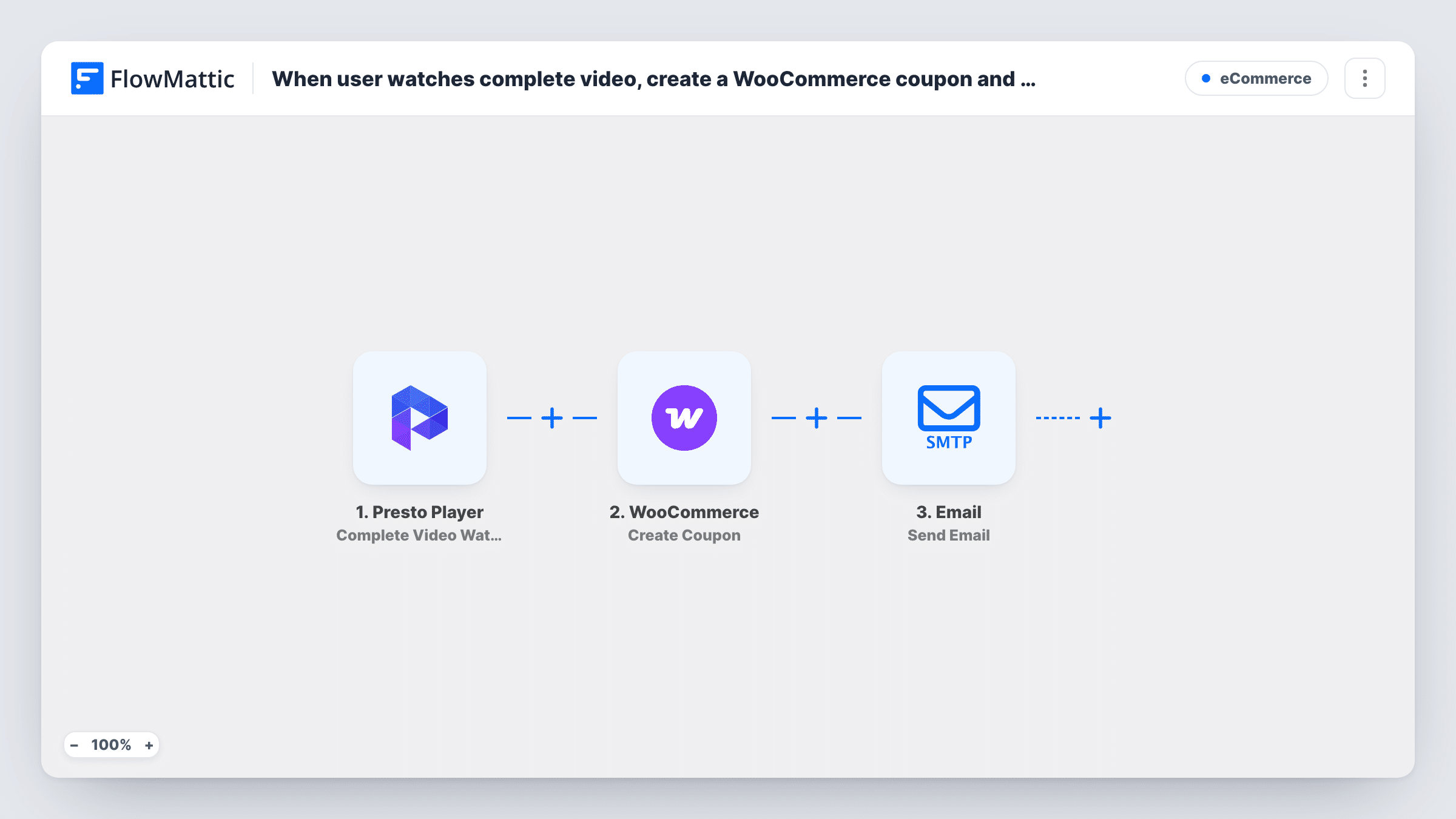
When a viewer finishes a Presto Player video, this workflow creates a WooCommerce coupon and emails it to them, giving people who watch to the end a code to use in your store.
 Presto Player
 WooCommerce
 Email
Email3 steps Setup ~5 min Used on 917 sites Free to import
What this workflow does
A product demo, a course preview or a sales video is a good moment to make an offer, because the viewer just spent the time watching. Handing out a coupon by hand to each person who finished isn't practical. This workflow does it as soon as Presto Player reports a completed view.
The Presto Player trigger is Complete Video Watched, which fires when a user watches a video to the end. FlowMattic then runs WooCommerce Create Coupon, which makes a new coupon in your store. Last, the Email step sends a message through WordPress mail or your SMTP account, with the coupon code mapped into it.
Each completed view creates a coupon, and nothing checks for earlier ones. A person who finishes the video twice, or finishes two videos, gets two coupons. The email needs the viewer's address, so run a test while logged in to see whether the trigger provides it.
Product demo on a WooCommerce store
Visitors who watch the full demo of a gadget get a coupon for it by email, sent from your store's own domain.
Course preview for an online academy
Learners who finish the free preview lesson receive a code toward the full course sold through WooCommerce.
Members-only tutorial videos
Logged-in members who complete a tutorial get a discount on the tools or materials it uses.
How this workflow runs
What happens at each step once the workflow is on, and what you need before you import it.
 Presto Player Complete Video Watched
Fires when a user watches a Presto Player video all the way through. The video and viewer data it provides become available for the coupon and the email.
- WooCommerce Create Coupon
Creates a new coupon in WooCommerce. Set up the coupon's discount in the step, and give each run a code of its own so viewers don't share one.
 Email Send Email
Sends the coupon by email using FlowMattic's Email module, through WordPress mail or your SMTP account. Map the viewer's email as the recipient and the code from the WooCommerce step into the message.
What you need
- FlowMatticCore
- Presto Player PluginPlugin
- WooCommerce PluginPlugin
After importing, map your own data. To keep the template universal, not every step is pre-filled. Open each step in the builder and connect your accounts and fields (channels, lists, sheets, recipients) before you switch the workflow on.
Make it yours
Changes worth making after you import it.
- Add a Filter after the trigger so only one video, such as your main sales video, creates coupons, comparing the video detail you see in a test run.
- Build the coupon code from a value that differs on every run, picked from the trigger data in a test, so two coupons never share a code.
- Connect a dedicated SMTP account in the Email step if WordPress mail from your host tends to land in spam.
Questions about this workflow
Does a viewer who isn't logged in to WordPress get the coupon email?
Only if the Presto Player trigger supplies an email address for them. Test with a logged-out visitor after import and check Task History to see what data arrives.
Can someone collect several WooCommerce coupons by rewatching?
Yes, as imported. Each completed view creates a new coupon. If that matters for your offer, check what restrictions the Create Coupon step offers after import, or add a step before it that checks for an earlier coupon.
Which Presto Player videos trigger the coupon?
Any video that a user watches to the end, unless you add a Filter for a particular video.
Does the email go out through my WooCommerce email settings?
No. It uses FlowMattic's own Email step, which sends through WordPress mail or the SMTP account you set in the step, separate from WooCommerce's emails.
More E-Commerce workflows
Other ready-to-import templates from the same category.






Import this workflow into your WordPress site
Download the JSON, import it from the Workflows screen and connect your accounts. Every run stays on your server, with no per-task fees.
30-day money-back guarantee Unlimited workflows and runs Self-hosted