

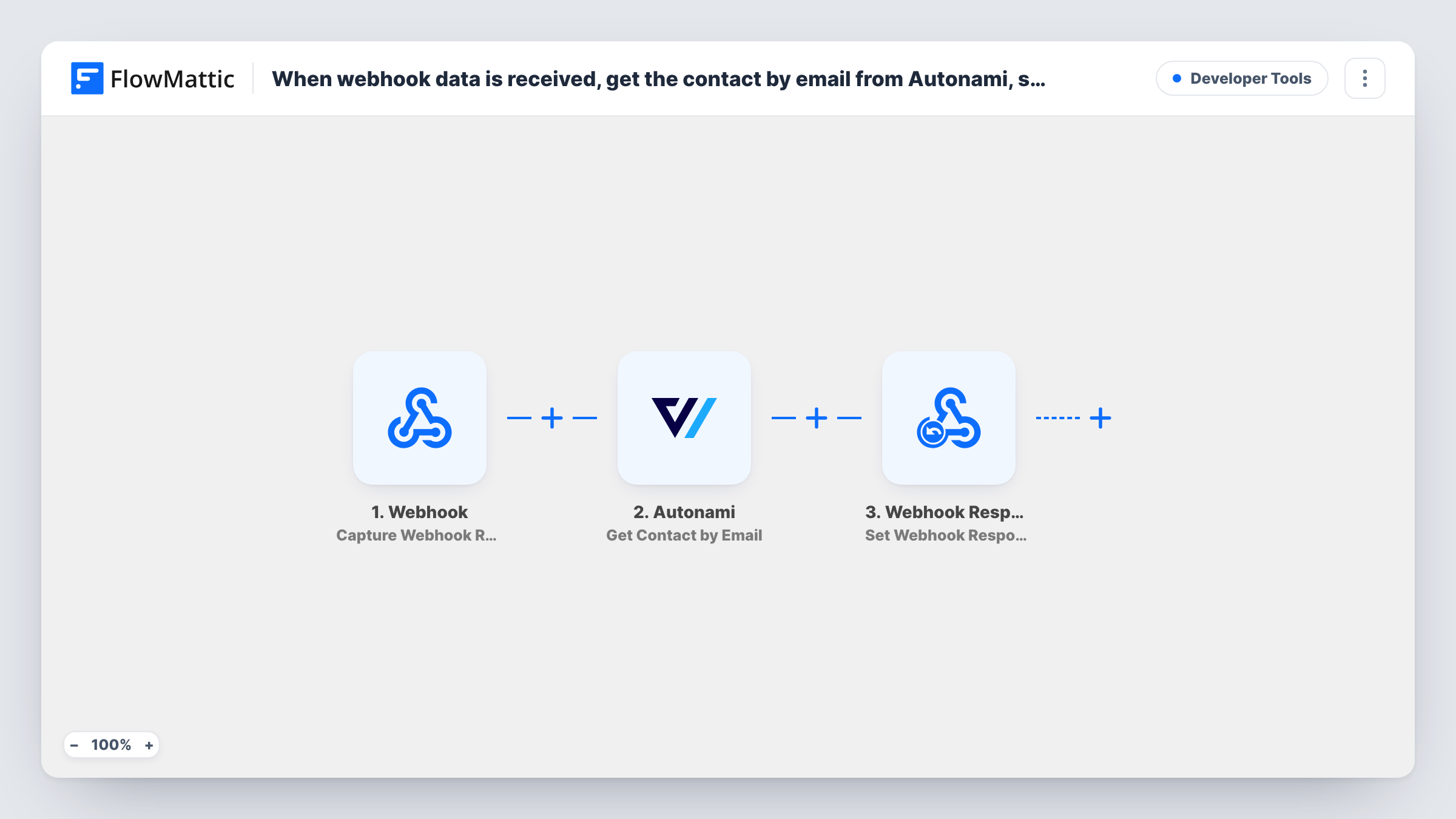
When webhook data is received, get the contact by email from Autonami, send the contact data back to webhook response
Send an email address to a FlowMattic webhook URL, look up that contact in FunnelKit Automations (Autonami) on your WordPress site, and return the contact’s data in the same HTTP response to the app that asked.
 Webhook
 Autonami
 Webhook Response
3 steps Setup ~5 min Used on 1.9k sites Free to import
What this workflow does
Your FunnelKit Automations contacts live in WordPress, but other tools sometimes need to know about them: a support desk checking a customer, a landing page personalising content, or a script syncing records. This workflow turns your site into a small lookup service for those tools.
The Webhook trigger gives you a URL that accepts requests. The caller sends an email address in the payload. Unless the trigger's authentication setting is on, any request to that URL starts a lookup. The Autonami step, Get Contact by Email, looks up the contact that matches the address you map.
The Webhook Response step, Set Webhook Response, answers the calling app within that same HTTP request. Map in the contact fields you want to share. Return only what the caller needs, because whatever you map leaves your site. Test with a known contact and with an unknown address to see what each returns.
Support desk customer look-up
Your help desk calls the webhook with a ticket's email and shows the returned FunnelKit contact details next to the ticket.
Personalised landing pages
A page builder or script sends a visitor's email and uses the returned contact data to show content for existing customers.
Checking contacts from a no-code tool
A spreadsheet or automation tool calls the webhook to confirm whether an address is already a FunnelKit contact before adding it elsewhere.
How this workflow runs
What happens at each step once the workflow is on, and what you need before you import it.
 Webhook Capture Webhook Response
Gives you a webhook URL. Send a test request with an email address so FlowMattic captures the payload, and turn on authentication so only your own tools can call it.
- Autonami Get Contact by Email
Looks up the FunnelKit Automations (Autonami) contact matching the email you map from the payload. The contact's data comes back for the response step.
- Webhook Response Set Webhook Response
Sets the response returned to the caller. Map the Autonami contact fields you want to share, and nothing more, so the calling app receives only what it needs.
What you need
- FlowMatticCore
- FunnelKit Automations ( Autonami ) PluginPlugin
After importing, map your own data. To keep the template universal, not every step is pre-filled. Open each step in the builder and connect your accounts and fields (channels, lists, sheets, recipients) before you switch the workflow on.
Make it yours
Changes worth making after you import it.
- Turn on the Webhook trigger's Require authentication on incoming requests setting and give the key only to your own tools, since the response contains contact data.
- Add a Filter after the trigger that continues only when the email value is not empty, so empty calls don't run the Autonami lookup.
- Map a simple found or not-found value into the response along with the contact fields, so the calling app can tell the two cases apart.
Questions about this workflow
What does the webhook return when no Autonami contact matches the email?
Whatever the mapped fields hold after an empty lookup, usually blank values. Test with an unknown address and check the response before your app relies on it.
Can anyone query my FunnelKit contacts through this URL?
Anyone who has the URL can, unless the trigger's authentication setting is on. Turn it on so callers must send your key or a valid signature.
Do I need FunnelKit Automations on the same site?
Yes. The Autonami step reads contacts from FunnelKit Automations on the WordPress site where FlowMattic runs.
Can I look contacts up by ID instead of email?
Yes. FlowMattic's Autonami app also has Get Contact by Contact ID and Get Contact by User ID. Swap one in and send that value in the payload.
More Developer Tools workflows
Other ready-to-import templates from the same category.




Import this workflow into your WordPress site
Download the JSON, import it from the Workflows screen and connect your accounts. Every run stays on your server, with no per-task fees.
30-day money-back guarantee Unlimited workflows and runs Self-hosted