

When webhook response received from Instantpage.dev, create new contact in FunnelKit Automations ( Autonami )
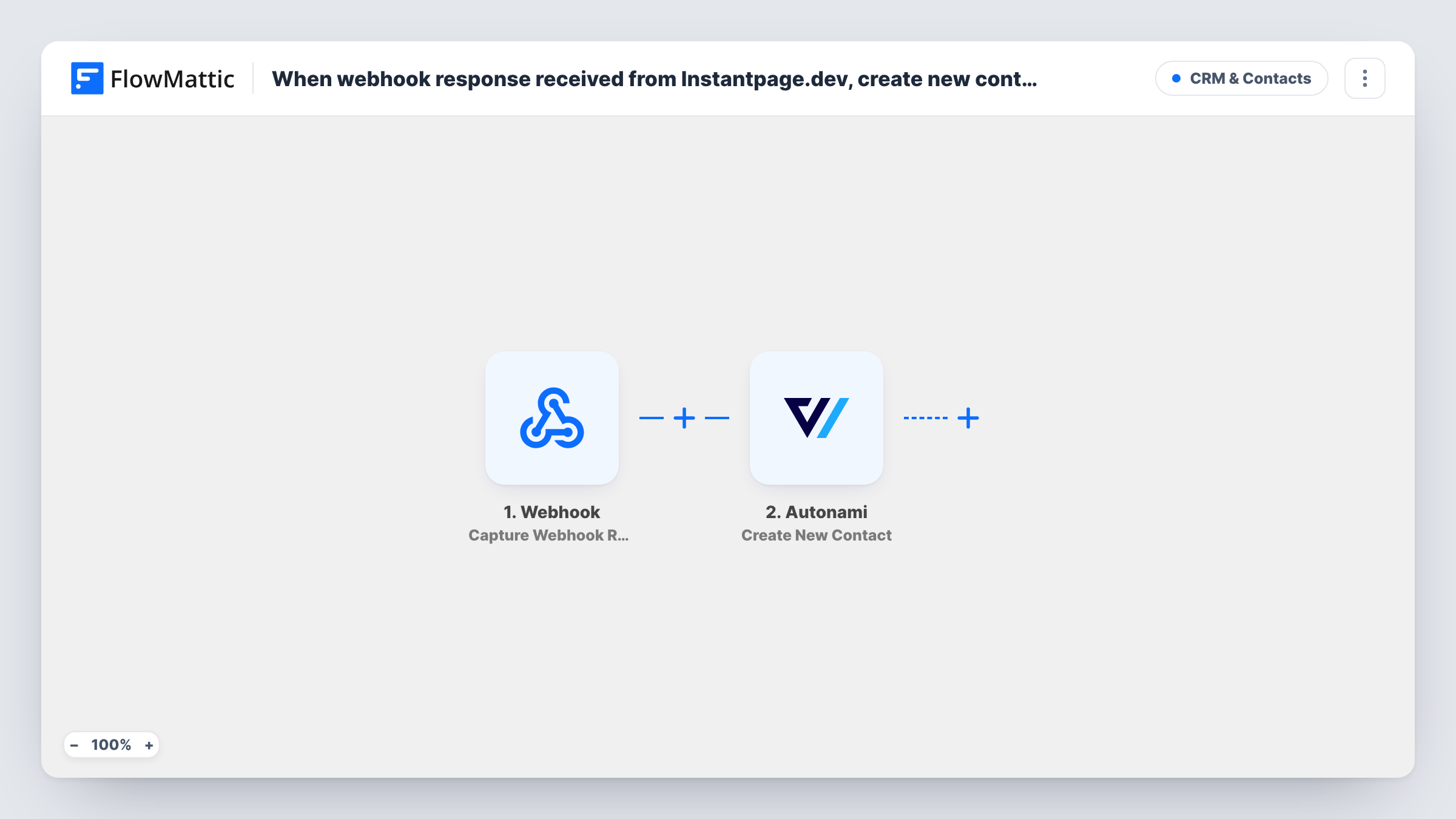
Each time Instantpage.dev sends data to your FlowMattic webhook URL, this workflow adds the person as a new contact in FunnelKit Automations (Autonami) on your WordPress site.
 Webhook
 Autonami
2 steps Setup ~5 min Used on 2.0k sites Free to import
What this workflow does
FunnelKit Automations can only email the people it knows about. If your sign-ups arrive through Instantpage.dev, they sit outside it until someone exports and imports them. This workflow passes each Instantpage.dev delivery straight to FunnelKit Automations as a contact.
The Webhook trigger gives you a URL for Instantpage.dev's webhook setting. When Instantpage.dev posts to it, FlowMattic captures the payload and makes its fields available to map. The Autonami step then runs Create New Contact in FunnelKit Automations with the values you map, such as the email address and name from the payload.
The action is a create step, not an update. Before you rely on it, send one test with an address that is already a contact and read the result in Task History, so you know how your setup treats a returning person. The contact then sits in FunnelKit Automations like any other, ready for the automations you build there.
Course pre-launch list
An Instantpage.dev page collects interest in a course. Each person becomes a FunnelKit Automations contact you can include in the launch emails.
Webinar sign-up page
Registrations made on Instantpage.dev create contacts in FunnelKit Automations, where your reminder emails go out from WordPress.
Coupon request page for a store
Shoppers ask for a discount code on an Instantpage.dev page. FunnelKit Automations receives them as contacts alongside your store's existing ones.
How this workflow runs
What happens at each step once the workflow is on, and what you need before you import it.
 Webhook Capture Webhook Response
Provides the URL to paste into Instantpage.dev's webhook settings. Each delivery from Instantpage.dev starts a run, and the fields it sends become available to the FunnelKit Automations step.
- Autonami Create New Contact
Creates a new contact in FunnelKit Automations (Autonami) with the values you map from the webhook payload. Map at least the email address, and check a test run to see what else the step accepts.
What you need
- FlowMatticCore
- FunnelKit Automations ( Autonami ) PluginPlugin
After importing, map your own data. To keep the template universal, not every step is pre-filled. Open each step in the builder and connect your accounts and fields (channels, lists, sheets, recipients) before you switch the workflow on.
Make it yours
Changes worth making after you import it.
- Submit a test entry on your Instantpage.dev page once the URL is in place. FlowMattic then captures the payload, and you can map its fields in the contact step.
- To tag or list these sign-ups, add Autonami's Add Tags to Contact or Add Lists to Contact after the create step, using the contact it just made.
- Turn on Require authentication on incoming requests in the Webhook trigger if Instantpage.dev can include your key, so other senders can't create contacts.
Questions about this workflow
Do I need FunnelKit Automations installed on my site?
Yes. The contact step works with the FunnelKit Automations (Autonami) plugin on the same WordPress site as FlowMattic.
What happens when an Instantpage.dev sign-up is already a contact?
The template uses Create New Contact, which is meant for new people. Test with an existing address and check Task History for the response. The catalog also lists Autonami's Update Contact action if you need to change existing records.
Is a generic Webhook trigger fine for Instantpage.dev?
Yes. FlowMattic's own Instantpage.dev trigger is a webhook receiver too, so the generic Webhook step does the same job once you add its URL in Instantpage.dev.
More CRM & Contacts workflows
Other ready-to-import templates from the same category.






Import this workflow into your WordPress site
Download the JSON, import it from the Workflows screen and connect your accounts. Every run stays on your server, with no per-task fees.
30-day money-back guarantee Unlimited workflows and runs Self-hosted