

When webhook response received from Instantpage.dev, create new contact in FluentCRM
When Instantpage.dev posts data to your FlowMattic webhook URL, this workflow creates a FluentCRM contact from it, or updates the contact whose email address already exists in your CRM.
 Webhook
 FluentCRM
2 steps Setup ~5 min Used on 3.0k sites Free to import
What this workflow does
Sign-ups that stay in Instantpage.dev never reach the email list you run from WordPress. This workflow listens for the data Instantpage.dev sends out and turns each delivery into a contact in FluentCRM, so the people you collect there can get your FluentCRM emails.
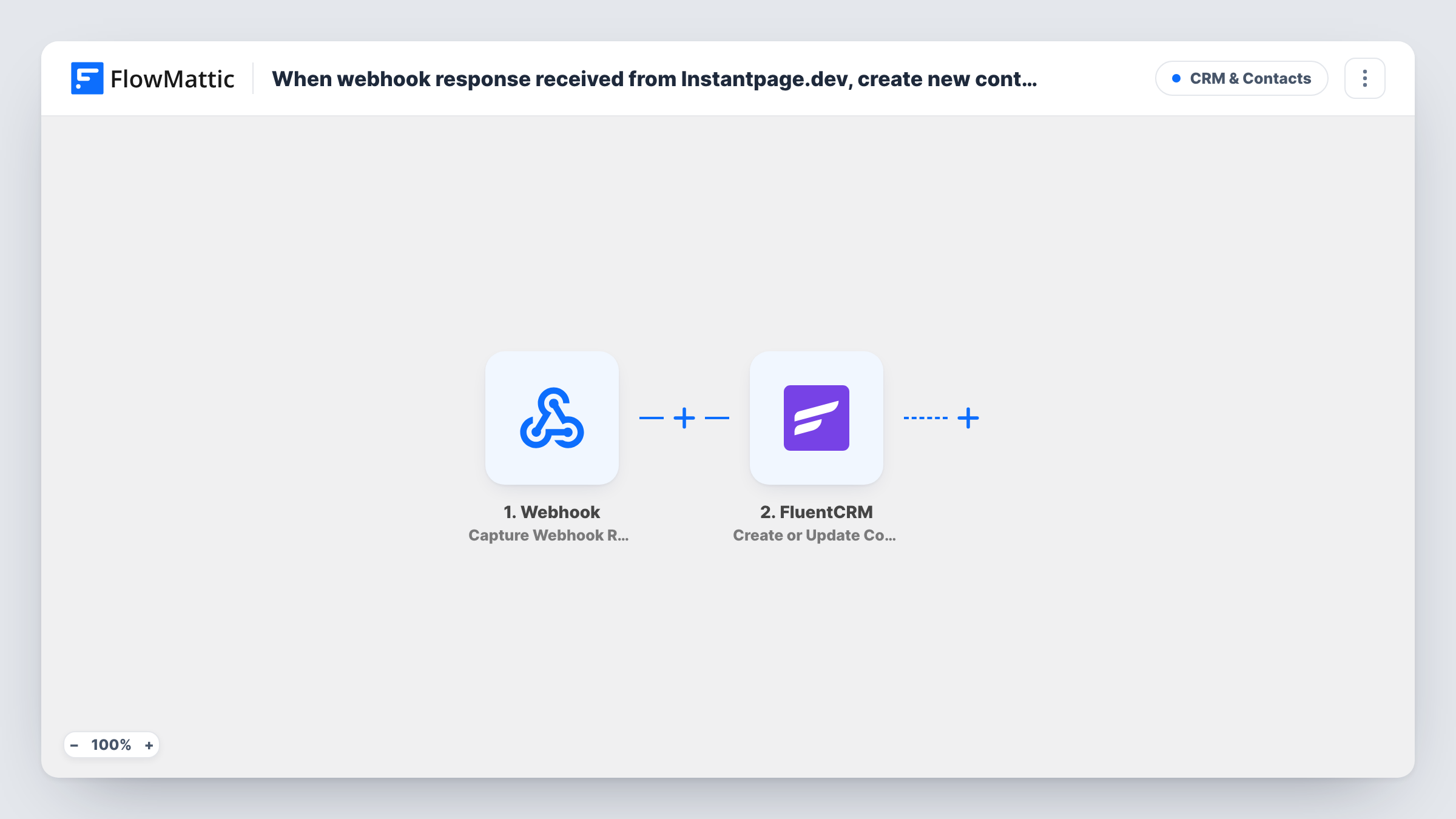
The Webhook trigger gives you a URL to paste into Instantpage.dev's webhook setting. Each time Instantpage.dev posts to it, the payload becomes data you can map. The FluentCRM step then runs Create or Update Contact, which matches people by email address. An email FluentCRM hasn't seen gets its own contact, while a known one refreshes that existing record rather than adding a second.
FluentCRM lives on your own WordPress site, so the contact data stays there. Because an update writes whatever you map, a later delivery with a blank field could replace a value you already hold. Test with a real sign-up and check the result in Task History before you switch the workflow on.
Waitlist page for a product launch
Visitors join a waitlist on an Instantpage.dev page, and each one becomes a FluentCRM contact you can email when the launch date arrives.
Lead magnet download page
People request a checklist through Instantpage.dev. FluentCRM gets their name and email so you can send the follow-up series you built there.
Repeat sign-ups from the same person
Someone fills in two different Instantpage.dev pages. FluentCRM matches the email and updates the one contact rather than holding two records for that person.
How this workflow runs
What happens at each step once the workflow is on, and what you need before you import it.
 Webhook Capture Webhook Response
Provides the webhook URL you add in Instantpage.dev's webhook settings. Each delivery from Instantpage.dev starts a run, and its fields become available to map in FluentCRM.
- FluentCRM Create or Update Contact
Creates a FluentCRM contact from the webhook data, or updates the existing one with the same email address. Map the email field from the payload, plus any name or other fields it carries.
What you need
- FlowMatticCore
- FluentCRM PluginPlugin
After importing, map your own data. To keep the template universal, not every step is pre-filled. Open each step in the builder and connect your accounts and fields (channels, lists, sheets, recipients) before you switch the workflow on.
Make it yours
Changes worth making after you import it.
- Submit one test entry on your Instantpage.dev page after pasting the URL, so FlowMattic captures the payload's fields before you map them in the FluentCRM step.
- Use the Webhook trigger's Require authentication on incoming requests setting if Instantpage.dev can send your key, so only its requests start a run.
- Leave a FluentCRM field unmapped if the Instantpage.dev payload sometimes sends it blank, so an update for a returning contact doesn't clear the value you already hold.
Questions about this workflow
Why is the trigger a generic Webhook and not an Instantpage.dev app?
Instantpage.dev's only FlowMattic trigger, Configure Webhooks, just receives deliveries at a URL. This Webhook step does the same job, so you paste its URL into Instantpage.dev and each delivery starts a run.
What if the Instantpage.dev sign-up already exists in FluentCRM?
Create or Update Contact matches by email address. The existing contact is updated with the mapped values, so you don't end up with a duplicate.
Will sign-ups made before I import this reach FluentCRM?
No. Only deliveries Instantpage.dev sends to the webhook URL after the workflow is on start a run, so earlier sign-ups stay where they are.
More CRM & Contacts workflows
Other ready-to-import templates from the same category.







Import this workflow into your WordPress site
Download the JSON, import it from the Workflows screen and connect your accounts. Every run stays on your server, with no per-task fees.
30-day money-back guarantee Unlimited workflows and runs Self-hosted