

When you receive a new message in your Telegram group, immediately send it to WhatsApp using the WhatsApp Cloud API
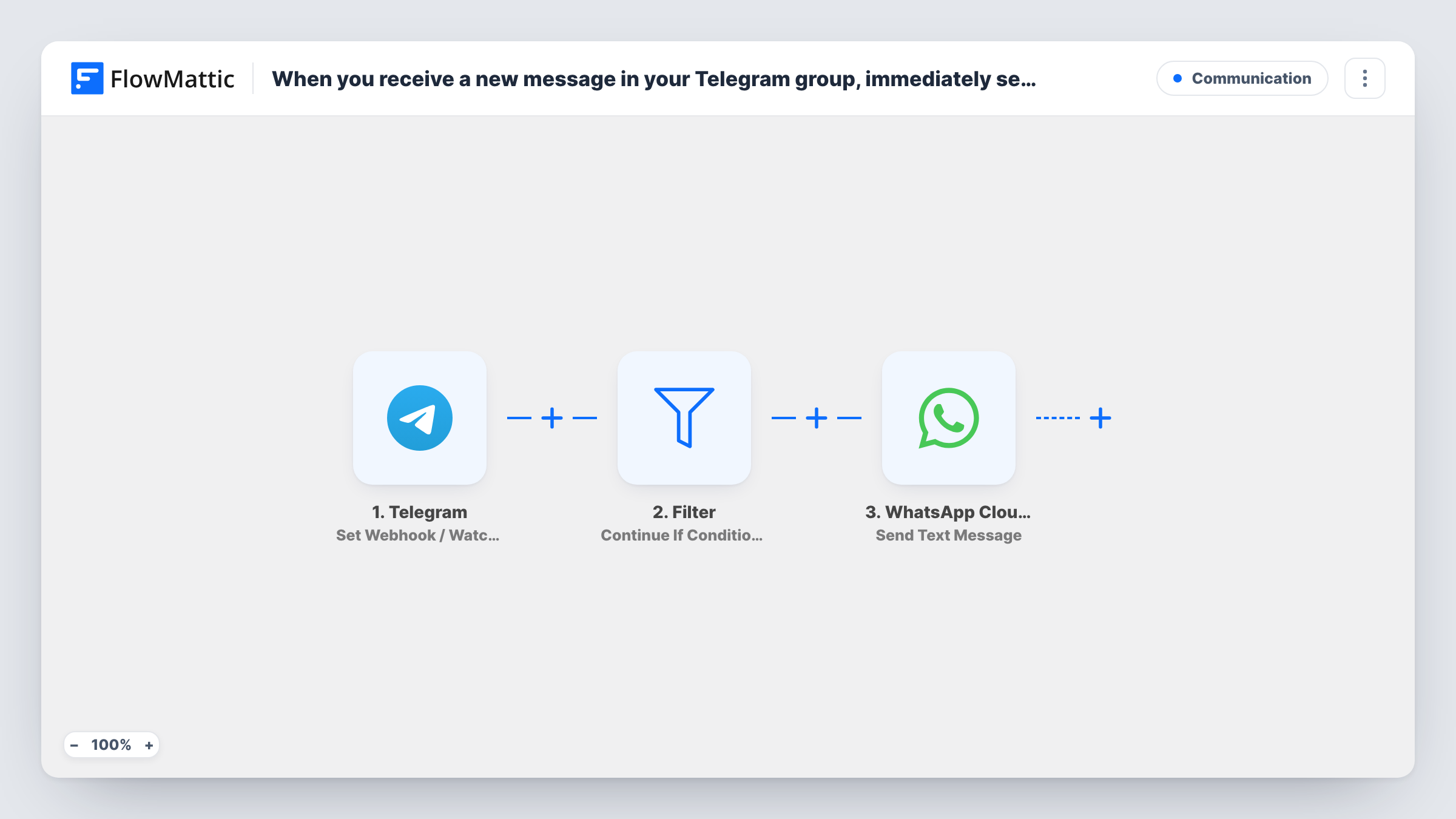
When your Telegram bot receives an update from your group, a Filter checks it against your rules and matching messages are passed on as a WhatsApp text through the WhatsApp Cloud API.
 Telegram
 Filter
 WhatsApp Cloud API
3 steps Setup ~5 min Used on 483 sites Free to import
What this workflow does
Some teams talk in Telegram while the person who needs to hear about it lives in WhatsApp. Forwarding messages by hand between the two apps is easy to forget. This workflow picks up what your Telegram bot sees in a group and sends the messages you care about to a WhatsApp number.
The Telegram trigger is Set Webhook / Watch Updates. It fires when there is an update available for your bot, such as a new message in a group the bot belongs to. A Filter then checks the update against conditions you set after import and stops the run when they are not met. Updates that pass go to the WhatsApp Cloud API step, where Send Text Message delivers the text to the number you choose.
A plain WhatsApp text gets through only while the recipient is inside the 24-hour window that opens when they message your business number. If the person on the WhatsApp side has not written to you in that window, the message will not arrive. For anyone outside it, switch the last step to Send Template Message with a template WhatsApp has approved.
Owner who only reads WhatsApp
Staff coordinate shifts in a Telegram group. Messages that pass the Filter, such as those containing urgent, are sent to the owner's WhatsApp number.
Community alerts for a moderator
A moderator follows a busy Telegram community from WhatsApp. The Filter lets through updates that mention the word report, so they see those without opening Telegram.
Supplier group updates
A supplier posts stock notices in a shared Telegram group. Messages containing the word restock reach the buyer on WhatsApp.
How this workflow runs
What happens at each step once the workflow is on, and what you need before you import it.
 Telegram Set Webhook / Watch Updates
Runs when your Telegram bot receives an update, such as a new message in a group it has been added to. The update's data, including the message text, is passed on.
- Filter Continue If Condition Meet
Checks each Telegram update against the conditions you add after import. Updates that match carry on to WhatsApp, and the rest stop here without sending anything.
- WhatsApp Cloud API Send Text Message
Sends a WhatsApp text through your Cloud API number to the recipient you set, with the Telegram message mapped into it. Free-form text only reaches people who messaged your number in the last 24 hours.
What you need
- FlowMatticCore
- Telegram AccountAccount
- WhatsApp Cloud API AccountAccount
After importing, map your own data. To keep the template universal, not every step is pre-filled. Open each step in the builder and connect your accounts and fields (channels, lists, sheets, recipients) before you switch the workflow on.
Make it yours
Changes worth making after you import it.
- Set the Filter to check that the message text is not empty, so updates like members joining or leaving the group do not send blank WhatsApp messages.
- If the WhatsApp recipient has not written to your business number recently, replace Send Text Message with Send Template Message and use an approved template with the Telegram text as a variable.
- Include the Telegram sender's name in the WhatsApp text, so the recipient knows who wrote the original message.
Questions about this workflow
Why doesn't my Telegram bot see every group message?
Telegram bots in groups run in privacy mode by default and only receive some messages, such as commands and replies to the bot. Turn privacy mode off with BotFather, or make the bot a group admin, then send a test message.
Why did the WhatsApp Cloud API message not arrive?
Most often the recipient has not sent your business number a message in the past 24 hours, which WhatsApp requires before it delivers a free-form text. Outside that window, use an approved template instead. Task History shows the response from WhatsApp on that step.
What does the Filter check between Telegram and WhatsApp as imported?
You set its conditions after import. Choose a value from the Telegram update, such as the message text or chat, and the rule it must meet before WhatsApp sends anything.
Can WhatsApp replies come back into the Telegram group?
Not with this workflow. It only moves messages one way, from Telegram to WhatsApp.
More Communication workflows
Other ready-to-import templates from the same category.





Import this workflow into your WordPress site
Download the JSON, import it from the Workflows screen and connect your accounts. Every run stays on your server, with no per-task fees.
30-day money-back guarantee Unlimited workflows and runs Self-hosted