

Turn Gravity Forms submissions into PDFs stored in Google Drive
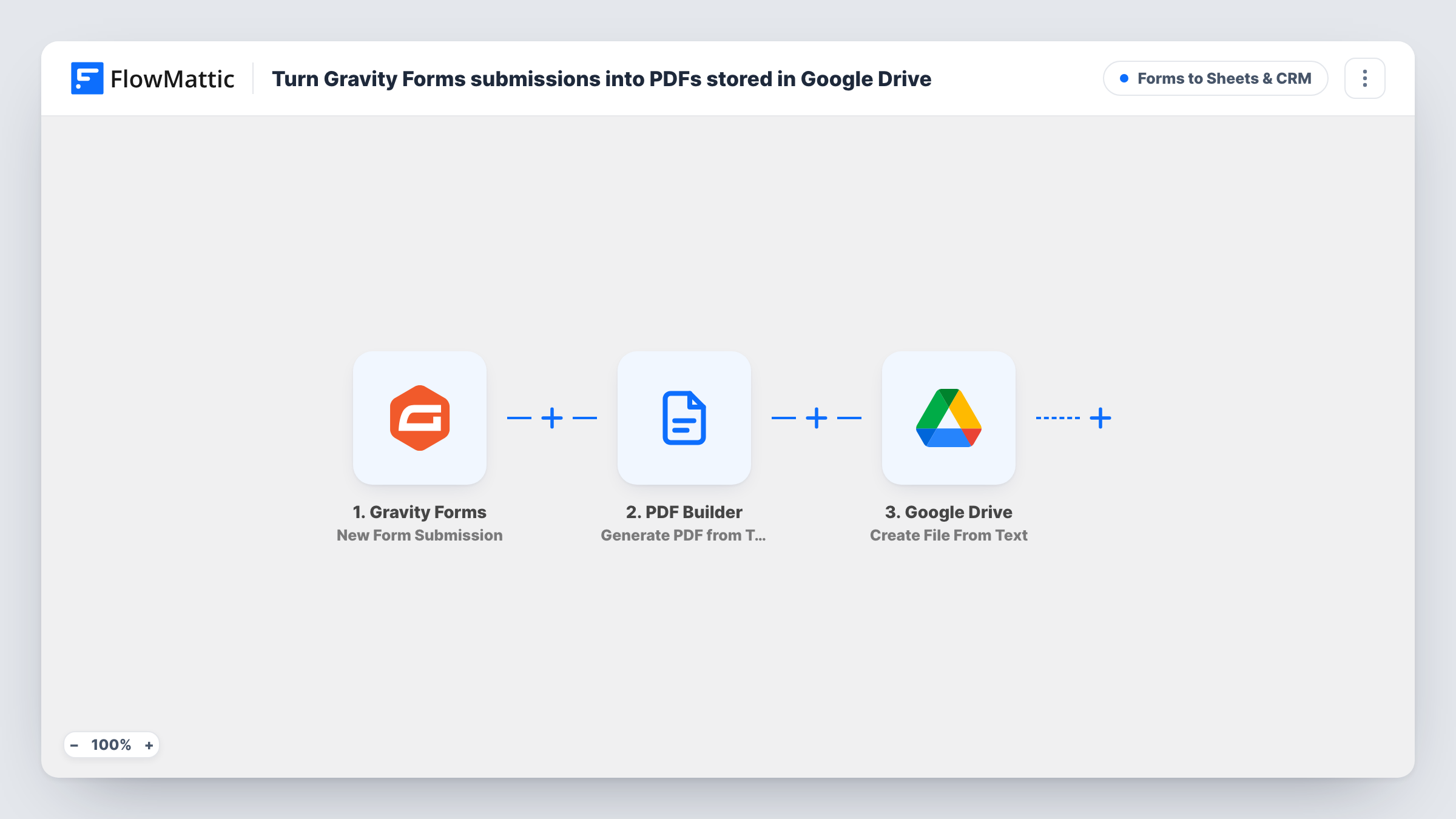
Each Gravity Forms submission is filled into a saved PDF Builder template, rendered as a PDF and uploaded to your Google Drive, so every entry has a tidy document stored outside WordPress.
 Gravity Forms
 PDF Builder
 Google Drive
3 steps Setup ~5 min Used on 3.3k sites Lead Capture Free to import
What this workflow does
Form entries are hard to share as they sit in the WordPress admin. A PDF of each one is easier to send to a client, print or file. This workflow builds that PDF from a template you design and keeps a copy in Google Drive, where your team already stores documents.
The Gravity Forms trigger starts a run when your form receives a new submission. The PDF Builder step, Generate PDF from Template, then fills a saved PDF template with the entry's data and saves the rendered PDF to the WordPress Media Library. The template is set to ID 12, which is only a placeholder: pick your own saved template after import and map the form fields into its parameters. The file name starts with submission- followed by the entry's name value.
Finally, Google Drive uploads the file, using the PDF's URL from the previous step and naming it Submission - plus the name value and .pdf. Choose the Drive folder after import.
Both file names expect a value called name in the Gravity Forms data. If your form's name field arrives under a different key, that part of the file name comes out blank, so check a test entry in Task History and remap it. A copy of every generated file remains in WordPress as well.
Quote requests as PDFs for the sales team
A contractor's Gravity Forms quote form produces a PDF of each request in a shared Drive folder, so estimators can open and annotate it.
Course applications on file
A training provider keeps a PDF copy of each course application in Google Drive, laid out the same way every time, for its records.
Client intake documents
A law office's intake form becomes a PDF stored in Drive, ready to attach to the client's matter file.
How this workflow runs
What happens at each step once the workflow is on, and what you need before you import it.
 Gravity Forms New Form Submission
Starts the workflow when your Gravity Forms form receives a new submission. The entry's fields become available to map into the PDF template.
- PDF Builder Generate PDF from Template
Fills a saved PDF Builder template with the entry and saves the PDF to the Media Library. The template ID 12 is a placeholder; choose your template and map form fields to its parameters.
- Google Drive Upload a File
Uploads the PDF to Google Drive from the URL PDF Builder returned, named Submission - with the entry's name and .pdf. Pick the folder after import.
What you need
- FlowMatticCore
- Gravity Forms PluginPlugin
- Google Drive AccountAccount
After importing, map your own data. To keep the template universal, not every step is pre-filled. Open each step in the builder and connect your accounts and fields (channels, lists, sheets, recipients) before you switch the workflow on.
Make it yours
Changes worth making after you import it.
- Design the PDF template in PDF Builder before importing, so its parameters are ready to match with your Gravity Forms fields.
- Check the name value in a test run. If your form sends the name under another key, remap it in both file names so each PDF is easy to find in Drive.
- Clean out the Media Library from time to time, or plan for it to hold every generated PDF, since each submission saves a file there as well.
Questions about this workflow
Do I need a PDF template before importing this?
Yes. The Generate PDF from Template step fills one of your saved PDF Builder templates. The template ID in the import is a placeholder, so pick your own afterwards.
Where does the Gravity Forms PDF end up?
In two places: PDF Builder saves it to your WordPress Media Library, and the Google Drive step uploads a copy to the folder you choose.
Can the PDF be emailed to the person who submitted the form?
Yes. Add FlowMattic's Email step after the PDF Builder step. It can attach files stored on your WordPress site, so the PDF in the Media Library can go with the message.
What if two submissions have the same name?
Both files are uploaded with the same file name. Google Drive allows that, but they can be hard to tell apart, so consider adding the entry ID or date to the file name.
More Forms to Sheets & CRM workflows
Other ready-to-import templates from the same category.







Import this workflow into your WordPress site
Download the JSON, import it from the Workflows screen and connect your accounts. Every run stays on your server, with no per-task fees.
30-day money-back guarantee Unlimited workflows and runs Self-hosted