

Create a new ClickUp Task when a New Lead is captured from Facebook Lead Ads
Every new Facebook Lead Ads submission becomes a ClickUp task carrying the lead’s answers, so your sales or support team works new enquiries from the same place as the rest of their tasks.
 Facebook Lead Ads
 ClickUp
2 steps 5 downloads Setup ~5 min Used on 2.3k sites Free to import
What this workflow does
Leads go cold when they wait. If your team plans its day in ClickUp but new Facebook leads live somewhere else, someone has to check for them, copy the details over and hand them out. This workflow puts each new lead straight into ClickUp as a task.
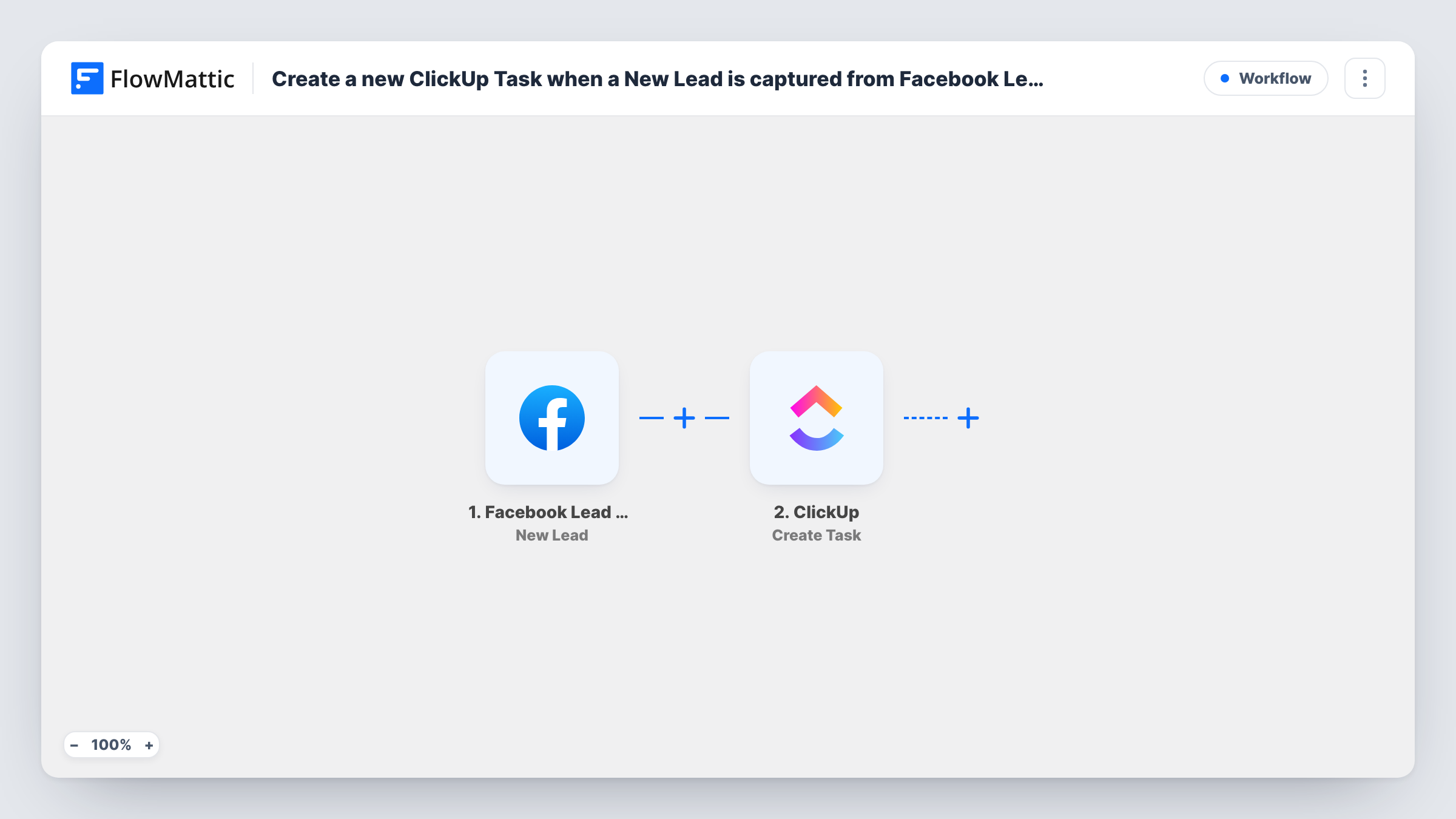
The Facebook Lead Ads trigger reacts to each new submission on your lead forms. The person's answers come into FlowMattic as fields. The ClickUp Create Task step then adds a task, and you map the lead's answers into the task name and description, for example the name as the title and the email and phone number in the body.
Of the ClickUp templates for Facebook leads, this one adds the least structure: one task per lead in a shared list. Your team can sort, assign and close those tasks like any other work, and the list doubles as a running log of enquiries. Task History shows each run, which helps when you want to confirm a lead reached ClickUp.
A shared call-back queue for sales reps
Leads from a discount offer land as tasks in a Call Back list. Reps pick a task, call the person and close it, so nobody phones the same lead twice.
Local service bookings
A plumber or salon running lead ads gets each booking request as a task holding the customer's answers, ready to schedule and mark done after the visit.
Demo requests for a software product
Every demo request from a Facebook campaign becomes a task in the Demos list, where the team adds the meeting date and notes from the call.
How this workflow runs
What happens at each step once the workflow is on, and what you need before you import it.
 Facebook Lead Ads New Lead
Starts the workflow whenever a new lead is submitted through one of your Facebook lead ad forms. Each answer becomes a field you can map in ClickUp.
- ClickUp Create Task
Adds a task in ClickUp for the lead. Connect your ClickUp account, then map the lead's name into the task name and the other answers into the description.
What you need
- FlowMatticCore
- Facebook Lead Ads AccountAccount
- ClickUp AccountAccount
After importing, map your own data. To keep the template universal, not every step is pre-filled. Open each step in the builder and connect your accounts and fields (channels, lists, sheets, recipients) before you switch the workflow on.
Make it yours
Changes worth making after you import it.
- Put every form answer in the task description, one per line, so whoever picks up the task has the full enquiry without opening Facebook.
- Running ads for more than one product? Put a Router after the trigger and give each product's leads their own Create Task step.
- Add a Filter after the trigger to drop leads you do not want as tasks, for example answers that leave the phone field empty.
Questions about this workflow
What does the ClickUp task contain?
Whatever you map. The trigger hands over the answers from your lead form, and you choose which ones go into the task name and the description.
Where do the new tasks appear?
In ClickUp, in the same place for every lead. Send a test lead after import to see where the task lands, and add a Router with a second ClickUp step if some leads belong elsewhere.
What if one person submits two forms?
Each submission is a separate run, so you get two tasks. The workflow does not check ClickUp for an existing task first.
Do I need anything installed besides FlowMattic?
No WordPress plugins beyond FlowMattic. You connect a Facebook account with access to your lead ads and a ClickUp account that can add tasks to the chosen list.
More Project Management workflows
Other ready-to-import templates from the same category.



Import this workflow into your WordPress site
Download the JSON, import it from the Workflows screen and connect your accounts. Every run stays on your server, with no per-task fees.
30-day money-back guarantee Unlimited workflows and runs Self-hosted